You’re about to buy a new laptop. Everything looks perfect—the screen, the processor, the price. Then you hit the storage options: 256GB, 512GB, 1TB. The price jumps with each upgrade, and you’re stuck wondering: How much do I actually need?
I’ve been there. I’ve also watched friends choose the cheapest option, only to run out of space six months later, desperately deleting files to install a single update.
Here’s the thing: storage is one of those specs that seems simple until you actually start using your device. Then reality hits-apps are bigger than you thought, games take up absurd amounts of space, and suddenly that 256GB feels cramped.
This guide will help you figure out exactly how much SSD storage you need based on how you’ll actually use your computer, not just marketing promises or guesswork.
What Does SSD Storage Actually Mean?
TL;DR: You’re about to buy a new laptop. Everything looks perfect—the screen, the processor, the price. Then you hit the storage options: 256GB, 512GB, 1TB. The price jumps with each upgrade, and you’re stuck wondering:
Table of Contents
- What Does SSD Storage Actually Mean?
- How Storage Fills Up Faster Than You Think
- Where Your Storage Actually Goes
- How Much Storage Do You Need? (By User Type)
- 🧑🎓 Students
- 💼 Office Workers
- 🎨 Content Creators (Design, Video, Photography)
- 🎮 Gamers
- 256GB vs 512GB vs 1TB: Clear Comparison
- The Simple Truth
- Real-Life Storage Scenarios
- Scenario 1: The Light User (256GB Works Fine)
- Scenario 2: The Regretful Buyer (256GB Wasn’t Enough)
- Scenario 3: The Comfortable Creator (512GB + External)
- Scenario 4: The Happy Gamer (1TB Peace of Mind)
- Scenario 5: The Professional (1TB Non-Negotiable)
- Biggest Mistakes People Make When Choosing Storage
- 1. Choosing Based on Today, Not Tomorrow
- 2. Assuming Cloud Storage Solves Everything
- 3. Underestimating How Big Modern Software Is
- 4. Forgetting About Updates
- 5. Ignoring Whether Storage Is Upgradeable
- Smart Tips Before You Decide
- Think 2-3 Years Ahead
- Check If Your Device Allows Upgrades
- Consider an External SSD for Flexibility
- Don’t Forget About Built-In Storage Eaters
- Recommended SSDs by Storage Size
- For Budget-Conscious Users: 500GB SSD
- For Most People: 1TB SSD
- For Power Users: 2TB SSD
- The Final Verdict: How Much Storage Should You Get?
- Get 256GB if:
- Get 512GB if:
- Get 1TB if:
- My Honest Take
- Frequently Asked Questions
- How much SSD do I really need?
- Is 256GB enough in 2026?
- Is 512GB enough for long-term use?
- Should I get 1TB SSD?
- Can I upgrade my SSD later?
- Is external SSD a good alternative to more internal storage?
- Final Thoughts
What Does SSD Stands For?
Let’s keep this simple. SSD stands for Solid State Drive—it’s where everything on your computer lives: your operating system, programs, files, photos, everything.
SSDs are fast. Way faster than old hard drives. That’s why your computer boots in seconds instead of minutes. But here’s what matters for this conversation: the amount of storage determines how much stuff you can keep on your device.
One important clarification: more storage doesn’t make your computer faster. A 1TB SSD won’t run programs quicker than a 256GB SSD (assuming they’re the same model). Storage size is purely about capacity—how much you can store.
How Storage Fills Up Faster Than You Think
When you see “256GB SSD,” you don’t actually get 256GB of usable space. Here’s the reality:
Where Your Storage Actually Goes
- Operating System: Windows takes 20-30GB, macOS around 15-20GB. That’s before you install anything.
- Essential Apps: Microsoft Office (3-4GB), Chrome or Firefox (500MB+), Adobe Reader, Zoom, Spotify—these add up to 10-20GB easily.
- Professional Software: Adobe Photoshop (3-4GB), Premiere Pro (2-3GB), AutoCAD (6-8GB). Creative apps are massive.
- Games: This is where things get wild. Call of Duty: Modern Warfare? 150GB+. Red Dead Redemption 2? 120GB. Even smaller games like Valorant take 20-30GB.
- Your Actual Files: Documents are tiny, but photos (especially from modern phones) run 5-10MB each. A 10-minute 4K video? That’s 5-10GB right there.
So on a 256GB drive, you might have 210GB usable after formatting. Subtract the OS and basic apps, and you’re down to maybe 170GB for your actual stuff. That space disappears faster than you’d expect.
How Much Storage Do You Need? (By User Type)
Let’s break this down by how you’ll actually use your computer.
🧑🎓 Students
Light Use (Web Browsing, Documents, Streaming):
256GB works fine. You’re mostly using Google Docs, watching Netflix, and maybe running Office. Your files are small, and you’re not installing big programs.
Mixed Use (Some Design Work, Coding, Multiple Apps):
512GB is the sweet spot. You might need Photoshop for a project, or you’re running Android Studio for coding classes. You want breathing room without constantly managing space.
💼 Office Workers
If your work lives in the cloud—Google Workspace, Microsoft 365, Slack—and you’re not storing large files locally, 256GB or 512GB handles everything comfortably.
If you work with large Excel files, presentations with lots of media, or need to download client files regularly, lean toward 512GB.
🎨 Content Creators (Design, Video, Photography)
This is non-negotiable: 512GB minimum, 1TB strongly recommended.
Video files are enormous. A single project with raw footage can easily hit 50-100GB. Photos from a professional camera? A day’s shoot might be 20-30GB. Add in your editing software, plugins, and exported files, and 256GB becomes unworkable within weeks.
Many creators I know use a 1TB internal SSD plus external storage for archives. That’s the practical setup.
🎮 Gamers
512GB is the bare minimum, 1TB is ideal.
Modern games are absurdly large. If you play 3-4 AAA games, you’re already pushing 300-400GB just for games. Add the OS, Discord, streaming software if you record, and 512GB gets tight fast.
With 1TB, you can keep 5-6 major games installed without constantly uninstalling and redownloading (which, with today’s internet speeds, still takes hours).
256GB vs 512GB vs 1TB: Clear Comparison
| Storage Size | Best For | Real Limitations |
|---|---|---|
| 256GB | Light users, students with cloud storage, basic office work | No room for games, limited app installs, requires regular cleanup |
| 512GB | Most people—students, professionals, casual gamers | Tight for heavy gamers or video editors, but manageable with external storage |
| 1TB | Gamers, creators, anyone storing large files locally | Costs more upfront, but saves headaches long-term |
The Simple Truth
256GB: You’ll manage space constantly. Fine if you’re disciplined and use cloud storage religiously.
512GB: The Goldilocks option. Enough space for most people without overthinking it.
1TB: Freedom. You install what you want, keep projects around, and don’t worry about space for years.
Real-Life Storage Scenarios
Let me show you how this plays out in practice.
Scenario 1: The Light User (256GB Works Fine)
Sarah uses her laptop for emails, YouTube, Netflix, and online shopping. She keeps photos on Google Photos and documents in Google Drive. Her laptop has 256GB, and after two years, she’s using about 120GB. She’s never felt cramped.
Takeaway: If you’re truly a light user with good cloud habits, 256GB is perfectly adequate.
Scenario 2: The Regretful Buyer (256GB Wasn’t Enough)
Mike bought a 256GB laptop to save money. He’s a college student studying graphic design. Within four months, he hit 230GB. He can’t update Photoshop without deleting files. He’s constantly moving things to an external drive. He wishes he’d spent the extra money for 512GB.
Takeaway: If there’s any chance you’ll need more than basic apps, don’t cheap out on storage.
Scenario 3: The Comfortable Creator (512GB + External)
Jessica edits videos for her YouTube channel. She has a 512GB SSD and a 1TB external drive. Active projects stay on the internal drive for fast editing. Finished projects move to external storage. It’s a workflow that works.
Takeaway: 512GB internal plus external storage is a practical middle ground for creators on a budget.
Scenario 4: The Happy Gamer (1TB Peace of Mind)
Tom plays a lot of games—Elden Ring, Cyberpunk 2077, Baldur’s Gate 3, a few multiplayer shooters. His 1TB SSD holds everything comfortably. He never uninstalls games unless he’s truly done with them. No storage anxiety.
Takeaway: For gamers, 1TB removes a constant source of frustration.
Scenario 5: The Professional (1TB Non-Negotiable)
Rachel is a freelance video editor. She works with 4K footage daily. Her 1TB internal drive holds current projects. Completed work goes to a RAID backup system. Anything less than 1TB would cripple her workflow.
Takeaway: If your work depends on handling large files, 1TB isn’t a luxury—it’s a requirement.
Don’t Miss This
Biggest Mistakes People Make When Choosing Storage
1. Choosing Based on Today, Not Tomorrow
You’re buying a laptop you’ll use for 3-5 years. Apps get bigger. Your needs change. That 256GB that seems fine now might feel cramped in 18 months.
2. Assuming Cloud Storage Solves Everything
Cloud storage is great for backups and access across devices. But it’s not a replacement for local storage. You need internet access, there’s upload/download time, and many apps require local installation. Relying entirely on the cloud creates friction.
3. Underestimating How Big Modern Software Is
Apps aren’t small anymore. Adobe Creative Cloud? Over 20GB for the full suite. Visual Studio? 10-30GB depending on components. A few professional apps can eat 50GB easily.
4. Forgetting About Updates
Windows updates can require 10-20GB of free space. macOS updates need similar room. If your drive is nearly full, updates fail. This creates a frustrating cycle of deleting files just to update your OS.
5. Ignoring Whether Storage Is Upgradeable
Many modern laptops have soldered SSDs—you can’t upgrade them later. If you buy 256GB, you’re stuck with 256GB. Always check if storage is upgradeable before compromising on size.
Smart Tips Before You Decide
Think 2-3 Years Ahead
Don’t just consider your needs today. Where will you be in two years? New hobbies? Different job? More demanding software? Build in a buffer.
Check If Your Device Allows Upgrades
Some laptops let you swap or add SSDs later. If yours does, starting with 512GB and upgrading to 1TB down the road is an option. If the storage is soldered (like most MacBooks and ultrabooks), what you buy is what you’re stuck with.
Consider an External SSD for Flexibility
External SSDs are fast and affordable now. If you’re torn between 512GB and 1TB, going with 512GB and adding a 1TB external drive gives you flexibility without breaking the bank.
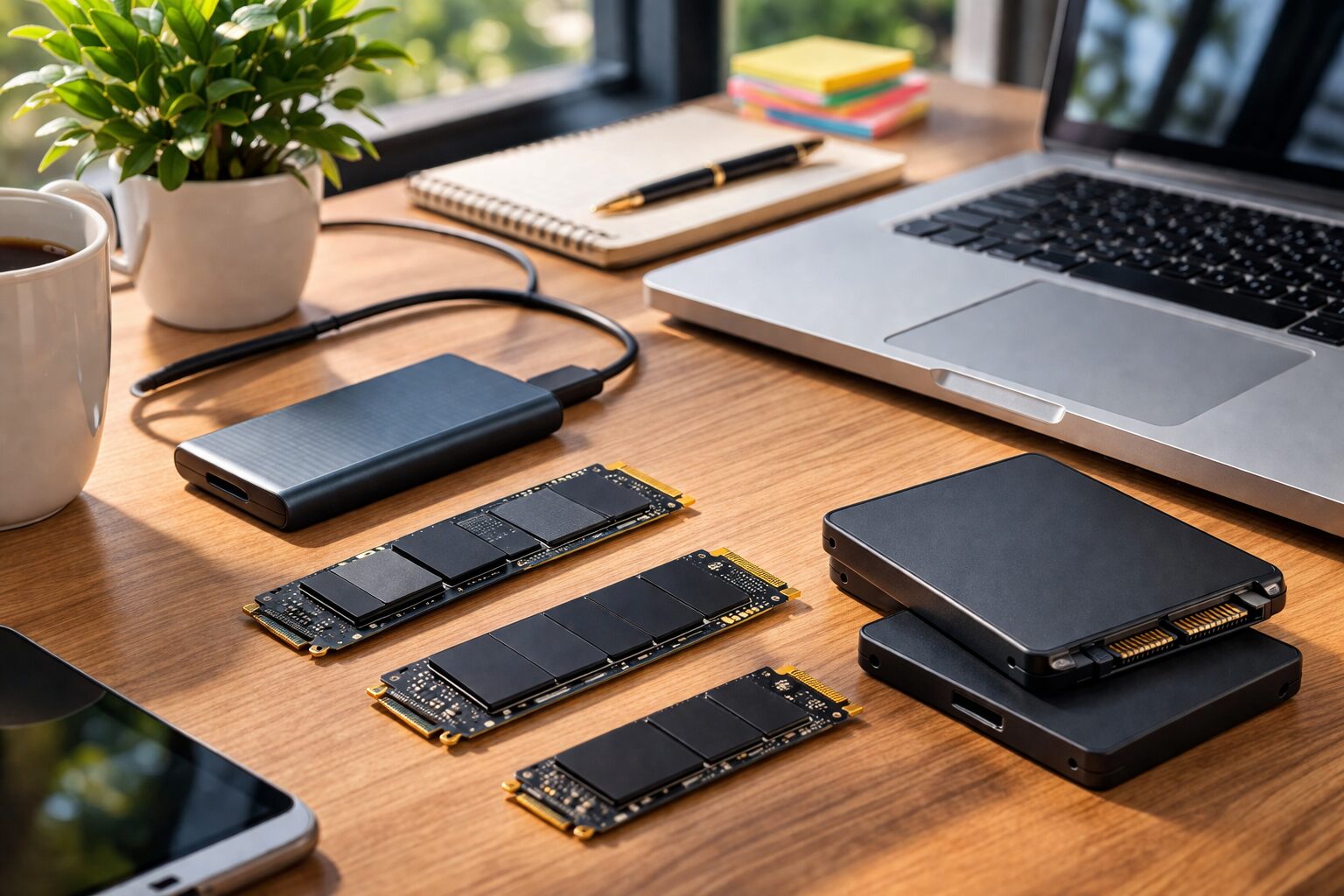
If you need a reliable external drive for backups or extra storage, the Samsung T7 Portable SSD is compact, fast, and works across all devices. It’s one of the most popular external SSDs for a reason:
Don’t Forget About Built-In Storage Eaters
If you use iCloud Photos, Dropbox, or OneDrive with local sync, those services cache files locally. That can quietly consume 20-50GB. Factor that in.
Recommended SSDs by Storage Size
If you’re building a PC or upgrading a laptop with a replaceable SSD, here are solid options across different sizes.
For Budget-Conscious Users: 500GB SSD
The Crucial P3 500GB NVMe SSD offers excellent value. It’s fast enough for everyday use, reliable, and affordable. Perfect if you’re upgrading an older laptop or building a budget PC:
For Most People: 1TB SSD
The Samsung 980 PRO 1TB is a high-performance drive that handles everything from Gaming to video editing smoothly. It’s not the cheapest, but the speed and reliability make it worth it if you want something that’ll last:
For Power Users: 2TB SSD
If you’re serious about gaming or creative work and want to avoid storage anxiety entirely, the WD Black SN850X 2TB is built for heavy use. It’s fast, spacious, and handles intense workloads without breaking a sweat:
The Final Verdict: How Much Storage Should You Get?
Here’s the simplest way to decide:
Get 256GB if:
- You use your computer mainly for web browsing, streaming, and documents
- You’re committed to using cloud storage for everything
- You’re on a very tight budget and can add external storage later
And Get 512GB if:
- You’re a student with varied needs
- You use a mix of apps but don’t store huge files
- You’re a casual gamer who plays 1-2 games at a time
- You want a balanced option that works for most people
Get 1TB if:
- You’re a gamer who plays multiple AAA titles
- You work with video, photography, or design
- You want to avoid thinking about storage for years
- You can afford the upgrade and want peace of mind
My Honest Take
If you’re unsure, go with 512GB. It’s the sweet spot for most people in 2026. You’ll have enough space without constantly managing files, and it’s not so expensive that it blows your budget.
If you’re a gamer or creator, seriously consider 1TB. The extra cost upfront saves you from constant frustration. Storage anxiety is real, and it’s not worth the savings.
And if you’re truly a light user who lives in the cloud, 256GB will serve you fine—just be honest with yourself about whether that’s actually you.
Frequently Asked Questions
How much SSD do I really need?
For most people, 512GB is the ideal amount. It gives you enough space for the operating system, essential apps, some games or creative software, and personal files without feeling cramped. If you’re a light user who mostly streams and browses, 256GB works. If you’re a gamer or creator, 1TB is worth the investment.
Is 256GB enough in 2026?
It depends entirely on your usage. For basic tasks—web browsing, streaming, documents—256GB is adequate if you use cloud storage. But modern apps and games are large, and the OS alone takes 20-30GB. If you install even a few demanding programs, 256GB feels tight quickly. For most people, 512GB is a safer choice.
Is 512GB enough for long-term use?
Yes, for most users. 512GB handles everyday computing, office work, moderate gaming (2-3 games installed), and light creative work comfortably. If you’re disciplined about managing files and use external storage or cloud backups, 512GB can last 4-5 years without issues. Heavy gamers and video editors will outgrow it faster.
Should I get 1TB SSD?
If you’re a gamer who plays multiple AAA titles, a content creator working with video or high-res photos, or someone who hates managing storage, yes—1TB is worth it. The extra cost (usually $100-150 more than 512GB) buys you years of not worrying about space. For light users, it’s overkill.
Can I upgrade my SSD later?
It depends on your device. Desktop PCs and some laptops allow SSD upgrades. Many modern ultrabooks and MacBooks have soldered storage that can’t be changed. Always check your specific model before buying. If storage isn’t upgradeable, choose more capacity upfront—you can’t add it later.
Is external SSD a good alternative to more internal storage?
External SSDs are great for backups, archives, and extra storage, but they’re not a full replacement for internal storage. You need to carry them around, they require a USB port, and they’re slower for active work. They’re perfect as a supplement—like keeping finished projects or older games externally while active files stay internal.
Final Thoughts
Choosing storage isn’t complicated once you’re honest about how you’ll actually use your computer. Don’t let marketing or price pressure push you into a size that won’t work for your needs.
The worst feeling is realizing six months in that you should’ve spent a bit more for the next storage tier. Storage is one of those specs where skimping causes ongoing frustration, not just a one-time compromise.
Think about your actual usage, plan a little ahead, and choose the size that lets you use your computer without constantly playing the “what can I delete?” game. Your future self will thank you.
Last Refreshed: August 13, 2026