The Backup Wake-Up Call Nobody Wants
You never think about backups until you actually need one. A hard drive makes a clicking sound. A laptop disappears at an airport. Ransomware locks you out of two years of client projects overnight. The frustrating thing is that every single one of these disasters is avoidable – if you’d just kept a current backup.
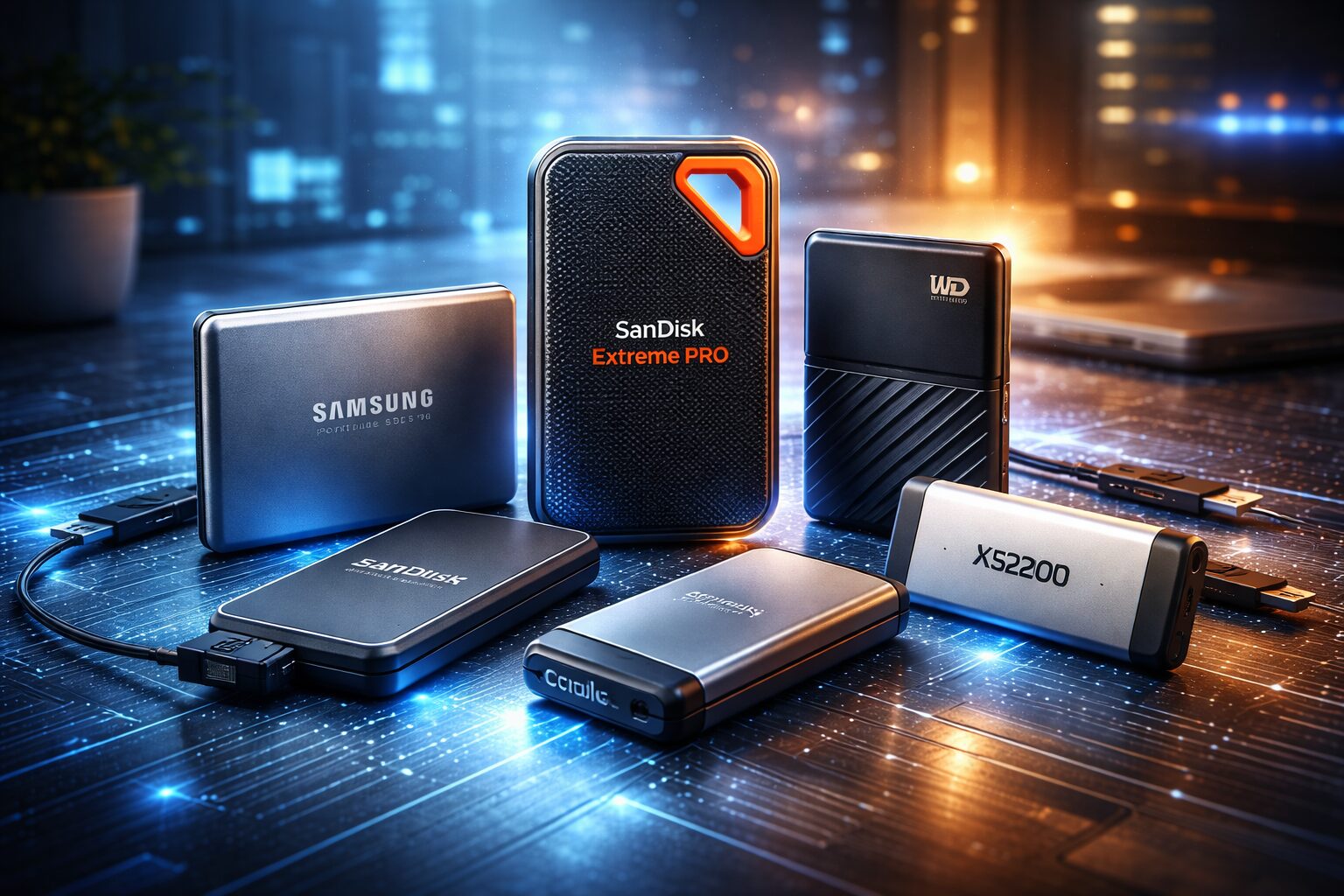
External SSDs have become the most practical, reliable backup solution for most people in 2026. They’re significantly faster than the portable hard drives people used to carry around, they survive being dropped, and they’re small enough to toss in a jacket pocket. Whether you’re a wedding photographer backing up memory cards after a ceremony, a developer who can’t afford to lose a local repository, or a student who simply cannot hand in nothing tomorrow, there’s an SSD in this guide that fits your situation.
This guide covers the best external SSDs for backup in 2026 – with real-world context on who each drive is built for, what it actually does well, and where it falls short. No generic padding, just what you need to make the right call.
Why Use an External SSD for Backup?
Speed That Actually Changes Your Day
Traditional spinning hard drives top out around 100–150 MB/s in real-world transfers. A decent external SSD over USB 3.2 Gen 2 delivers 900–1,100 MB/s. That’s roughly a 7–10x difference in practice. Backing up 100GB of footage takes about 90 seconds on a fast SSD. On an HDD, you’re waiting 15–20 minutes. If you back up after every shoot or work session, that gap adds up to hours per week.
Durability Without Babying It
SSDs have no moving parts – nothing to skip, nothing to spin up. You can drop one in a bag, forget about it for a week, and it’ll be fine. Hard drives are sensitive to physical shock, especially while running. One bad drop at the wrong moment can cause a head crash and instant data loss. Most modern external SSDs also carry an IP55 or higher rating, making them resistant to water splashes and dust – something no portable HDD can match.
Who Gets the Most Out of a Backup SSD
- Photographers and videographers: Large RAW and video libraries transfer fast, no agonizing wait
- Students: Portable, affordable, and fast enough to back up full project folders in minutes
- Business owners: Reliable off-site backup for client files, invoices, and financial records
- Developers: Quick cloning of local environments, code repos, and Docker images
- Frequent travelers: Small form factor, with rugged options that survive real-world life on the road
What to Look for in a Backup SSD: 2026 Buying Guide
Storage Capacity
The 1TB sweet spot works for most people, but 2TB drives have dropped significantly in price and are now the smarter long-term buy for anyone with a growing library. If you work with 4K or 8K video regularly, start at 4TB.
💡 Pro Tip: Buy at least 50% more storage than your current data size. 600GB of files today means you need at least 1TB. 1.5TB means go straight to 2TB or 4TB. Storage fills faster than you think, and buying bigger now is always cheaper than buying a second drive in six months.
Speed: USB 3.2 vs USB4 vs Thunderbolt
For most users, USB 3.2 Gen 2 (up to ~1,000 MB/s real-world) is more than fast enough. USB4 and Thunderbolt 4 (up to 3,000–4,000 MB/s) are genuinely useful only if you’re moving enormous files daily and your laptop actually supports those ports. The cable and the port on your computer matter as much as the drive itself – check what you have before paying a premium.
Durability Ratings
Look for IP55 or higher if you travel or work on location. For job sites or outdoor shoots, go with a fully rugged option. Budget SSDs sometimes claim shock resistance without any official IP rating – treat that with skepticism.
Encryption and Security
If you’re backing up client data, financial records, or any sensitive files, hardware encryption matters. Drives with AES 256-bit hardware encryption protect your data even if the drive is lost or stolen. Software-level encryption via BitLocker or macOS FileVault is a workable alternative if the drive doesn’t include hardware encryption.
Price vs. Performance
In 2026, you can get a solid 1TB external SSD for $60–$90. Premium rugged or faster-interface drives sit between $100–$200. The sweet spot for most backup use cases is the $80–$140 range.
Best External SSDs for Backup in 2026
Here are the top picks – selected based on real-world performance data, verified Amazon availability, and suitability for actual backup workflows.
1. Samsung T9 – Best Overall External SSD for Backup
Who it’s for: Anyone who wants a fast, reliable, well-built backup SSD without overcomplicating the choice.
The Samsung T9 is the drive most people should buy, and the gap between it and the competition is real. It delivers up to 2,000 MB/s read and 1,950 MB/s write over USB 3.2 Gen 2×2 – in practice, a 50GB folder of RAW photos transfers in under a minute. The rubberized exterior grips well and protects it without adding bulk. Hardware AES 256-bit encryption is built in. Samsung’s Dynamic Thermal Guard prevents the kind of thermal throttling that slows down sustained backups on lesser drives.
Available in 1TB, 2TB, and 4TB. Backed by a 3-year limited warranty. Samsung’s track record on NAND reliability is among the best in the industry – this drive is built to last.
Pros:
- 2,000 MB/s read speeds – among the fastest in its class
- Hardware AES 256-bit encryption with password protection
- Available up to 4TB for large libraries
- Samsung Magician software lets you monitor drive health over time
Cons:
- Needs USB 3.2 Gen 2×2 port for maximum speed – many older laptops only have Gen 2
- No official IP dust/water resistance rating
Check the Samsung T9 1TB on Amazon – or pick up the Samsung T9 2TB on Amazon for most creators, or the Samsung T9 4TB on Amazon if you’re archiving a large video library.
2. SanDisk Extreme Pro – Best for Photographers and Outdoor Use
Who it’s for: Working photographers, videographers, and anyone backing up in unpredictable environments.
The SanDisk Extreme Pro has been the field photographer’s go-to portable SSD for years, and the current generation earns that reputation. It’s IP65 rated for both dust and water resistance, tested to survive drops from up to 3 meters, and delivers up to 2,000 MB/s over USB 3.2 Gen 2×2. There’s a built-in carabiner loop for clipping it to a camera bag – a small thing that becomes incredibly convenient on location. Hardware AES 256-bit encryption is included.
Available in 1TB, 2TB, and 4TB. Backed by a 5-year limited warranty – the longest warranty in this guide alongside WD and Kingston.
Pros:
- IP65 rating – dust-tight and water-resistant under direct spray
- 3-meter drop protection – genuinely tough, not just marketing
- Carabiner loop for attaching to bags and gear
- 256-bit AES hardware encryption
- 5-year limited warranty
Cons:
- Noticeably bulkier than non-rugged drives
- Can thermal throttle slightly during very long sustained transfers
Check the SanDisk Extreme Pro 1TB on Amazon, the SanDisk Extreme Pro 2TB on Amazon, or the SanDisk Extreme Pro 4TB on Amazon for large media libraries.
3. Crucial X10 Pro – Best Value High-Speed SSD
Who it’s for: Performance-focused buyers who don’t want to pay a premium for it.
Crucial has been gaining serious ground in the external SSD space with the X10 Pro. It delivers up to 2,100 MB/s read – actually faster at the spec level than the Samsung T9 – while typically pricing below both Samsung and SanDisk by a meaningful margin. It carries IP55 dust and water resistance, and the aluminum and rubber build feels premium. Crucial (a Micron brand) backs it with a 5-year limited warranty, among the best coverage in this category.
The one real downside: no hardware encryption. It relies on software-level encryption (BitLocker on Windows, FileVault on Mac), which works but isn’t as seamless as hardware-level protection.
Pros:
- Fastest read speeds in this guide – up to 2,100 MB/s
- IP55 dust and water resistance at a competitive price
- 5-year warranty – one of the best in class
- Premium anodized aluminum build
Cons:
- No hardware encryption – relies on software
- Less long-term field reliability data than Samsung or SanDisk
Check the Crucial X10 Pro 1TB on Amazon, the Crucial X10 Pro 2TB on Amazon (excellent value pick), or the Crucial X10 Pro 4TB on Amazon for large-capacity needs.
4. WD My Passport SSD – Best for Everyday Backup
Who it’s for: Students, remote workers, and anyone who wants something simple, compact, and dependable.
The WD My Passport SSD is a no-fuss drive that does exactly what it promises. It’s one of the most compact options in this guide, easily pockets, and WD’s reliability track record is backed by years of real-world storage data. Transfer speeds sit around 1,050 MB/s read over USB 3.2 Gen 2, which is plenty fast for routine file backups.
What makes it particularly appealing for backup specifically: WD includes backup software that lets you schedule automatic backups without needing a third-party app. For anyone who wants set-it-and-forget-it backup that runs in the background, this drive makes it painless. Hardware AES 256-bit encryption is included. 5-year limited warranty.
Pros:
- Ultra-compact and lightweight – the most pocketable drive in this guide
- Hardware AES 256-bit encryption with password protection
- Built-in backup software for automatic scheduled backups
- 5-year limited warranty
Cons:
- USB 3.2 Gen 2 only – not as fast as Gen 2×2 drives
- No IP dust/water resistance rating
5. Kingston XS2000 – Smallest High-Speed Backup SSD
Who it’s for: Minimalists and frequent travelers who want Gen 2×2 speed in the tiniest possible package.
The Kingston XS2000 is genuinely tiny – not much bigger than a USB thumb drive, yet it delivers up to 2,000 MB/s over USB 3.2 Gen 2×2. Kingston includes a rubber protective sleeve that brings the drive up to IP55 dust and water resistance when attached. It’s one of those drives that surprises people when they see it in person.
Now available up to 4TB, so the capacity limitation from earlier generations is gone. Kingston backs it with a 5-year limited warranty. The main caveat: the IP55 rating only applies when the rubber sleeve is on, which is easy to lose.
Pros:
- Smallest form factor in this speed tier – truly pocketable
- USB 3.2 Gen 2×2 speeds up to 2,000 MB/s
- IP55 with rubber sleeve attached
- Now available up to 4TB
- 5-year limited warranty
Cons:
- IP55 only with the protective sleeve – easy to misplace
- No hardware encryption
Check the Kingston XS2000 1TB on Amazon, the Kingston XS2000 2TB on Amazon, or the Kingston XS2000 4TB on Amazon for maximum storage in a tiny package.
Don’t Miss This
6. Samsung T7 Shield – Best Rugged SSD at a Mid-Range Price
Who it’s for: Anyone who needs serious rugged protection without spending SanDisk Extreme Pro prices.
The Samsung T7 Shield is an armored drive in every sense. It’s IP65 rated for dust and water resistance and tested to survive drops from 3 meters – taller than most people. The armored rubber exterior isn’t just aesthetic; it’s functionally tougher than most drives in this price range. Speeds reach up to 1,050 MB/s over USB 3.2 Gen 2, and hardware AES 256-bit encryption is included.
Now available up to 4TB. Backed by Samsung’s 3-year limited warranty. If you’re buying a backup drive that needs to survive real-world use on job sites, outdoor shoots, or frequent travel with rough handling, this is the right call at the mid-range price.
Pros:
- IP65 dust and water resistance
- 3-meter drop resistance – highest in this guide
- Hardware AES 256-bit encryption
- Samsung’s proven NAND reliability
- Available up to 4TB
Cons:
- USB 3.2 Gen 2 only – slower ceiling than T9 or Extreme Pro
- 3-year warranty (shorter than WD, Kingston, or Crucial)
Check the Samsung T7 Shield 1TB on Amazon, the Samsung T7 Shield 2TB on Amazon, or the Samsung T7 Shield 4TB on Amazon for the largest rugged option.
Quick Comparison Table
| Drive | Max Speed | Capacity | IP Rating | Warranty | Encryption | Best For |
| Samsung T9 | 2,000 MB/s | 1–4TB | None | 3 yr | Hardware | Overall best |
| SanDisk Extreme Pro | 2,000 MB/s | 1–4TB | IP65 | 5 yr | Hardware | Creators/outdoor |
| Crucial X10 Pro | 2,100 MB/s | 1–4TB | IP55 | 5 yr | Software | Budget perf. |
| WD My Passport SSD | 1,050 MB/s | 0.5–4TB | None | 5 yr | Hardware | Everyday backup |
| Kingston XS2000 | 2,000 MB/s | 0.5–4TB | IP55* | 5 yr | Software | Ultra compact |
| Samsung T7 Shield | 1,050 MB/s | 1–4TB | IP65 | 3 yr | Hardware | Rugged mid-range |
*IP55 only with the rubber protective sleeve attached.
Best Picks by Use Case
Best Overall Backup SSD
Samsung T9. Speed, hardware encryption, Samsung’s NAND reliability, and up to 4TB capacity. The safest all-around recommendation.
Best for Photographers and Video Creators
SanDisk Extreme Pro. IP65 protection, 3-meter drop resistance, hardware encryption, and a carabiner loop. Built for field work.
Best Budget High-Speed Option
Crucial X10 Pro. Faster read speeds than the T9 at a lower price, with a 5-year warranty. Hard to argue with the value.
Best for Everyday Backup (Simple, Set and Forget)
WD My Passport SSD. Compact, includes backup software, hardware encryption, 5-year warranty. The easiest drive to live with day to day.
Best Rugged SSD for Travel and Field Use
Samsung T7 Shield. The 3-meter drop rating and IP65 protection make it the most physically durable mainstream SSD in this guide.
→ Check Samsung T7 Shield on Amazon →
Best Ultra-Compact Portable SSD
Kingston XS2000. Gen 2×2 speeds in a drive barely bigger than a thumb drive. The go-to for travelers who hate carrying anything extra.
→ Check Kingston XS2000 on Amazon →
External SSD vs HDD for Backup: A Straight Answer
Speed: No Contest
A modern external SSD over USB 3.2 Gen 2 delivers 900–1,100 MB/s in practice. A portable HDD averages 100–130 MB/s. Backing up 200GB of files takes 3–4 minutes on a fast SSD. On an HDD, it’s 25–30 minutes. For regular backup workflows, that time difference is significant.
Reliability: SSDs Win
No moving parts means no mechanical failure from vibration or drops. HDDs rely on spinning platters and a mechanical read/write arm – one bad drop while running can corrupt data instantly or destroy the drive entirely. SSDs are more forgiving in every real-world scenario.
Cost Per Gigabyte: HDDs Still Cheaper
A 4TB portable HDD can be found for under $90. A 4TB external SSD typically runs $180–$250. For pure cold-storage archiving where cost per gigabyte is the only metric, HDDs remain relevant.
When an HDD Still Makes Sense
- You need 6TB, 8TB, or more and budget is the primary constraint
- Long-term cold storage that sits on a shelf and is rarely accessed
- Desktop-only use where portability and drop resistance don’t matter
For active, portable backup workflows in 2026, an SSD is the better choice. The speed and durability advantages are too significant to ignore unless you’re purely maximizing storage capacity at minimum cost.
Backup Tips Most People Ignore
Follow the 3-2-1 Rule
Keep three copies of your data on two different media types, with one copy stored offsite. One external SSD alone is not a backup strategy – it’s a single point of failure. If it gets stolen alongside your laptop, you lose everything.
Combine SSD Backup with Cloud Storage
Use your external SSD for fast, local backups. Use a cloud service – Google Drive, Backblaze, iCloud – as your offsite copy. Together, they cover almost every realistic data loss scenario.
Encrypt Before You Lose the Drive
A lost drive with hardware encryption is an inconvenience. A lost unencrypted drive with client data or financial records can become a legal problem. Encrypt first, before anything sensitive goes on the drive.
Test Your Backups
Many people discover their backup was corrupted or incomplete only when they desperately need to restore from it. Every couple of months, restore a few files to confirm everything is actually working. A backup you can’t restore from is not a backup.
Frequently Asked Questions
Is an SSD good for long-term backup storage?
Yes, with one caveat. SSDs are excellent for active drives used regularly. For truly long-term cold storage (10+ years, untouched), SSDs can slowly lose data if left completely without power. If you’re archiving something for a decade, power the drive on briefly once a year to refresh the NAND cells.
How long do external SSDs last?
Most consumer external SSDs are rated for 5–10 years of regular use. NAND cells have a limited number of write cycles, but for typical backup workloads – where you write periodically and mostly read – a quality drive will outlast most people’s need for it.
Is 1TB enough for backup in 2026?
For most people, yes – if your current data is under 600–700GB. If you’re a photographer or videographer with a growing library, buy 2TB now. Storage fills faster than you expect.
Can SSDs fail without warning?
They can, though it’s less common than with HDDs. SSDs tend to give less warning before failure than HDDs (which often produce audible clicking). This is precisely why the 3-2-1 rule matters. Monitoring tools like Samsung Magician or CrystalDiskInfo can provide early warning of drive health issues.
Which brand is most reliable for external SSDs?
Samsung and Western Digital (including SanDisk) consistently show the lowest failure rates in long-term storage studies. Crucial (Micron) and Kingston are also strong, particularly given their 5-year warranties. Avoid unknown brands for backup – it’s exactly the wrong place to save $15.
Conclusion
The best external SSD for backup depends on how you work and what you’re protecting. For most people, the Samsung T9 is the safest all-around choice – fast, reliable, hardware encrypted, and available in up to 4TB. And for field photographers and outdoor creators, the SanDisk Extreme Pro handles rough conditions better than anything else at its price. For pure value, the Crucial X10 Pro is hard to beat. And if you just want something small and dead simple, the WD My Passport SSD is the easiest drive to live with.
Whatever you pick, remember: one drive is not a backup strategy. Pair it with cloud storage, encrypt sensitive files, and verify your backups periodically. The drive is only as useful as the habit you build around using it.
→ Browse all these drives and compare current prices on Amazon →
Don’t Miss This