The Storage Problem Nobody Talks About
You know that feeling when your laptop slows to a crawl, apps refuse to open, and your storage notification has been red for weeks? It’s frustrating. And in 2026, that’s still a very real problem for people who grab the cheapest option on the shelf without thinking twice about what’s inside.
Here’s the thing – storage is often the most overlooked spec when people shop for laptops. Most buyers focus on the brand name or screen size and completely miss the drive type and capacity. The result? A laptop that feels outdated within a year.
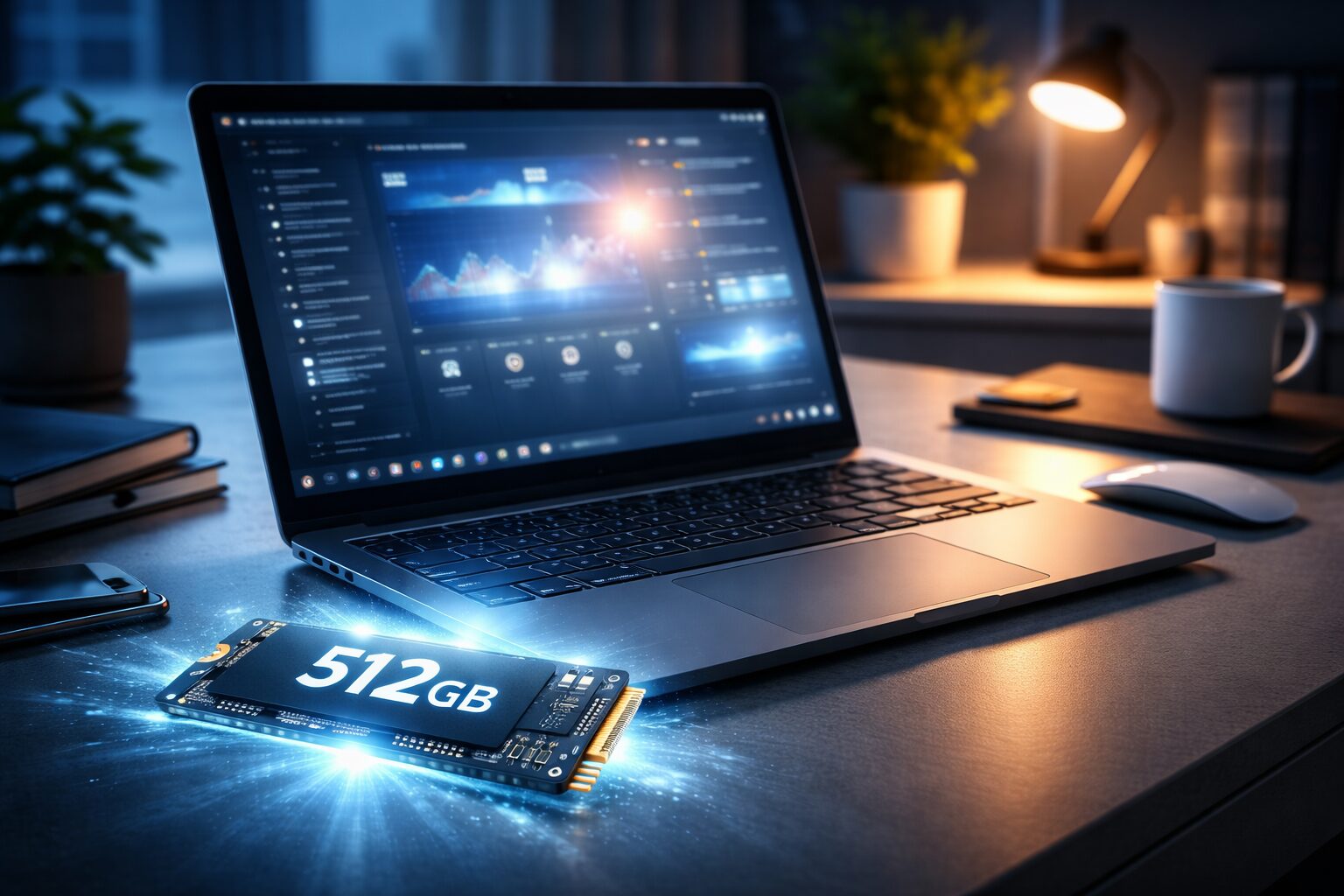
That’s where the 512GB SSD sweet spot comes in. Not too small to be constantly deleting files, not so large that you’re paying a premium you don’t need. Combined with solid-state speed, it’s the configuration that actually makes a budget laptop feel fast and functional in 2026.
In this guide, we’ve hand-picked the best budget laptops with 512GB SSD across different use cases – students, remote workers, creative hobbyists, and everyday users. By the end, you’ll know exactly which laptop fits your budget and your lifestyle.
Why Choose a 512GB SSD Laptop?
Speed That You Can Actually Feel
A solid-state drive (SSD) and a traditional hard disk drive (HDD) aren’t in the same league. An HDD uses spinning magnetic platters to read and write data, which is mechanical and slow. An SSD has no moving parts – it stores data on flash memory chips and retrieves it almost instantly.
What does that mean in practice? On an HDD, booting Windows can take 45 seconds to over a minute. On an SSD, it’s under 15 seconds. Opening Photoshop, loading a browser with 20 tabs, launching a game – everything is snappier on an SSD. If you’ve ever used a laptop and thought ‘this thing is so slow,’ there’s a good chance it had an HDD.
Why 256GB Often Isn’t Enough Anymore
Windows 11 itself takes up around 30–40GB. Add Chrome, Office, a few apps, your downloads folder, and maybe some photos or videos, and you’ve eaten through a 256GB drive faster than you think. Many students hit the wall within their first semester.
With 512GB, you have breathing room. You can keep your tools installed, maintain a proper file structure, store months of work locally, and still have space left over. For most people, 512GB will comfortably last 2–4 years before you even think about clearing storage.
Who Should Buy a 512GB SSD Laptop?
- Students who need storage for assignments, PDFs, software, and maybe some media
- Remote workers juggling multiple projects, video calls, and cloud sync folders
- Creators doing light photo editing, video projects under 4K, or podcast production
- Everyday users who stream, browse, game casually, and don’t want to manage storage constantly
- Small business owners handling documents, invoicing software, and client files
What to Look for in a Budget Laptop in 2026
Budget doesn’t mean settling for garbage. It means being smart about where the money goes. Here’s what actually matters:
Processor (Don’t Go Below These)
The processor is the engine. In 2026, you want at minimum an Intel Core i5 12th Gen or newer, or an AMD Ryzen 5 5000 series or newer. Anything older and you’re fighting against your own machine for basic tasks.
AMD Ryzen chips tend to offer better multitasking performance per dollar. Intel Core i5s are generally more compatible with Windows software and offer solid single-core speeds. Either works well – just don’t accept an Intel Celeron or Pentium in any laptop you’re considering. Those processors are an immediate red flag.
RAM: 8GB vs 16GB
8GB of RAM is the absolute floor in 2026. It works for light tasks – browsing, document editing, streaming. But if you’re running multiple apps simultaneously or doing anything creative, 16GB is significantly better.
The good news: several laptops in the budget range now ship with 16GB as standard or offer it as a small upgrade. Prioritize 16GB if your budget allows it.
Battery Life
A laptop that dies after four hours isn’t really portable – it’s just a desktop with an inconvenient cable. Aim for at least 7–8 hours of rated battery life, understanding that real-world performance is usually 70–80% of what the spec sheet claims.
AMD-powered laptops tend to edge out Intel ones slightly on battery efficiency, but both can deliver solid all-day performance in the right machine.
Display Quality
You’ll stare at this screen for hours. A full HD (1920×1080) display should be the minimum – avoid HD-ready (1366×768) screens, which look pixelated on a 15-inch panel. Look for IPS panels over TN if you can; they have better color accuracy and wider viewing angles.
Anti-glare coating is a bonus, especially if you work near windows or in bright environments.
Build Quality and Upgrade Options
Even budget laptops should feel solid. Flex in the keyboard deck or lid is a sign of poor construction. Lenovo and Acer generally have solid build quality at lower price points.
Also check if the RAM and storage are upgradeable. Some budget laptops solder the RAM onto the motherboard, which locks you in. A laptop with accessible SODIMM slots and an M.2 bay gives you room to grow.
Best Budget Laptops with 512GB SSD in 2026
These recommendations are based on real-world performance, value for money, and user reviews. Prices are estimates and may vary by region and retailer.
1. Acer Aspire 5 – Best All-Rounder for the Money
The Acer Aspire 5 has been a staple recommendation for years, and the 2026 edition earns that reputation. It’s the laptop you’d confidently hand to a college freshman or a small business owner and know it won’t let them down.
Key Specs:
- Processor: Intel Core i5-1335U (12th Gen, 10-core)
- RAM: 8GB DDR5 (upgradeable to 32GB)
- Storage: 512GB NVMe SSD
- Display: 15.6″ Full HD IPS, anti-glare
- Battery: Up to 9 hours
- Weight: 1.7 kg
Pros:
- Excellent keyboard with numpad
- Upgradeable RAM and SSD
- Solid all-day battery
- Runs cool even under moderate load
Cons:
- Display brightness could be better (250 nits)
- Webcam is 720p – disappointing for video calls
Real-World Experience: The Aspire 5 handles everyday multitasking without breaking a sweat. Running Chrome with 15 tabs, a Word document, and Spotify simultaneously? No problem. It won’t win any awards for design, but it’s reliable, fast enough for the price, and easy to upgrade later.
2. Lenovo IdeaPad 5 – Best for Multitaskers and Remote Workers
If your workday involves jumping between a dozen browser tabs, video calls, spreadsheets, and messaging apps simultaneously, the IdeaPad 5 is built for exactly that. The AMD Ryzen 5 processor paired with 16GB RAM makes this feel less like a budget machine and more like something you’d find in a mid-range office setup.
Key Specs:
- Processor: AMD Ryzen 5 7530U
- RAM: 16GB DDR4
- Storage: 512GB NVMe SSD
- Display: 15.6″ Full HD IPS
- Battery: Up to 10 hours
- Weight: 1.66 kg
Pros:
- Impressive multitasking with 16GB RAM
- Excellent battery life – genuinely all-day
- Quiet fan operation under everyday workloads
- Comfortable backlit keyboard
Cons:
- AMD GPU integration means limited graphics power for gaming
- Slightly thicker than competitors at the same price
Real-World Experience: On a full workday – Google Meet calls in the morning, cloud documents all afternoon, Slack open throughout – the IdeaPad 5 has battery left at 6 PM. It doesn’t overheat on your lap and the fans are almost inaudible in meetings.
3. HP Pavilion 15 – Best for Students Who Need Versatility
The HP Pavilion 15 walks the line between style and substance. It looks sharper than most budget laptops, which matters if you’re carrying it into a classroom or a coffee shop client meeting. Underneath the hood, it delivers solid performance for the price.
Key Specs:
- Processor: Intel Core i5-1335U
- RAM: 8GB DDR4 (some configs: 16GB)
- Storage: 512GB SSD
- Display: 15.6″ Full HD IPS micro-edge
- Battery: Up to 8 hours
- Weight: 1.75 kg
Pros:
- Attractive design that doesn’t scream ‘budget’
- Micro-edge display looks great for the price
- Good port selection including USB-C
- HP’s reliability track record is solid
Cons:
- 8GB RAM base model can feel limiting with heavy Chrome use
- Thermal throttling under sustained heavy loads
Real-World Experience: Great for students who want something that looks presentable and functions well. The Pavilion holds up through a full lecture schedule, library sessions, and late-night assignment crunches. It’s not a powerhouse but it’s dependable – and it fits in a slim backpack without issue.
4. ASUS VivoBook 15 – Best for Creators on a Tight Budget
The ASUS VivoBook 15 is for the person who wants to do a bit more than just word processing – maybe some light photo editing in Lightroom, basic video trimming, or graphic design work. AMD’s integrated graphics give it a small edge in creative tasks compared to Intel’s basic UHD graphics.
Key Specs:
- Processor: AMD Ryzen 5 7520U
- RAM: 8GB LPDDR5 (upgradeable)
- Storage: 512GB NVMe SSD
- Display: 15.6″ Full HD, 60Hz
- Battery: Up to 9 hours
- Weight: 1.5 kg
Pros:
- Lightweight – one of the lightest in this category
- ASUS ErgoLift hinge raises keyboard for better typing angle
- Fingerprint reader included on many variants
- Vibrant display for the price
Cons:
- Plastic build feels less premium than HP or Lenovo
- Speaker quality is average at best
Real-World Experience: The VivoBook 15 feels noticeably light when you pick it up. If you’re commuting daily or traveling between campuses, that weight difference matters. Lightroom runs smoothly for photo culling and basic edits. It won’t handle 4K video exports, but it’s capable enough for most student creators.
5. Dell Inspiron 15 – Best Build Quality in the Budget Range
Dell’s Inspiron line has a reputation for lasting. If you want a laptop that you’ll still be using comfortably in three to four years, the Inspiron 15 is where to put your money. The build feels more solid than most competitors at this price, and Dell’s support and warranty service is among the best in the industry.
Key Specs:
- Processor: Intel Core i5-1335U
- RAM: 16GB DDR4
- Storage: 512GB NVMe SSD
- Display: 15.6″ Full HD WVA anti-glare
- Battery: Up to 8 hours
- Weight: 1.83 kg
Pros:
- Sturdy, premium-feeling construction
- Comes with 16GB RAM as standard
- Good port variety including SD card slot
- Dell’s support is genuinely helpful
Cons:
- Heavier than most rivals at this price
- Fan noise is noticeable under heavy load
Real-World Experience: The Inspiron 15 feels like it was built to last. The hinges are firm, the lid doesn’t flex, and after a year of daily use, most units still look nearly new. Great choice if you’re buying once and want it to go the distance.
Check current price on Amazon: Dell Inspiron 15 on Amazon
Don’t Miss This
6. Lenovo IdeaPad 3 – Best Entry-Level Option Under $450
Not everyone needs 16GB RAM and the latest processor. If your laptop use is mostly browsing, video calls, Netflix, and Google Docs, the Lenovo IdeaPad 3 with AMD Ryzen 5 covers all of that without overpaying for specs you won’t use.
Key Specs:
- Processor: AMD Ryzen 5 5500U
- RAM: 8GB DDR4
- Storage: 512GB SSD
- Display: 15.6″ Full HD
- Battery: Up to 8 hours
Pros:
- Great value under $450
- AMD Ryzen 5 handles everyday tasks comfortably
- Lenovo’s keyboard is always a highlight
- Slim and easy to carry
Cons:
- Older generation processor
- RAM is not easily upgradeable on some models
Check current price on Amazon: Lenovo IdeaPad 3 on Amazon
Quick Comparison Table
| Laptop | Processor | RAM | Battery | Price Range |
| Acer Aspire 5 | Intel i5-1335U | 8GB/16GB | ~9 hrs | $499–$599 |
| Lenovo IdeaPad 5 | Ryzen 5 7530U | 16GB | ~10 hrs | $549–$649 |
| HP Pavilion 15 | Intel i5-1335U | 8GB/16GB | ~8 hrs | $529–$629 |
| ASUS VivoBook 15 | Ryzen 5 7520U | 8GB/16GB | ~9 hrs | $479–$559 |
| Dell Inspiron 15 | Intel i5-1335U | 16GB | ~8 hrs | $579–$679 |
| Lenovo IdeaPad 3 | Ryzen 5 5500U | 8GB | ~8 hrs | $399–$479 |
| HP 15s | Intel i3-1215U | 8GB | ~7 hrs | $349–$429 |
Note: Prices are approximate and subject to change. Always verify current pricing on the retailer’s website.
Best Picks by Use Case
Best for Students
The Acer Aspire 5 wins for students. It’s reliable, affordable, has a numpad for spreadsheets, and the upgradeable RAM means you can extend its life as your workload grows. If budget is the tightest constraint, the Lenovo IdeaPad 3 gets the job done for less money.
Best for Business and Remote Work
The Lenovo IdeaPad 5 is purpose-built for the work-from-home reality. Long battery, solid performance, quiet fans, and 16GB RAM makes it the most practical choice for professionals managing heavy digital workloads.
Best for Light Gaming
The ASUS VivoBook 15 with Ryzen 5 has slightly better integrated graphics performance, which means it can handle games like Minecraft, CS:GO at medium settings, or older titles. Don’t expect miracles, but it’s the best the budget range offers for gaming.
Best Overall Value
The Dell Inspiron 15 with 16GB RAM and 512GB SSD is the best overall package if you want to buy once and not think about upgrading for years. The build quality alone justifies the slight premium over competitors.
Common Mistakes to Avoid When Buying a Budget Laptop
Choosing HDD Over SSD
This is the single biggest mistake. Some retailers still sell laptops with 1TB HDDs marketed as storage-rich options. Don’t be fooled. A 512GB SSD will always outperform a 1TB HDD for everyday use. The speed difference is not subtle – it’s transformative.
Ignoring RAM
8GB is workable in 2026 but only just. If you can stretch the budget to get 16GB, do it. You’ll notice the difference the first time you have six apps open and your machine doesn’t stutter.
Buying Outdated Processors
Some budget laptops still ship with Intel Celeron, Pentium, or N-series chips. These processors struggle with modern software. Stick to Intel Core i5 or AMD Ryzen 5 as your minimum and you’ll avoid the frustration.
Overlooking the Display
A 15-inch laptop with a 1366×768 display looks blurry and pixelated by modern standards. Always confirm the resolution is at least 1920×1080 Full HD before purchasing.
Skipping Upgrade Research
Before you buy, look up whether the RAM and SSD are soldered or slotted. A laptop with upgradeable components has a much longer useful life. Lenovo and Acer are generally better about this than some HP and ASUS models.
Frequently Asked Questions
Is 512GB SSD Enough in 2026?
For most people, yes. If you’re storing photos, documents, apps, and some media, 512GB gives you comfortable breathing room. Heavy video editors or gamers with large game libraries might want more, but for students, remote workers, and everyday users, 512GB is the sweet spot.
Can I Upgrade the Storage Later?
On most of the laptops in this guide, yes. Check for an M.2 NVMe slot in the spec sheet or the manufacturer’s service manual. The Acer Aspire 5 and Dell Inspiron 15 both have accessible upgrade paths. Just confirm before you buy if that matters to you.
Which Is Better: SSD or HDD?
SSD, without question, for everyday use. The only advantage of HDD is cost per gigabyte. For raw storage needs like external backup drives, HDDs are fine. For the system drive in your primary laptop? Always choose SSD.
What Budget Laptop Lasts the Longest?
Build quality matters more than brand. The Dell Inspiron 15 and Lenovo ThinkBook (if budget stretches slightly) are known for longevity. Look for metal chassis construction and well-reviewed hinges. Also, a laptop with 16GB RAM and a modern processor will feel capable for longer than one with 8GB and older hardware.
Should I Buy Online or In-Store?
Online gives you access to more configurations, better pricing, and user reviews. Buying from Amazon or the manufacturer’s website usually offers competitive pricing and easy returns. In-store lets you feel the build quality before committing, which is useful if you’re uncertain between two models.
Which One Should You Get?
If there’s one takeaway from this guide, it’s that the best budget laptops with 512GB SSD in 2026 are genuinely good machines – not compromises you’ll regret in three months.
The right choice depends on what you actually do with a laptop. Here’s a simple summary:
- Students on a tight budget: Lenovo IdeaPad 3 or Acer Aspire 5
- Remote workers and professionals: Lenovo IdeaPad 5
- Users who want longevity and durability: Dell Inspiron 15
- Lightweight portability: ASUS VivoBook 15
- Balanced versatility: HP Pavilion 15
Don’t overthink it. Any of the laptops on this list will serve you well for years if you pick the one that matches your use case. Compare current deals, check available RAM configurations in your region, and go with the one that fits your budget.
Browse current deals on affordable laptops with 512GB SSD: View on Amazon