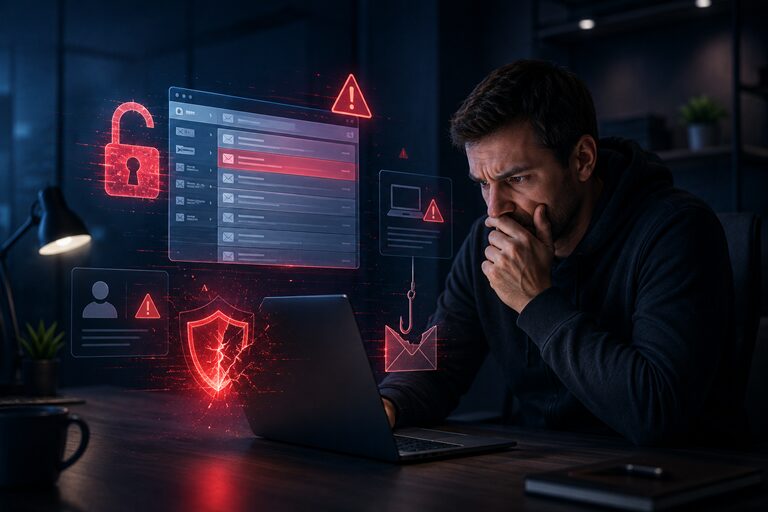
Imagine waking up one morning, grabbing your coffee, and opening your inbox – only to find a flood of replies to emails you never sent. Friends are asking why you’re pushing a suspicious cryptocurrency investment scheme. Your colleague received a message from you asking for an urgent wire transfer. Your heart sinks. Your email account has been hacked.
This scenario plays out thousands of times every day around the world. Email accounts are among the most targeted digital assets a person can own. Why? Because your email is essentially the master key to your entire online life. It connects to your bank, your social media accounts, your workplace tools, your shopping profiles, and virtually every online service you’ve ever signed up for.
Cybercriminals know this. And they work hard – through phishing schemes, data breaches, password theft, and malware – to get inside your inbox.
The good news is that a compromised email account almost always leaves clues. If you know what to look for, you can catch the intrusion early, stop the damage, and reclaim control. This guide walks you through every warning sign, explains exactly what hackers do once they’re in, and gives you a clear action plan to protect yourself going forward.
What Does It Mean for an Email Account to Be Compromised?
Defining a Compromised Email Account
A compromised email account is one that has been accessed – fully or partially – by an unauthorized person. This could mean a hacker has your password and full access, or it could mean they’ve set up hidden rules to silently forward copies of your emails to themselves without you ever knowing.
Being “compromised” doesn’t always mean your account has been locked. Many attackers prefer to stay invisible, reading your emails quietly in the background and waiting for the right moment to strike.
Common Ways Hackers Gain Access
Cybercriminals use several methods to break into email accounts:
- Phishing attacks: Fake emails or websites trick you into entering your credentials on a page that looks legitimate but isn’t.
- Data breaches: When a website you’ve registered with suffers a security breach, your email and password combination may end up on the dark web.
- Credential stuffing: Hackers use automated tools to test stolen username/password combinations from other breaches against popular email providers.
- Malware and keyloggers: Malicious software installed on your device records your keystrokes and sends your passwords to the attacker.
- Weak or reused passwords: If you use the same password across multiple sites, one breach elsewhere can open the door to your email.
- Man-in-the-middle attacks: On unsecured public Wi-Fi networks, attackers can intercept your login data in transit.
- Social engineering: Hackers sometimes call or message customer support, impersonating you to reset your account credentials.
Why Email Is the Gateway to Everything Else
Think about what happens when you forget your password to any online account. In almost every case, you click “forgot password” and a reset link is sent to your email. This means that whoever controls your email controls every account linked to it. A hacker with access to your inbox can silently reset your bank password, your cloud storage, your workplace platforms, and your streaming services – all within minutes.
This is why email security isn’t just about protecting your messages. It’s about protecting every corner of your digital life.
10 Warning Signs Your Email Account Has Been Compromised
Sign 1: You Notice Emails You Didn’t Send
Check your Sent folder right now. If you see emails addressed to your contacts – or to strangers – that you didn’t write or send, this is one of the most direct indicators of a breach. Hackers often use compromised accounts to send spam, phishing links, or fraudulent requests to everyone in your contact list, counting on the trust those contacts have in you.
Sometimes these emails are subtle. A hacker might send a “Hey, I need help urgently” message to your close contacts, hoping someone clicks a link or sends money.
Sign 2: Password Suddenly Stops Working
If you try to log in and your password no longer works – even though you haven’t changed it – someone else almost certainly did. When hackers gain access, one of their first moves is often to change your password to lock you out and buy themselves more time inside your account.
This is an emergency situation. Skip to the “Immediate Steps” section of this article right away.
Sign 3: Unexpected Password Reset Notifications
Receiving an email saying “We received a request to reset your password” for an account you never touched is a red flag. It means someone is actively trying to access or manipulate your account. Even if you click “This wasn’t me” and think you’ve stopped it, follow up with a full security review – the attacker may already have partial access.
Sign 4: Contacts Report Receiving Strange Messages from You
This is often how people discover their account has been compromised – someone tells them. If a friend says “Hey, you sent me a weird link” or a colleague asks “Did you really ask for a gift card?”, take it seriously immediately. Hackers use compromised accounts to spread malware and run social engineering scams because messages from a known person are far more likely to be trusted and clicked.
Sign 5: Unrecognized Login Activity
Most modern email providers (Gmail, Outlook, Yahoo) show you a log of recent account activity, including login times, IP addresses, and the devices used. If you see logins from cities you’ve never visited, countries you haven’t been to, or devices you don’t recognize, someone else has access.
To check on Gmail: scroll to the bottom of your inbox and click “Details” next to “Last account activity.” For Outlook, go to Settings > View all Outlook settings > Security > My sign-in activity.
Sign 6: Security Settings Have Been Changed
Log in and head straight to your security settings. Look for:
- A recovery phone number or email you don’t recognize
- Two-factor authentication that has been disabled
- Trusted devices that you haven’t authorized
- App passwords that were generated without your knowledge
If any of these are different from what you set, your account has been tampered with.
Sign 7: Missing or Deleted Emails
Hackers sometimes delete emails to cover their tracks – especially confirmation emails from banks, shopping platforms, or password reset requests. If you notice gaps in your inbox or specific important messages are missing, it’s possible someone else deleted them.
Some attackers also move sensitive emails (like bank statements) out of your inbox and into obscure folders so they can read them without triggering your suspicion.
Sign 8: Suspicious Folders or Email Rules Appear
This is one of the sneakiest tactics in a hacker’s toolkit. Attackers often create email forwarding rules that automatically send copies of your incoming emails to an address they control – without you ever seeing it happen. They may also create filters that delete certain messages (like security alerts from your email provider) before you even see them.
Go to your email settings and look for forwarding rules, filters, or auto-redirect settings you didn’t create. Any rule you don’t recognize should be deleted immediately.
Sign 9: Increase in Spam Sent from Your Account
If your email provider flags your account for suspicious activity, or you receive bounce-back messages (“Delivery failed”) for emails you never sent, your account may be actively being used to send bulk spam or phishing emails. This can also result in your email address being blacklisted, making it hard to send legitimate emails in the future.
Sign 10: Unusual Account Recovery Attempts
Check if you’ve received text messages or emails with verification codes you didn’t request. These are triggered when someone is actively trying to access your account or change your recovery information. Even one unsolicited verification code should prompt a full security audit of your account.
What Hackers Can Do After Accessing Your Email
Understanding what’s at stake makes it clear why acting fast matters so much.
Identity Theft
With access to your email, hackers can piece together your full identity – your name, address, date of birth, financial institution names, and more – from years of messages in your inbox. This information can be used to open fraudulent lines of credit, file fake tax returns, or impersonate you in legal and financial matters.
Financial Fraud
Attackers can reset your online banking passwords, transfer funds, make purchases, or access your investment accounts. Even a few minutes of undetected access can result in significant financial damage.
Social Engineering Attacks
Your contact list is a goldmine. A hacker can send convincing messages to your friends, family, and colleagues – pretending to be you in an emergency, asking for money, gift cards, or sensitive information. Because the message comes from a trusted source (you), recipients are far more likely to comply.
Accessing Linked Accounts
Your email holds the keys to every online account you’ve ever registered. Using the password reset function, hackers can gain access to your social media profiles, e-commerce accounts, cloud storage, subscription services, and workplace platforms.
Business Email Compromise (BEC)
If your email is work-related, attackers can impersonate you to deceive colleagues or clients into transferring money, sharing confidential data, or authorizing fraudulent transactions. Business email compromise is a billion-dollar fraud category that often starts with one compromised inbox.
Reputation Damage
A hacker sending offensive, embarrassing, or fraudulent messages under your name can damage personal and professional relationships. In some cases, the reputational harm outlasts the technical breach.
How to Confirm Whether Your Email Has Been Hacked
Step 1: Check Your Login History
Visit your email account’s security or activity page and review the list of recent logins. Look for unfamiliar IP addresses, unusual geographic locations, or login times when you were asleep or away from your device.
Step 2: Review Connected Devices
Your account settings should show a list of all devices currently signed in. Remove any device you don’t recognize.
Step 3: Examine Forwarding Rules
Go to Settings > Forwarding or Filters and Rules. Delete any rules that forward your email to an address you don’t recognize.
Step 4: Look for Unauthorized Security Changes
Verify your recovery phone number and email address, your trusted devices, and your two-factor authentication settings. Anything unfamiliar is a red flag.
Step 5: Check Data Breach Databases
Visit HaveIBeenPwned.com (haveibeenpwned.com) and enter your email address. This free service tells you if your email and password have appeared in any known data breaches. If your credentials have been exposed, change your password immediately – even if you don’t see other warning signs.
Immediate Steps to Take If Your Email Has Been Compromised
-
Change Your Password Immediately
Create a strong, unique password – at least 16 characters long, combining uppercase and lowercase letters, numbers, and symbols. Do not reuse any previous password. Do not use this password on any other account.
-
Enable Two-Factor Authentication (2FA)
Once you regain access, turn on two-factor authentication right away. This adds a second layer of protection – usually a code sent to your phone – that prevents anyone from logging in with just your password.
-
Sign Out of All Devices
Most email providers have an option to sign out of all active sessions simultaneously. Use it. This immediately disconnects any unauthorized device from your account.
-
Remove Suspicious Forwarding Rules
Check your filters and forwarding rules carefully. Delete everything you didn’t create. This stops any ongoing data theft even if the hacker had remote access.
-
Update Your Recovery Information
Review and update your recovery phone number and backup email address to ones you currently control and trust. This ensures future recovery attempts go to you, not the attacker.
-
Scan Your Devices for Malware
Run a full malware scan on every device you use to access your email. A hacker may have gained your credentials via a keylogger or other malicious software. Recommended tools include Malwarebytes, Bitdefender, or your operating system’s built-in security tools.
-
Notify Your Contacts
Send a message to your contacts letting them know your account was compromised and to disregard any suspicious messages they received from you. Be clear about what kind of messages were sent so they can avoid clicking any links.
-
Secure All Linked Accounts
Change the passwords on every account tied to your email – especially banking, social media, and workplace accounts. Check each one for unauthorized activity. Enable 2FA on all of them.
How to Prevent Future Email Compromises
Use Strong, Unique Passwords
Never reuse passwords across accounts. A strong password is long (16+ characters), random, and uses a mix of character types. Avoid anything that could be guessed – your name, birthday, or common phrases.
Use a Password Manager
Password managers like Bitwarden, 1Password, or Dashlane generate and securely store complex passwords for all your accounts. You only need to remember one strong master password.
Enable Multi-Factor Authentication Everywhere
Two-factor or multi-factor authentication is one of the most effective security measures available. Even if your password is stolen, an attacker still can’t access your account without the second factor. Use an authenticator app (like Google Authenticator or Authy) rather than SMS codes whenever possible, as SMS can be intercepted through SIM-swapping attacks.
Learn to Spot Phishing Emails
Phishing remains the number-one way hackers steal email credentials. Before clicking any link in an email, ask yourself:
- Do I know this sender personally?
- Is the sender’s domain spelled correctly?
- Does this create a false sense of urgency?
- Was I expecting this email?
When in doubt, go directly to the website by typing the address into your browser rather than clicking a link.
Keep Your Devices Secure
Install security updates promptly. Use antivirus software. Enable your device’s screen lock. Avoid installing software from untrusted sources.
Conduct Regular Security Audits
Set a reminder every three to six months to review your email security settings – active sessions, forwarding rules, recovery information, and connected apps. Remove anything you no longer use or recognize.
Be Careful on Public Wi-Fi
Avoid logging into your email on public Wi-Fi networks without using a VPN (Virtual Private Network). Public networks are a common hunting ground for man-in-the-middle attacks.
Real-Life Case Study: How Sarah Discovered and Recovered from a Hacked Email
Sarah is a 34-year-old marketing manager who uses her personal Gmail account for both personal and some work-related communications. One Tuesday morning, she received three text messages in quick succession – all from online services she’d recently signed up with, each saying “We received a request to change the email address on your account.”
She hadn’t made any such requests.
She immediately logged into her Gmail account and went straight to the activity details at the bottom of her inbox. She saw two logins she didn’t recognize: one from an IP address in Eastern Europe and another from a mobile device she’d never used.
Checking her settings, she found a forwarding rule she had never created – all incoming emails were being copied to an unfamiliar Gmail address. The hacker had been silently reading her emails for days.
Sarah took immediate action. She changed her password to a 20-character randomly generated one using her password manager. She enabled two-factor authentication with an authenticator app. She deleted the forwarding rule and signed out of all sessions. She then checked HaveIBeenPwned and discovered her email had appeared in a data breach from a fitness app she’d signed up for two years prior – using the same password she had been using for Gmail.
Sarah then changed passwords on her bank, Amazon, LinkedIn, and five other accounts. She notified her contacts about the breach and checked each linked account for suspicious activity. She found one unauthorized Amazon order and was able to dispute it successfully.
The process took about three hours – frustrating, but far less damaging than it could have been had she not caught it early.
The lesson: Even one unfamiliar security notification is worth investigating immediately. Acting fast is the difference between a minor inconvenience and a major financial and reputational catastrophe.
Frequently Asked Questions (FAQ)
Can hackers access my bank account through my email?
Yes – and this is one of the most serious risks. Most banks offer password resets via email. If a hacker controls your inbox, they can use the “forgot password” feature to reset your banking credentials. Always use strong, unique passwords for your bank and enable 2FA directly with your bank as well.
Can I recover a hacked email account?
In most cases, yes. If your password has been changed, use your account provider’s account recovery process – this is why keeping your recovery phone number and backup email up to date is essential. Gmail, Outlook, and Yahoo all have dedicated account recovery flows. If recovery information has also been changed, you may need to verify your identity with the provider directly.
How do hackers usually steal email passwords?
The most common methods are phishing attacks (fake login pages), data breaches from third-party websites where you used the same password, malware or keyloggers installed on your device, and credential stuffing (automated testing of stolen username/password combinations). Weak or reused passwords dramatically increase the risk.
Is two-factor authentication enough to protect my account?
2FA is one of the most powerful protections available and stops the vast majority of unauthorized login attempts. However, it’s not invincible – advanced attackers can use SIM swapping to bypass SMS-based 2FA, and sophisticated phishing attacks can intercept 2FA codes in real time. Using an authenticator app (not SMS) and staying alert to phishing attempts makes 2FA significantly more robust.
What should I do if my recovery email was changed?
Contact your email provider’s support team immediately. Most providers have identity verification processes for exactly this scenario. Be prepared to verify your identity using old passwords, account creation details, or associated payment methods. Act quickly – the longer you wait, the more access the attacker has.
How long does it take for hackers to do damage after accessing an email?
Damage can begin within minutes. Automated tools allow attackers to quickly scan for banking-related emails, reset passwords on linked accounts, and harvest personal information almost instantly. This is why early detection – and immediate response – is so critical.
Should I create a new email account after being hacked?
Not necessarily. If you’ve fully secured your account by changing your password, enabling 2FA, removing suspicious rules, and checking all linked accounts, you may be able to continue using it safely. However, if you believe the hacker still has persistent access or if the account was severely compromised, starting fresh with a new address may be the cleaner option.
How often should I change my email password?
Modern cybersecurity guidance has shifted away from forcing frequent password changes – frequent changes can actually lead to weaker passwords. Instead, focus on using a strong, unique password and change it immediately if you suspect any compromise or if your credentials appear in a data breach (check HaveIBeenPwned.com regularly).
Conclusion
Your email account is one of the most valuable and vulnerable assets you have online. Hackers know this – and they actively target inboxes as a first step toward deeper, more damaging access to your financial accounts, workplace systems, and personal identity.
The warning signs are almost always there: sent emails you don’t recognize, mysterious login activity, forwarding rules you didn’t create, or contacts asking about strange messages they received from you. Knowing what to look for is your first and best line of defense.
If you suspect your account has been compromised, don’t wait. Change your password, enable two-factor authentication, check your security settings, and notify your contacts. Every hour of delay gives an attacker more time to cause harm.
And if your account appears clean right now – use this moment as a prompt to strengthen it. Audit your security settings, switch to an authenticator app for 2FA, and make sure you have a strong, unique password that isn’t being used anywhere else.
Digital security isn’t something you set once and forget. It’s an ongoing habit. Build it now, before you need it.
🔒 Take Action Today
Don’t wait until it’s too late. Take 10 minutes right now to:
- Review your email login history for unrecognized sessions
- Check your forwarding rules and security settings
- Enable two-factor authentication if you haven’t already
- Visit HaveIBeenPwned.com to check if your email has appeared in a data breach
- Update your password to something strong and unique
Your inbox protects everything. Protect it