Product Overview
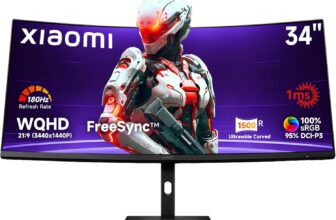
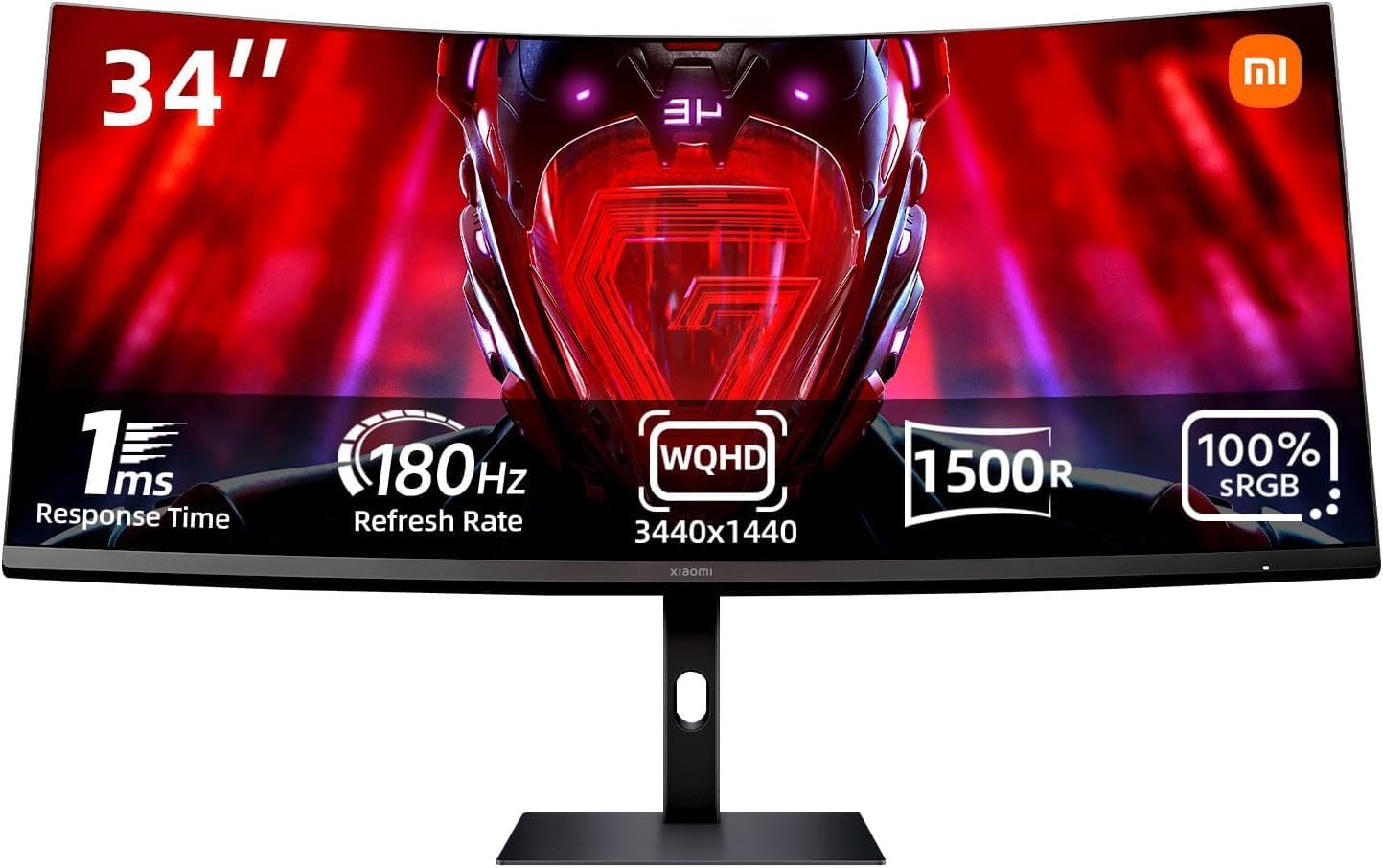
TL;DR: The XIAOMI G34WQi represents the brand’s ambitious entry into the competitive ultrawide gaming monitor market. This 34-inch curved display combines a 21:9 aspect ratio with a 3440 x 1440 resolution, targeting gamers w…
Table of Contents
- Product Overview
- Key Features and Benefits
- Ultrawide 21:9 Aspect Ratio
- UWQHD Resolution (3440 x 1440)
- 180Hz Refresh Rate with 1ms Response Time
- AMD FreeSync Premium Technology
- 1500R Curvature
- Wide Color Gamut Coverage
- Brightness and Contrast Performance
- Low Blue Light Technology
- Pros and Cons
- Advantages
- Limitations
- Who This Monitor Is Best For
- Who Should Consider Alternatives
- Performance Comparison Context
- Setup and Compatibility Considerations
- Frequently Asked Questions
- Does this monitor work with NVIDIA graphics cards?
- What panel type does this monitor use?
- Can I use this monitor for PS5 or Xbox Series X gaming?
- Does the monitor include built-in speakers?
- What is the optimal resolution scaling for productivity work?
- How much desk space do I need?
- Does this monitor support HDR?
- What cables are included?
- Can I mount this monitor on a VESA arm?
- In Conclusion
The XIAOMI G34WQi represents the brand’s ambitious entry into the competitive ultrawide gaming monitor market. This 34-inch curved display combines a 21:9 aspect ratio with a 3440 x 1440 resolution, targeting gamers who want immersive visuals without breaking into premium pricing territory. With a 180Hz refresh rate, 1ms response time, and AMD FreeSync Premium support, it positions itself as a mid-range option for competitive and casual gamers alike.
What makes this monitor particularly interesting is its combination of specifications that typically appear in higher-priced segments: the aggressive 1500R curvature, wide color gamut coverage (95% DCI-P3 and 100% sRGB), and high refresh rate capabilities. Xiaomi has clearly designed this display to appeal to gamers who demand performance while also considering content creators who need accurate color reproduction.
The G34WQi comes equipped with Low Blue Light technology for extended gaming sessions and features connectivity options suitable for modern gaming setups. Whether you’re navigating expansive strategy game maps or tracking fast-moving targets in first-person shooters, this monitor aims to deliver a competitive advantage through its ultrawide format.
Key Features and Benefits
Ultrawide 21:9 Aspect Ratio
The 21:9 aspect ratio provides approximately 30% more horizontal screen space compared to traditional 16:9 monitors. In practical terms, this translates to seeing more of your game environment without turning your camera. Real-time strategy players can monitor multiple base locations simultaneously, while racing enthusiasts gain better peripheral awareness of competitors. FPS gamers benefit from spotting enemies approaching from wider angles, though it’s worth noting that not all games support ultrawide resolutions natively.
UWQHD Resolution (3440 x 1440)
The 3440 x 1440 resolution strikes a balance between visual clarity and performance demands. It offers significantly sharper images than standard 1080p ultrawide monitors while being less GPU-intensive than 4K displays. This resolution is particularly well-suited for gaming on mid-to-high-range graphics cards, allowing you to maintain high frame rates without sacrificing visual quality. Text remains crisp for productivity tasks, and game textures appear detailed without requiring top-tier hardware.
180Hz Refresh Rate with 1ms Response Time
The combination of 180Hz refresh rate and 1ms response time addresses two critical gaming performance metrics. The high refresh rate ensures smoother motion rendering, making fast-paced action easier to track. The 1ms response time minimizes ghosting and motion blur, which is especially noticeable when quickly turning your camera or tracking moving objects. This pairing helps reduce input lag, giving you a tangible advantage in competitive scenarios where milliseconds matter.
AMD FreeSync Premium Technology
FreeSync Premium synchronizes the monitor’s refresh rate with your AMD graphics card’s frame output, eliminating screen tearing and stuttering. This technology works within a specific frame rate range to maintain smooth visuals even when your GPU can’t consistently hit 180 fps. The Premium tier ensures low framerate compensation (LFC) kicks in when frame rates drop significantly, maintaining smooth gameplay even during demanding scenes.
1500R Curvature
The aggressive 1500R curve (meaning the monitor would form a complete circle with a 1500mm radius) wraps around your field of vision more dramatically than gentler curves. This design places all screen areas at roughly equal distance from your eyes, reducing the need to refocus when looking at different screen sections. The immersive effect is particularly pronounced in cockpit-view racing games, flight simulators, and exploration-focused titles where environmental awareness matters.
Wide Color Gamut Coverage
With 95% DCI-P3 and 100% sRGB coverage, this monitor reproduces colors with notable accuracy and vibrancy. The DCI-P3 color space, commonly used in digital cinema, provides richer reds and greens than sRGB alone. This benefits both gaming visuals and content creation work like photo editing or video production. The 16.7 million native 8-bit colors ensure smooth color gradients without banding, though professional colorists might still prefer 10-bit panels for critical work.
Brightness and Contrast Performance
The 300 nits brightness level is adequate for most indoor environments but may struggle in rooms with significant direct sunlight. The 3000:1 contrast ratio is respectable for a VA or IPS panel, delivering deeper blacks and more distinct separation between dark and light areas compared to typical monitors with 1000:1 ratios. This enhanced contrast makes dark game scenes more playable without completely crushing shadow detail.
Low Blue Light Technology
The integrated Low Blue Light feature reduces eye strain during extended gaming sessions by filtering harmful blue light wavelengths. This technology can be particularly beneficial for evening gaming, as blue light exposure can interfere with natural sleep patterns. Users can typically adjust the intensity of this filter based on personal preference and ambient lighting conditions.
Pros and Cons
Advantages
- Exceptional field of view: The 21:9 ultrawide format genuinely enhances situational awareness in supported games, providing a competitive edge in multiplayer scenarios.
- High refresh rate at this resolution: Achieving 180Hz at 3440 x 1440 represents strong value, as many ultrawide monitors in this price range cap at 144Hz.
- Impressive color accuracy: The 95% DCI-P3 coverage exceeds what many gaming monitors offer, making this suitable for light content creation work.
- Immersive curvature: The 1500R curve creates a genuinely enveloping experience that enhances gaming immersion without feeling gimmicky.
- Fast response time: The 1ms response time effectively minimizes ghosting in fast-motion scenes, crucial for competitive gaming.
- FreeSync Premium support: Eliminates screen tearing for AMD GPU users and is often compatible with NVIDIA cards through G-SYNC compatibility mode, though this isn’t officially confirmed.
- Eye comfort features: Low Blue Light technology helps reduce fatigue during marathon gaming sessions.
Limitations
- GPU requirements: Driving 3440 x 1440 at high refresh rates demands a capable graphics card; budget GPUs will struggle to maximize this monitor’s potential.
- Game compatibility varies: Not all games support 21:9 aspect ratios natively; some titles display black bars or require community patches.
- Limited brightness: 300 nits may not suffice for very bright rooms or HDR content, which typically requires 400+ nits for meaningful impact.
- Desk space requirements: A 34-inch ultrawide monitor demands considerable desk depth and width for comfortable viewing distances.
- Panel type not specified: The product information doesn’t clearly indicate whether this uses VA, IPS, or TN technology, which affects viewing angles and color consistency.
- Stand adjustability unknown: Information about height adjustment, tilt, swivel, and pivot capabilities is not publicly available, which may necessitate a third-party monitor arm.
- Limited HDR information: While the monitor has good color coverage, specific HDR certification details (HDR10, HDR400, etc.) are not clearly stated.
- No mention of built-in speakers: Users may need separate audio solutions, adding to the overall setup cost.
Who This Monitor Is Best For
Competitive gamers seeking an edge: If you play multiplayer FPS games, battle royales, or real-time strategy titles, the ultrawide format combined with 180Hz refresh rate provides tangible advantages in spotting opponents and tracking action.
Simulation and racing enthusiasts: The immersive 1500R curve and wide aspect ratio create exceptional presence in cockpit-view games, flight simulators, and driving titles where peripheral vision matters.
Multitasking professionals who game: The screen real estate accommodates multiple windows side-by-side for productivity work, while the gaming specifications ensure entertainment performance doesn’t suffer.
Content creators on a budget: The 95% DCI-P3 color coverage makes this suitable for photo editing, video work, and graphic design, though professionals should still calibrate the display and verify accuracy with a colorimeter.
AMD GPU owners: FreeSync Premium integration provides optimal performance with AMD Radeon graphics cards, eliminating tearing and stuttering without additional cost.
Gamers upgrading from 1080p: This represents a significant visual upgrade from Full HD displays without the extreme GPU demands of 4K, making it ideal for those with mid-range graphics cards.
Don’t Miss This
Who Should Consider Alternatives
Budget-conscious gamers with entry-level GPUs: If you’re running a GTX 1650 or RX 5500 XT class card, you’ll struggle to drive this resolution at high settings. A 1080p high-refresh monitor would provide better frame rates and smoother gameplay.
Console gamers: Current generation consoles have limited ultrawide support, and many games won’t utilize the full 21:9 aspect ratio, leaving you with black bars or stretched images.
Professional color-critical work: While color coverage is good, professionals requiring absolute accuracy for print or broadcast work should invest in factory-calibrated displays with deltaE ratings under 2.
HDR enthusiasts: If high dynamic range content is a priority, monitors with DisplayHDR 600 or higher certification will deliver more impactful HDR experiences than this display appears to offer.
Compact desk setups: A 34-inch ultrawide requires significant desk space. Those with limited room should consider 27-inch or smaller displays.
Users prioritizing portability: The size and curvature make this monitor impractical for frequent relocation or temporary setups.
Performance Comparison Context
In the ultrawide gaming monitor landscape, the XIAOMI G34WQi competes with established models from brands like LG, Samsung, and AOC. Compared to the popular LG 34GP83A-B, this Xiaomi offering provides similar resolution and a higher refresh rate (180Hz vs 144Hz), though LG’s reputation for panel quality and customer support may justify its typically higher price for some buyers.
Against Samsung’s Odyssey G5 ultrawide variants, the Xiaomi matches the aggressive curvature and high refresh rate while potentially offering better color accuracy with its DCI-P3 coverage. However, Samsung’s gaming-focused features like customizable RGB lighting and more extensive gaming mode presets might appeal to enthusiasts seeking additional customization.
Budget alternatives like the AOC CU34G2X offer similar specifications at potentially lower prices but typically sacrifice color accuracy and build quality. The Xiaomi appears positioned to offer better color performance than budget options while undercutting premium brands on price, though actual market pricing will determine its true value proposition.
The 180Hz refresh rate at this resolution point is noteworthy, as many competing ultrawide monitors cap at 144Hz or 165Hz. This gives the G34WQi a measurable advantage in motion clarity, though the real-world difference between 165Hz and 180Hz is subtle compared to the jump from 60Hz to 144Hz.
Setup and Compatibility Considerations
Before purchasing, verify your graphics card can output 3440 x 1440 at 180Hz. You’ll need a DisplayPort 1.4 connection to achieve the full refresh rate; HDMI 2.0 typically caps at 100Hz at this resolution. Check your GPU’s specifications to confirm it has the necessary ports.
Ensure your favorite games support 21:9 aspect ratios. Major titles from developers like CD Projekt Red, Bethesda, and most multiplayer shooters offer native support, but some competitive games (particularly certain esports titles) may enforce 16:9 to maintain competitive fairness.
Consider your desk depth. Optimal viewing distance for a 34-inch ultrawide is approximately 80-100cm (31-39 inches). Sitting too close can make the screen edges uncomfortable to view, while sitting too far reduces the immersive benefit of the curve.
Plan for monitor mounting if the included stand lacks desired adjustability. VESA mount compatibility (typically 100x100mm for this size) allows you to use aftermarket arms that provide height, tilt, swivel, and rotation adjustments.
Frequently Asked Questions
Does this monitor work with NVIDIA graphics cards?
While the monitor officially supports AMD FreeSync Premium, many FreeSync monitors work with NVIDIA GPUs through G-SYNC Compatible mode. However, NVIDIA compatibility is not officially confirmed for this specific model. NVIDIA GPU owners can still use the monitor at its full refresh rate, but adaptive sync functionality may not be available without official G-SYNC compatibility certification.
What panel type does this monitor use?
This information is not publicly available in the provided specifications. Panel type (VA, IPS, or TN) significantly affects viewing angles, color accuracy, and response time characteristics. Prospective buyers should seek this information from the manufacturer or verified reviews before purchasing.
Can I use this monitor for PS5 or Xbox Series X gaming?
You can connect current-generation consoles to this monitor, but you won’t benefit from the ultrawide aspect ratio as most console games output at 16:9. The monitor will likely display the image with black bars on the sides or stretch the image unnaturally. Additionally, consoles typically don’t support refresh rates above 120Hz, so you won’t utilize the full 180Hz capability.
Does the monitor include built-in speakers?
This information is not publicly available. Many gaming monitors in this category omit built-in speakers or include low-quality ones. Plan to use external speakers or headphones for optimal audio quality.
What is the optimal resolution scaling for productivity work?
At 3440 x 1440 on a 34-inch display, the pixel density is approximately 109 PPI, which typically doesn’t require scaling for most users. Text and interface elements should appear sharp and readable at 100% scaling. Users with vision concerns can apply 125% scaling in Windows, though this may cause slight blurriness in some applications not optimized for scaling.
How much desk space do I need?
A 34-inch ultrawide monitor measures approximately 80cm (31.5 inches) wide and 35cm (13.8 inches) tall without the stand. Including the stand base, expect to need roughly 85-90cm of desk width and 25-30cm of depth. For comfortable viewing, your desk should be at least 60-70cm deep to allow proper viewing distance.
Does this monitor support HDR?
Specific HDR certification details are not clearly stated in the available information. While the monitor has good color coverage and 300 nits brightness, meaningful HDR typically requires 400+ nits and local dimming zones. Without confirmed HDR10 or DisplayHDR certification, HDR performance may be limited or absent.
What cables are included?
This information is not publicly available. Typically, monitors include at least one video cable (HDMI or DisplayPort) and a power cable. To achieve 180Hz, you’ll need a DisplayPort 1.4 cable, which may or may not be included. Consider purchasing a certified DisplayPort 1.4 cable separately to ensure full performance.
Can I mount this monitor on a VESA arm?
VESA mounting compatibility is not explicitly confirmed in the available specifications. Most 34-inch monitors support 100x100mm VESA patterns, but verify this detail before purchasing if you plan to use a monitor arm.
In Conclusion
The XIAOMI G34WQi presents a compelling package for gamers seeking ultrawide immersion without premium pricing. Its combination of 180Hz refresh rate, 1ms response time, and impressive color coverage (95% DCI-P3) delivers specifications typically found in higher-priced segments. The aggressive 1500R curvature genuinely enhances gaming immersion, particularly in simulation titles and competitive multiplayer games where peripheral awareness provides tactical advantages.
The monitor’s greatest strength lies in its versatility. It serves competitive gamers through high refresh rates and fast response times, satisfies visual enthusiasts with wide color gamut coverage, and accommodates productivity users with ample screen real estate. This multi-purpose capability makes it particularly attractive for users who refuse to compromise between work and play.
However, several considerations temper this enthusiasm. The lack of detailed specifications regarding panel type, stand adjustability, and HDR capabilities creates uncertainty for buyers making informed decisions. The 300-nit brightness, while adequate for most scenarios, limits the monitor’s performance in bright environments and potentially restricts HDR impact. Additionally, the GPU requirements for driving this resolution at high frame rates shouldn’t be underestimated—budget graphics cards will struggle to justify the 180Hz capability.
Game compatibility remains a practical concern. While major titles increasingly support 21:9 aspect ratios, some games still display black bars or require community fixes. Console gamers will find limited benefit from the ultrawide format, as current-generation systems don’t fully embrace this aspect ratio.
For the right user—someone with a capable mid-to-high-range GPU, a desk that accommodates the footprint, and a game library that supports ultrawide resolutions—this monitor offers substantial value. The immersive experience it provides in supported titles genuinely transforms gameplay, making it difficult to return to standard 16:9 displays.
If you’re ready to embrace ultrawide gaming and want a monitor that balances performance with color accuracy, the XIAOMI G34WQi deserves serious consideration. Its combination of specifications positions it as a strong contender in the competitive ultrawide market, particularly if Xiaomi’s pricing undercuts established competitors while maintaining quality standards.
Check current availability and customer reviews on Amazon to see real-world feedback from users who’ve integrated this monitor into their gaming setups. Their experiences can provide valuable insights into long-term performance, build quality, and any issues not apparent from specifications alone.
Remember that monitor purchases represent long-term investments in your gaming and productivity experience. Take time to verify that your hardware can drive this resolution effectively, confirm your favorite games support ultrawide formats, and ensure your desk can accommodate the physical dimensions. When these factors align, ultrawide gaming offers an immersive experience that fundamentally changes how you interact with digital content.