OpenAI has joined the Spotify Wrapped-style personalized year-end recap trend with “Your Year with ChatGPT,” which is rolling out to users in the U.S. and select additional countries. Here’s how to see yours.
OpenAI surrenders to the Wrapped trend
In a post published on X earlier tonight, OpenAI confirmed that “Your Year with ChatGPT” is rolling out now to users in the US, UK, Canada, New Zealand, and Australia who are running the latest version of the ChatGPT app.
The feature relies on features such as memory and chat history, so it is only available to users who have them enabled.
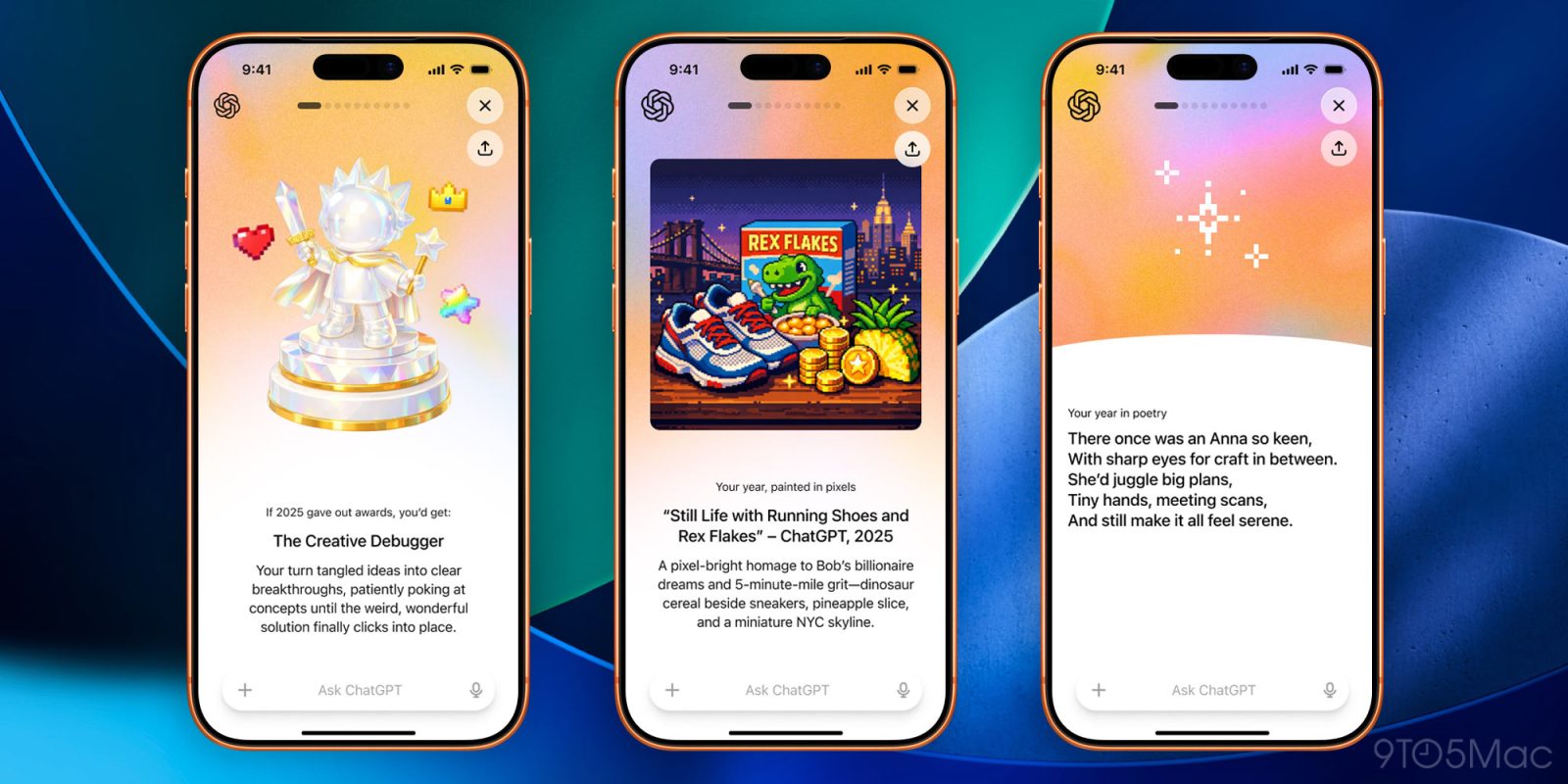
If that’s your case, you’ll likely see a “Your Year with ChatGPT” banner as soon as you open the app. Tapping on it will bring up a Stories-like interface with interesting tidbits, highlights, and trends from your ChatGPT usage over the last year, all of which can be shared.
Here’s how TechCrunch described what to expect from the feature:
Like Spotify’s feature, OpenAI uses catchy graphics and personalizes the experience to the individual by giving out “awards” based on how you’ve used ChatGPT throughout the year.
For instance, you might be awarded with the “Creative Debugger” if you used the chatbot to come up with solutions to a problem or worked through a concept or idea.
The app also creates a poem and an image about your year focused on your topics of interest. (We’re wondering how this will look next year as ChatGPT embraces adult content in 2026.)
OpenAI says that “Your Year with ChatGPT” is exclusive to individual accounts, which means that it won’t work with Education, Enterprise, and Team users. The company also says that if you live in one of the supported countries, but can’t see the highlight when you open the app, you can try asking for it directly to ChatGPT.
Today’s “Your Year with ChatGPT” lands just a few days after OpenAI included a Christmas-themed easter egg in ChatGPT, in which Santa brings the user a good or a bad gift, depending on whether they were good or bad over the past year.
Accessory deals on Amazon


FTC: We use income earning auto affiliate links. More.