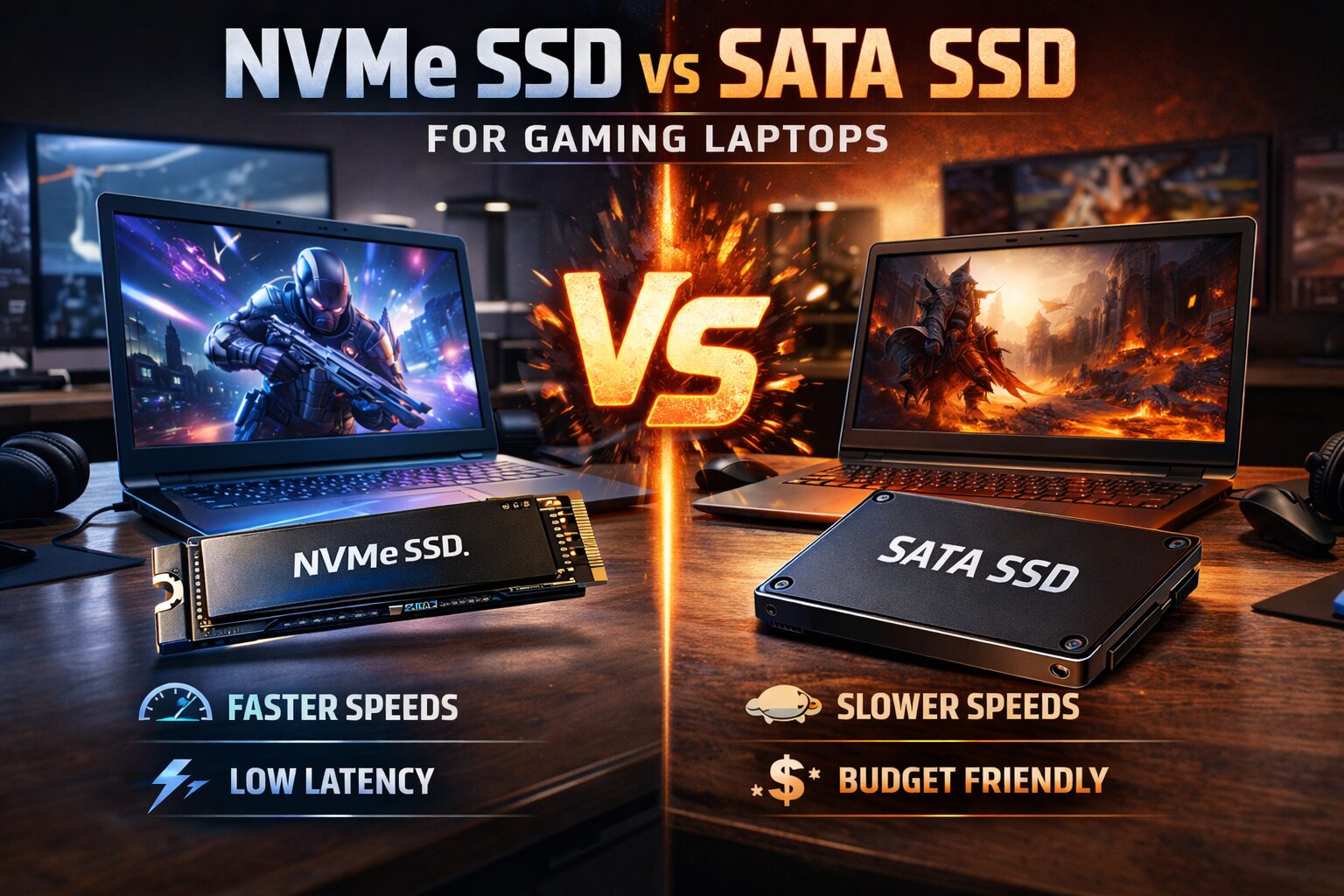
When building or upgrading a gaming laptop, storage is one of the most critical components affecting your overall experience. The debate between NVMe SSDs and SATA SSDs has been ongoing for years, and while NVMe technology has become more mainstream, many gamers still wonder whether the upgrade is worth the investment. This comprehensive guide will break down the technical differences, real-world gaming performance, and practical considerations to help you make an informed decision.
Understanding the Fundamental Differences
TL;DR: When building or upgrading a gaming laptop, storage is one of the most critical components affecting your overall experience. The debate between NVMe SSDs and SATA SSDs has been ongoing for years, and while NVMe techn…
Table of Contents
- Understanding the Fundamental Differences
- SATA SSD Technology
- NVMe SSD Technology
- Speed Specifications Comparison
- Sequential Read and Write Speeds
- Random Read and Write Performance
- Real-World Gaming Performance Impact
- Game Loading Times
- In-Game Performance and Frame Rates
- System Responsiveness and Multitasking
- Form Factor and Compatibility Considerations
- Physical Installation in Gaming Laptops
- Dual-Drive Configurations
- Thermal Performance and Throttling
- Temperature Impact on Performance
- Mitigation Strategies
- Endurance and Longevity
- Typical Endurance Ratings
- Power Consumption and Battery Life
- Power Draw Comparison
- Cost Analysis and Value Proposition
- Current Market Pricing
- Performance Per Dollar
- Future-Proofing Your Gaming Laptop
- DirectStorage and Next-Generation Games
- PCIe 5.0 and Beyond
- Specific Recommendations by Use Case
- Competitive Gaming (Esports Titles)
- AAA Single-Player Gaming
- Content Creation and Streaming
- Budget Gaming Builds
- Common Misconceptions Debunked
- “NVMe Doubles Your FPS”
- “SATA SSDs Are Obsolete”
- “You Need PCIe 4.0 for Modern Games”
- “More Storage Speed Always Equals Better Gaming”
- Installation and Migration Tips
- Upgrading Your Existing Laptop
- Fresh Installation Considerations
- Conclusion: Making Your Decision
Before diving into gaming-specific performance, it’s essential to understand what separates these two technologies at their core.
SATA SSD Technology
SATA (Serial Advanced Technology Attachment) SSDs have been the standard for solid-state storage for over a decade. These drives connect through the same interface originally designed for mechanical hard drives, which inherently limits their potential speed. SATA III, the most current version, caps out at approximately 600 MB/s in theoretical maximum throughput.
SATA SSDs typically use the 2.5-inch form factor, making them physically larger than their NVMe counterparts. They require both a data cable and a power cable for operation, which can complicate laptop designs and limit space efficiency.
NVMe SSD Technology
NVMe (Non-Volatile Memory Express) represents a newer protocol specifically designed for modern flash storage. Unlike SATA, NVMe connects directly to the PCIe (Peripheral Component Interconnect Express) lanes on your motherboard, bypassing the bottleneck that limits SATA drives.
Most NVMe drives use the M.2 form factor, which resembles a stick of gum and connects directly to the motherboard without cables. This design saves significant space in compact gaming laptops. NVMe drives can theoretically reach speeds of 3,500 MB/s for PCIe 3.0 drives and over 7,000 MB/s for PCIe 4.0 drives, dramatically faster than SATA’s limitations.
Speed Specifications Comparison
Let’s examine the measurable performance differences between these technologies:
Sequential Read and Write Speeds
- SATA SSD: Read speeds typically range from 500-550 MB/s, with write speeds between 450-520 MB/s
- NVMe PCIe 3.0: Read speeds commonly reach 2,000-3,500 MB/s, with writes between 1,500-3,000 MB/s
- NVMe PCIe 4.0: Read speeds can exceed 7,000 MB/s, with writes reaching 5,000-6,000 MB/s
These numbers represent synthetic benchmark performance, which measures the absolute maximum throughput under ideal conditions. However, real-world gaming scenarios don’t always utilize these maximum speeds consistently.
Random Read and Write Performance
For gaming, random read and write operations matter significantly. When a game loads assets, it’s not reading one continuous file; it’s accessing thousands of small files scattered across the drive.
NVMe drives excel here due to their ability to handle more simultaneous operations. While SATA SSDs typically manage around 100,000 IOPS (Input/Output Operations Per Second), NVMe drives can handle 500,000 IOPS or more. This translates to snappier performance when loading complex game environments with numerous assets.
Real-World Gaming Performance Impact
The critical question for gamers: does the theoretical speed advantage translate to noticeable improvements during actual gameplay?
Game Loading Times
This is where you’ll notice the most measurable difference. Testing across popular titles reveals varying results:
In massive open-world games like Red Dead Redemption 2, Cyberpunk 2077, or Microsoft Flight Simulator, NVMe drives typically reduce initial loading times by 20-40% compared to SATA SSDs. For example, a game that takes 60 seconds to load on a SATA SSD might load in 40-45 seconds on a quality NVMe drive.
For smaller, less asset-intensive games like Counter-Strike 2, Valorant, or League of Legends, the difference becomes negligible, often just 1-3 seconds. These games already load quickly on SATA SSDs, so the faster interface provides diminishing returns.
In-Game Performance and Frame Rates
Once a game is loaded and running, your storage drive has minimal impact on frame rates. Your GPU and CPU handle the real-time rendering, while the SSD only comes into play when streaming new assets into memory.
However, in specific scenarios, NVMe drives provide advantages:
- Open-world streaming: Games like Forza Horizon 5 or Hogwarts Legacy constantly stream new textures and assets as you move through the world. NVMe drives can reduce texture pop-in and stuttering during rapid movement.
- DirectStorage API: Microsoft’s DirectStorage technology, designed for Windows 11 and newer games, allows games to load assets directly to the GPU, bypassing CPU decompression. This requires an NVMe SSD to function properly and can dramatically reduce loading times in supported titles.
- Level transitions: Games with frequent loading screens between areas benefit from faster storage, making the experience feel more seamless.
System Responsiveness and Multitasking
Beyond pure gaming, NVMe drives improve overall system responsiveness. If you frequently run background applications while gaming, streaming software, Discord, Chrome with multiple tabs, or content creation tools, the higher IOPS of NVMe drives keep everything feeling snappy.
Recording gameplay footage or streaming directly benefits from NVMe speeds, as you’re simultaneously reading game data and writing video files to the same drive.
Form Factor and Compatibility Considerations
Physical Installation in Gaming Laptops
Most modern gaming laptops manufactured after 2018 include at least one M.2 slot with NVMe support. However, compatibility varies:
- M.2 2280: The most common size (22mm wide, 80mm long) fits the majority of laptops
- M.2 2242 or 2230: Smaller variants used in ultra-thin laptops or secondary slots
- SATA M.2: Some older laptops have M.2 slots that only support SATA protocol, not NVMe
Before purchasing, verify your laptop’s specifications. Check whether it supports PCIe 3.0 or 4.0, as installing a PCIe 4.0 drive in a 3.0 slot means you won’t utilize the full speed potential (though the drive will still work).
Dual-Drive Configurations
Many gaming laptops offer multiple storage slots, allowing you to run both drive types simultaneously. A popular configuration involves:
- 500GB-1TB NVMe drive for your operating system and frequently played games
- 1TB-2TB SATA SSD for game library storage, media files, and less demanding titles
This approach balances performance and cost-effectiveness, giving you fast speeds where they matter most while maximizing total storage capacity.
Thermal Performance and Throttling
An often-overlooked consideration in gaming laptops is heat management. NVMe drives, particularly PCIe 4.0 models, generate more heat than SATA SSDs during intensive operations.
Temperature Impact on Performance
When NVMe drives exceed their thermal threshold (typically 70-80°C), they engage thermal throttling to protect the components. This can reduce performance by 20-50% until temperatures normalize.
In gaming laptops with limited internal space and shared cooling systems, this becomes more problematic. If your laptop’s M.2 slot sits near the GPU or CPU, heat from those components can contribute to SSD temperature issues.
Mitigation Strategies
- Heatsinks: Some gaming laptops include pre-installed heatsinks or thermal pads on M.2 slots. If yours doesn’t, aftermarket options are available.
- Airflow optimization: Using a laptop cooling pad or elevating the rear of your laptop improves overall airflow, benefiting all components.
- Drive selection: Research thermal performance reviews before purchasing. Some NVMe drives run significantly cooler than others at similar performance levels.
SATA SSDs generate less heat overall and rarely experience thermal throttling, making them more predictable in thermally-constrained laptop environments.
Endurance and Longevity
Both SATA and NVMe SSDs use similar NAND flash memory, so their longevity characteristics are comparable. The key metric is TBW (Terabytes Written), which indicates how much data you can write to the drive before it begins to wear out.
Typical Endurance Ratings
For consumer-grade drives:
- 500GB drives: 200-300 TBW
- 1TB drives: 400-600 TBW
- 2TB drives: 800-1,200 TBW
These ratings apply to both SATA and NVMe drives. For context, typical gaming usage might write 10-20 GB per day, meaning even a 500GB drive with 200 TBW would theoretically last 27+ years under normal use.
Modern drives also include over-provisioning and wear-leveling algorithms that extend lifespan beyond rated specifications. In practical terms, you’ll likely upgrade your laptop before either drive type fails due to wear.
Don’t Miss This
Power Consumption and Battery Life
For gaming laptop users who occasionally game on battery power or use their laptops for productivity tasks away from outlets, power efficiency matters.
Power Draw Comparison
SATA SSDs typically consume 2-3 watts during active use and drop to under 1 watt during idle. NVMe drives vary more widely:
- PCIe 3.0 NVMe: 3-5 watts active, 1-2 watts idle
- PCIe 4.0 NVMe: 5-8 watts active, 1-3 watts idle
While this difference seems small, it compounds over time. During light productivity work with the SSD frequently accessing files, an NVMe drive might reduce battery life by 15-30 minutes compared to SATA.
However, most gaming laptops have such demanding components (high-performance CPUs and GPUs) that storage power consumption represents a small fraction of total power draw. When gaming on battery, you’ll exhaust your battery in 1-2 hours regardless of storage type.
Cost Analysis and Value Proposition
Pricing for SSDs has dropped significantly in recent years, narrowing the gap between SATA and NVMe options.
Current Market Pricing
As of 2024, price differences have become minimal:
- 500GB SATA SSD: Budget options available
- 500GB NVMe PCIe 3.0: Comparable pricing to SATA
- 500GB NVMe PCIe 4.0: Slight premium over PCIe 3.0
The value equation has shifted dramatically. Where NVMe once commanded a 40-50% premium, the gap has closed to the point where choosing SATA for cost savings alone rarely makes sense in new builds.
Performance Per Dollar
When evaluating value, consider the performance improvements relative to cost differences. If an NVMe drive costs minimally more but provides 5x faster sequential speeds and significantly better random performance, the value proposition clearly favors NVMe.
However, for budget-conscious builders, spending extra on storage might not be the best allocation of resources. If choosing between a better GPU and faster storage, the GPU will impact your gaming experience more significantly.
Future-Proofing Your Gaming Laptop
DirectStorage and Next-Generation Games
Microsoft’s DirectStorage API represents a fundamental shift in how games load and stream assets. Currently supported in titles like Forspoken and Ratchet & Clank: Rift Apart, this technology requires an NVMe SSD to function.
As more developers adopt DirectStorage, the performance gap between NVMe and SATA will widen. Games designed around this technology may eventually list NVMe storage as a minimum requirement, not just a recommendation.
PCIe 5.0 and Beyond
PCIe 5.0 drives are beginning to enter the consumer market, offering theoretical speeds exceeding 14,000 MB/s. However, current gaming workloads don’t utilize even PCIe 4.0 speeds fully, making PCIe 5.0 unnecessary for gaming in 2024.
For a laptop purchased today, a quality PCIe 3.0 or 4.0 NVMe drive will remain relevant for 5-7 years, the typical lifespan of a gaming laptop before other components become the bottleneck.
Specific Recommendations by Use Case
Competitive Gaming (Esports Titles)
For games like CS2, Valorant, League of Legends, or Rocket League, a SATA SSD provides sufficient performance. These titles load quickly regardless of storage type, and in-game performance depends entirely on your CPU and GPU.
However, if pricing is comparable, there’s no reason not to choose NVMe for the general system responsiveness improvements.
AAA Single-Player Gaming
For modern AAA titles like Starfield, Baldur’s Gate 3, or Alan Wake 2, NVMe drives provide noticeable benefits. The reduced loading times and smoother asset streaming justify the minimal price difference.
Prioritize at least PCIe 3.0 NVMe with read speeds above 3,000 MB/s for optimal experience.
Content Creation and Streaming
If you stream gameplay, record videos, or edit content, NVMe drives become significantly more valuable. The higher sustained write speeds and IOPS prevent bottlenecks when simultaneously reading game data and writing video files.
Consider PCIe 4.0 NVMe drives with strong write endurance ratings for this use case.
Budget Gaming Builds
If working with a strict budget, allocate funds toward your GPU and CPU first. A SATA SSD will still provide a vastly superior experience compared to mechanical hard drives.
You can always upgrade to NVMe later if your laptop has an available M.2 slot, making SATA a reasonable starting point for budget-conscious gamers.
Common Misconceptions Debunked
“NVMe Doubles Your FPS”
This is false. Once assets are loaded into system RAM and VRAM, your storage drive doesn’t affect frame rates. Your GPU and CPU determine FPS, not your SSD.
“SATA SSDs Are Obsolete”
While NVMe offers superior performance, SATA SSDs remain perfectly viable for gaming. The difference between 500 MB/s and 3,500 MB/s matters less in real-world gaming than benchmarks suggest.
“You Need PCIe 4.0 for Modern Games”
Currently, no games require PCIe 4.0 speeds. Even DirectStorage-enabled titles work perfectly well with PCIe 3.0 NVMe drives. PCIe 4.0 provides headroom for future titles but isn’t necessary today.
“More Storage Speed Always Equals Better Gaming”
Beyond a certain threshold, faster storage provides diminishing returns. The jump from HDD to SATA SSD is transformative. The jump from SATA SSD to NVMe is noticeable. The jump from PCIe 3.0 to PCIe 4.0 is measurable but less impactful in current games.
Installation and Migration Tips
Upgrading Your Existing Laptop
If you’re replacing a SATA drive with NVMe, the process involves:
- Backup your data: Use cloud storage or an external drive to backup critical files and game saves
- Create a system image: Windows built-in backup tools or third-party software like Macrium Reflect can clone your existing drive
- Physical installation: Power down completely, remove the battery if possible, ground yourself to prevent static discharge, and carefully install the new drive
- Restore your system: Use your backup to restore your operating system and files to the new drive
Fresh Installation Considerations
Many users prefer clean Windows installations when upgrading storage. This eliminates accumulated system clutter and ensures optimal performance on the new drive.
Remember to backup game saves separately, as they’re often stored in different locations than game installations. Steam Cloud, Xbox Game Pass, and other platforms offer cloud save functionality that simplifies this process.
Making Your Decision
The choice between NVMe and SATA SSDs for gaming laptops has become increasingly straightforward. With minimal price differences in 2024, NVMe drives offer superior performance, better future-proofing, and improved system responsiveness for essentially the same cost as SATA alternatives.
Choose NVMe if:
- You play modern AAA titles with large asset libraries
- You want the fastest possible loading times
- You stream or create content while gaming
- Your laptop supports NVMe (check your specifications)
- Pricing is comparable to SATA options
Choose SATA if:
- You’re working with an extremely tight budget and every dollar matters
- Your laptop only supports SATA protocol in its M.2 slot
- You primarily play competitive esports titles with fast load times already
- You’re building a secondary storage drive for a dual-drive setup
For most gamers purchasing or upgrading a laptop in 2024, NVMe represents the clear choice. The performance benefits, while not revolutionary for every game, provide noticeable improvements in loading times and system responsiveness. As game development continues to evolve with technologies like DirectStorage, the gap will only widen further.
Ultimately, your storage drive is one component in a larger system. Balance your budget across all components, CPU, GPU, RAM, and storage, to create a well-rounded gaming experience. A mid-range NVMe drive paired with a strong GPU will provide better gaming performance than the fastest PCIe 4.0 drive paired with an underpowered graphics card.