Quick Verdict
If you need a straight answer: the MacBook Air M2 is one of the best-value laptops available right now, and most people should buy it. The M3 is a genuine step up in specific areas, but it’s an iterative upgrade, not a leap.
Buy the M2 Air if you’re a student, remote worker, or everyday user who doesn’t need to overpay. It handles everything short of heavy video editing and sustained 3D work without breaking a sweat, and prices have dropped significantly since the M3 launched.
Buy the M3 Air if you plan to keep this laptop 4+ years, need dual external display support, do video or photo editing professionally, or want the best version of this form factor for the long haul.
Side-by-Side Comparison
| Feature | MacBook Air M2 | MacBook Air M3 |
| Processor | Apple M2 (8-core CPU, 8/10-core GPU) | Apple M3 (8-core CPU, 10-core GPU) |
| RAM Options | 8GB / 16GB / 24GB | 8GB / 16GB / 24GB |
| Storage | 256GB – 2TB SSD | 256GB – 2TB SSD |
| Display | 13.6″ Liquid Retina, 500 nits, P3 | 13.6″ / 15.3″ Liquid Retina, 500 nits, P3 |
| Battery | Up to 18 hours | Up to 18 hours |
| Dual Display Support | 1 external (lid closed for 2nd) | 2 external monitors simultaneously |
| Build | Aluminium unibody, 2022 redesign | Same chassis as M2 |
| Weight | 2.7 lbs (1.24 kg) | 2.7 lbs (1.24 kg) |
| Starting Price | $999 | $1,099 |
| Best For | Students, everyday users, value buyers | Power users, dual displays, future-proofing |
Design & Build Quality
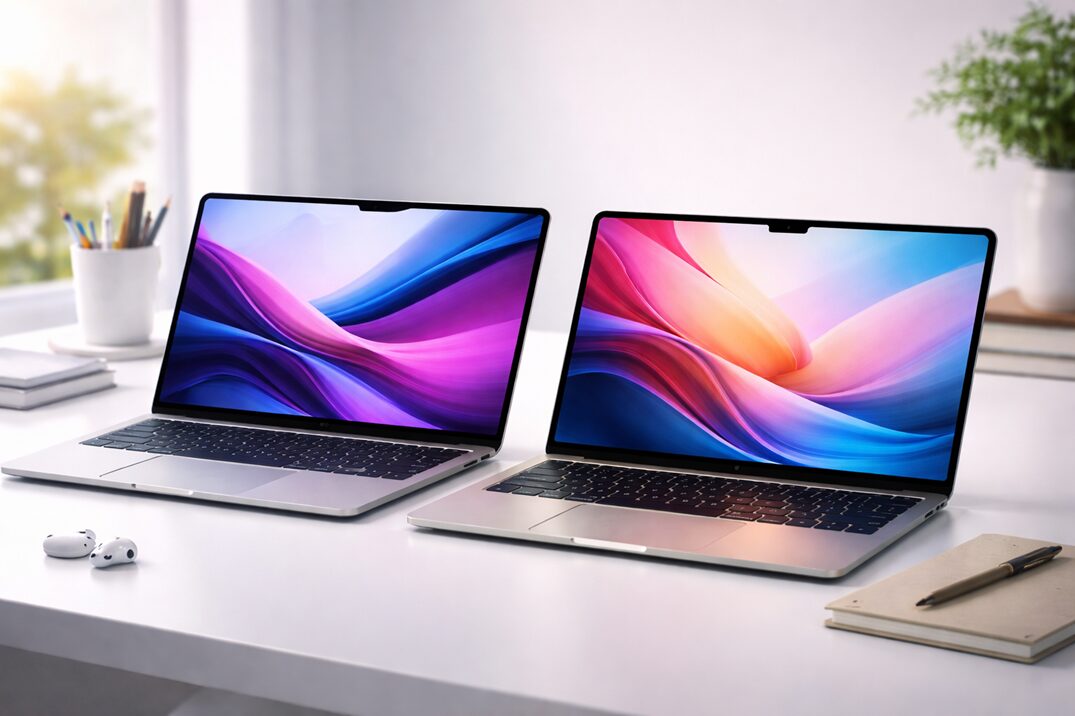
Put both MacBook Airs on a desk without glancing at the bottom and you genuinely cannot tell them apart. Apple reused the same 2022 chassis for the M3, which isn’t a criticism; it’s confirmation that the M2 redesign was that good.
Both share the flat, squared-off aluminum body that replaced the old tapered wedge profile. MagSafe charging, a spacious keyboard deck, a wide trackpad, and a headphone jack capable of driving high-impedance headphones. The physical experience is excellent on both.
The M3 adds a couple of new color options. Midnight, carried over from the M2, fingerprints aggressively. Starlight is the more practical daily choice. Weight is identical at 2.7 pounds, and portability is a complete wash between the two.
Performance Comparison
Programming & Development
For the typical developer workflow, VS Code, Docker, a browser loaded with tabs, and terminal sessions, the M2 is already excellent. M3 compilation times are measurably faster in benchmarks, but in practice that might mean saving 8 seconds on a build you run twice an hour. Not nothing, but not a reason to spend more on its own.
The M3 starts to pull ahead in GPU-accelerated and ML workloads. Local model inference, Metal-based GPU computation, and Neural Engine tasks all benefit from the M3’s second-generation 3nm process improvements over the M2’s first-gen implementation.
Photo & Video Editing
This is where the M3 earns its price premium most convincingly. ProRes playback in Final Cut, color grading in DaVinci Resolve, and timeline scrubbing in Premiere all feel snappier with 4K or higher-resolution footage. More importantly, the M3 GPU supports hardware ray tracing natively. The M2 does not.
If video editing is even an occasional part of your workflow, YouTube, client deliverables, social content, the M3 upgrade pays for itself in time saved over a multi-year ownership period.
Office Work & Everyday Multitasking
Docs, Slack, Notion, Zoom, spreadsheets, email, both chips handle this so far beyond what’s needed that comparing them here is nearly pointless. The M2 is overkill for this workload. The M3 is even more overkill. Pick whichever fits your budget and move on.
Gaming
Mac gaming has genuinely improved. With native ports of titles like Resident Evil 4 and Baldur’s Gate 3, the MacBook Air is a real option for casual gaming. The M3’s GPU improvements translate to noticeably better frame rates in demanding games, and hardware ray tracing support adds a category of visual effects the M2 simply can’t render in real time.
Neither machine is a gaming laptop; the fanless design limits sustained performance under load, but the M3 is the right choice if gaming is part of your buying decision.
Note: The single most tangible real-world difference between M2 and M3 is dual external display support. The M3 can drive two monitors simultaneously. The M2 requires closing the lid to use a second external display. If you work at a desk with a multi-monitor setup, this alone may decide the purchase.
Battery Life & Thermals
Apple claims 18 hours for both, and both deliver genuine all-day battery life under mixed workloads. Real-world usage typically lands between 10 and 14 hours depending on brightness, what you’re running, and how often the GPU wakes up.
The M3’s efficiency improvements give it a slight edge in sustained battery life under identical conditions. It’s not dramatic, but you might finish a long travel day with 15% remaining instead of 7%. That’s a real difference on an international flight.
Thermals on both are limited by the fanless design. Sustained heavy loads, long video exports, extended compile jobs, and GPU-intensive tasks running for 15+ minutes will cause both machines to throttle. The M3 handles this slightly better, but neither chip was built for sustained peak output without active cooling. If that’s your use case, you should be looking at the MacBook Pro instead.
Value for Money
The M2 MacBook Air is one of the best-value laptops on the market right now. At $999 new, or $750–$850 refurbished through Apple, you get a machine that will serve most users comfortably for four to five years. The day-to-day experience is virtually indistinguishable from the M3 for the vast majority of tasks.
The M3 asks for a $100–$150 premium at equivalent configurations. That’s reasonable given the dual-display support, improved GPU, and longer future-proofing runway, but only if you’ll actually use those capabilities.
More important than the chip choice: don’t buy 8GB of RAM. Unified memory is efficient, but 8GB shows real strain in 2024 with multiple browser tabs and any creative work open simultaneously. 16GB is the right starting point. That upgrade delivers more real-world value than the jump from M2 to M3.
Who Should Buy the MacBook Air M2
- Students and academics
- Remote workers focused on productivity apps
- Writers, journalists, and content creators
- Casual photo editors using Lightroom or similar
- Budget-conscious buyers upgrading from Intel Macs
- Anyone looking for a reliable secondary travel machine
- First-time Mac buyers exploring the ecosystem
Who Should Buy the MacBook Air M3
- Video editors working regularly with 4K or higher footage
- Anyone who needs two external displays without workarounds
- Developers doing ML or GPU-accelerated work
- Casual gamers who want better frame rates and ray tracing
- Buyers who keep laptops for five or more years
- Creative professionals who want a single portable all-rounder
- Those upgrading from an M1 or Intel MacBook
Don’t Miss This
- Best Laptops Under $500 for Students on a Budget
- HP Portable Laptop For Student and Business As Low As $260
- 8 Best Laptops for College Students in 2026
Common Buyer Mistakes
1. Prioritizing chip generation over RAM
An M2 with 16GB of RAM will outperform an M3 with 8GB in real-world multitasking. Configure correctly first, then think about which chip generation you need.
2. Treating M3 as a major leap
This is an iterative update. The M3 is better, but it won’t make M2 owners feel they’re missing something critical. The M2-to-M3 gap is far narrower than M1-to-M2 or Intel-to-M1 were.
3. Ignoring Apple’s refurbished store
Certified refurbished M2 MacBook Airs carry the same warranty as new units and typically arrive in excellent condition. At $150–$250 below retail, they represent outstanding value. Check there before buying new or stretching to M3.
4. Buying an Air when you actually need a Pro
No fan means thermal throttling under sustained loads. If your work involves long video exports, heavy compilation, or extended ML tasks, the MacBook Pro 14-inch with M3 Pro is the right machine, not a faster Air.
5. Overlooking the 15-inch M3 option
Apple doesn’t make a 15-inch M2 Air. If screen real estate matters and you’re weighing a 13-inch Air against a 14-inch Pro, the 15-inch M3 Air is worth a serious look, it’s larger, still fanless, and sits below the Pro in price.
Final Recommendation
The MacBook Air M2 is one of the most capable laptops available at its price. The M3 is better in meaningful ways, but it’s an upgrade, not a reinvention. The decision comes down to two questions: Do you need dual external display support? And do you plan to keep this machine for five or more years?
If yes to either: buy the M3, configure it with 16GB of RAM, and you’re set for years. If no to both: buy the M2, use the savings for more storage, AppleCare, or a good external display, and enjoy one of the best laptops money can buy. Either way, you’re making the right call.