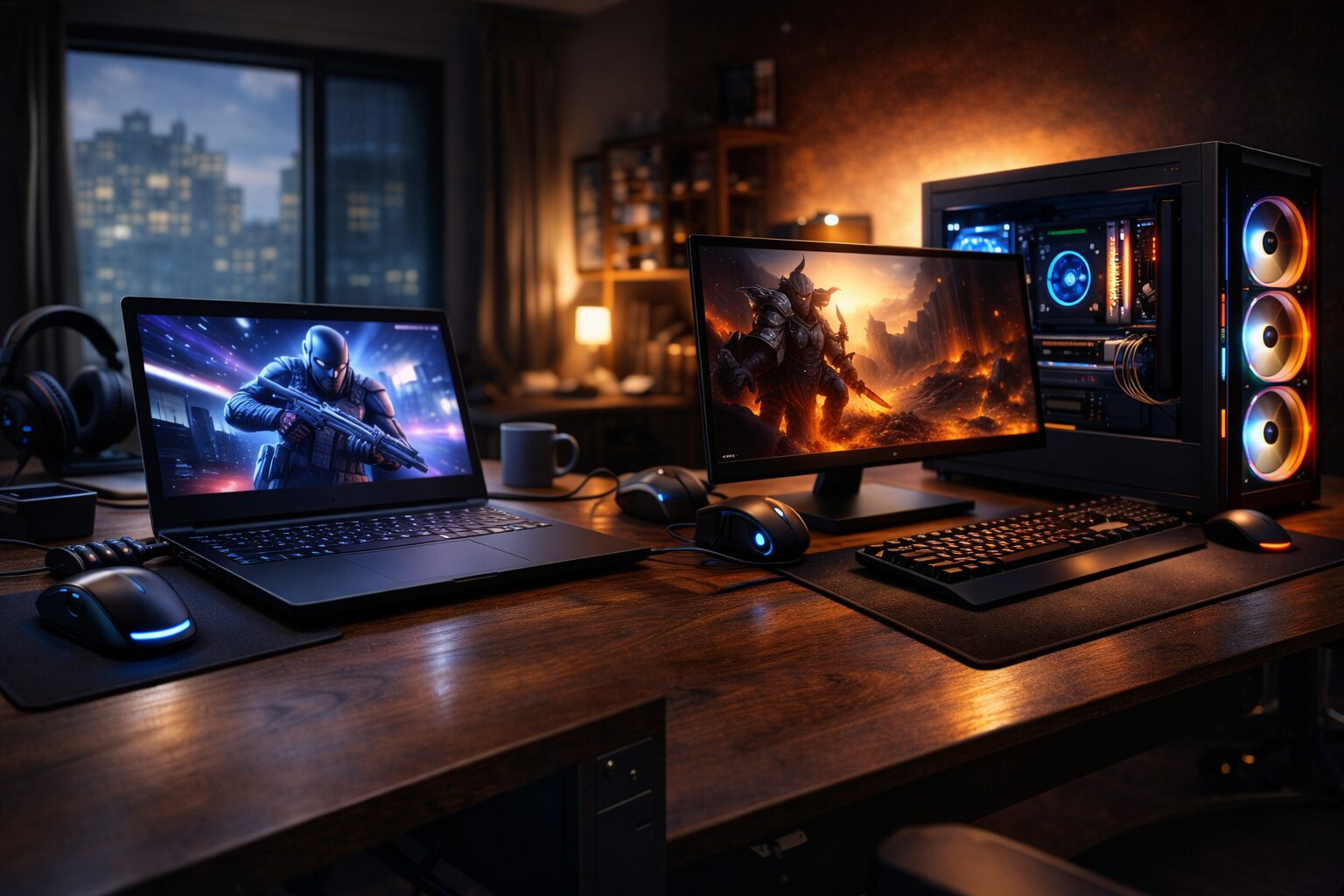
If you have ever stood in a tech store or scrolled through pages of product listings trying to decide between a gaming laptop and a gaming PC, you are not alone. This is one of the most common questions in the gaming community, and for good reason. Both options have grown incredibly capable over the last few years, making the decision harder than ever.
Modern games demand a lot from hardware. Titles like Cyberpunk 2077, Alan Wake 2, and the latest Call of Duty releases push graphics cards, processors, and memory to their limits. At the same time, gamers have different lifestyles. Some want the freedom to game anywhere. Others want maximum performance at home. Budget matters too, and so does the ability to upgrade hardware down the road.
This guide breaks down everything you need to know, from raw gaming performance and portability to pricing and long-term value, so you can make the right call for your situation.
What is a Gaming Laptop?
A gaming laptop is a portable computer built with dedicated graphics hardware, a high-refresh-rate display, and a fast processor packed into a compact chassis. They are designed to handle demanding games on the go, without needing to be plugged into a desktop setup.
Popular gaming laptops in 2024 and 2025 include machines powered by NVIDIA RTX 4060 to RTX 4090 mobile GPUs, with processors from Intel Core i7 or AMD Ryzen 7 series. They weigh anywhere from 4 pounds for thin models to over 7 pounds for high-performance desktop-replacement machines.
A solid mid-range pick is the ASUS ROG Strix G16 Gaming Laptop, which balances portability and performance at a reasonable price.
What is a Gaming PC?
A gaming PC, also called a desktop gaming PC, is a tower-based computer you set up in one place. It uses full-sized desktop components, which are generally more powerful and run cooler than their laptop counterparts. Desktop PCs can be pre-built or custom-built from individual parts.
Gaming PCs typically offer better GPU options, more RAM slots, better airflow, and far more upgrade potential. They are the go-to choice for serious gamers who prioritize performance above everything else.
A great pre-built option is the CyberpowerPC Gamer Xtreme VR Gaming PC, which offers excellent value for the price and is easy to upgrade later.
Performance Comparison
When it comes to raw gaming performance, gaming PCs have a clear advantage. Here is why.
GPU Power
Desktop graphics cards like the NVIDIA RTX 4080 or AMD RX 7900 XTX run at full wattage, often 300 to 450 watts. Mobile versions of the same GPUs in laptops are power-limited, usually running at 80 to 150 watts. This means a laptop RTX 4070 performs noticeably worse than its desktop version, sometimes by 20 to 30 percent in demanding titles.
CPU Performance
Desktop processors like the Intel Core i9-14900K or AMD Ryzen 9 7900X have higher clock speeds, more cores, and no thermal throttling concerns. Laptop CPUs run at lower power envelopes and can throttle during long gaming sessions to manage heat.
RAM and Storage
Desktop PCs can support up to 128GB of DDR5 RAM across four slots. Most gaming laptops max out at 32GB or 64GB and often have soldered RAM that cannot be swapped out. Storage in desktop PCs supports multiple NVMe drives plus SATA options, giving you more flexibility.
Thermal Limitations
Heat is the enemy of performance. Laptops struggle to dissipate heat due to their thin form factor. Many gaming laptops will throttle CPU or GPU performance during extended gaming sessions. Desktops, with proper case airflow and large coolers, maintain peak performance for hours without issue.
Portability and Convenience
This is where the gaming laptop wins without question. If you are a student who games between classes, a frequent traveler, or someone who does not have a dedicated desk, a gaming laptop offers freedom that a desktop simply cannot match.
- Students can carry their gaming laptop to class, the library, or a friend’s dorm room.
- Frequent travelers can keep gaming on long flights or hotel stays.
- People in small apartments benefit from a single device that handles both work and gaming.
- Those who move often save themselves the hassle of dismantling and transporting a full setup.
Desktop PCs, by contrast, stay on your desk. Moving one involves unplugging cables, packing a heavy tower, wrapping a monitor, and setting everything back up at your destination. For most people, a desktop is a permanent installation.
Upgrade and Customization Options
One of the biggest long-term advantages of a gaming PC is how easy it is to upgrade. As games become more demanding, you do not need to buy an entirely new system. You can replace individual components over time.
With a desktop PC, you can upgrade:
- The GPU to the latest generation when prices drop
- Add more RAM as needed
- Install a faster NVMe SSD
- Swap to a better CPU cooler for lower temperatures
- Replace the power supply for a more efficient unit
- Add case fans or a liquid cooling loop for better thermals
Gaming laptops are almost impossible to upgrade meaningfully. Some models let you swap RAM or add a second SSD, but the GPU and CPU are soldered to the motherboard. When those components age, your only option is buying a new laptop entirely.
Cooling and Thermal Performance
Heat management is critical for sustained gaming performance. Desktop gaming PCs have the clear advantage here. A mid-tower case has room for 120mm or 140mm fans, radiators for liquid cooling, and large heatsinks that keep both the CPU and GPU at safe temperatures under heavy load.
Gaming laptops have improved significantly with vapor chamber cooling, heat pipe designs, and dedicated fan layouts. However, physics places real limits on what is possible in a thin chassis. Over time, thermal paste degrades faster in laptops due to heat cycles, and reapplying it on a laptop is more complex than on a desktop.
For gaming sessions lasting more than two to three hours, desktops simply run cooler, quieter, and more consistently.
Price and Value for Money
Price is often the deciding factor, so here is a practical comparison across three tiers.
Entry Level (Under $900)
- Gaming Laptop: You can find decent options like the Acer Nitro 5 or Lenovo IdeaPad Gaming 3 in this range, with an RTX 3050 or similar GPU. Check the Acer Nitro 5 on Amazon: https://www.amazon.com/dp/B09NKLNLWB?tag=techristic-20
- Gaming PC: A budget build or pre-built system like the HP Victus Gaming Desktop can deliver GTX 1660 Super or RX 6600 performance at this price point, with much better upgrade potential.
Mid Range ($900 to $1,500)
- Gaming Laptop: Options like the MSI Katana 15 or ASUS TUF Gaming A15 offer RTX 4060 mobile performance. Good for 1080p high settings gaming.
- Gaming PC: A mid-range desktop with an RTX 4060 or RTX 3070 desktop card, paired with a Ryzen 5 or Intel Core i5, will outperform any laptop in this range.
High End ($1,500 and above)
- Gaming Laptop: Premium options like the ASUS ROG Zephyrus G14 or Razer Blade 15 deliver near-desktop performance for those who need power on the go.
- Gaming PC: At this tier, a desktop build with an RTX 4080 or 4090 and a top-tier CPU creates an experience that no laptop can match for pure gaming power.
In almost every price bracket, a gaming PC delivers more performance per dollar. However, the laptop includes a built-in display, keyboard, and battery, which are all add-on costs for a desktop setup.
Gaming Experience and Longevity
A gaming PC typically lasts five to eight years with incremental upgrades. You might replace the GPU every three to four years, add RAM, or upgrade the SSD, and the system stays relevant for a long time.
A gaming laptop usually feels dated after three to five years. Because the core components cannot be replaced, you end up buying an entirely new machine rather than just upgrading a part. This can make laptops more expensive in the long run, even if the upfront cost is similar.
Gaming PCs also offer more display options. You can connect multiple monitors, use ultra-wide screens, or run a 4K display at high refresh rates. Laptops are limited to their built-in panel unless you add an external monitor, which defeats the portability advantage.
Gaming Laptop vs Gaming PC: Quick Comparison Table
| Feature | Gaming Laptop | Gaming PC |
| Portability | Highly portable | Not portable |
| GPU Performance | Good (some thermal limits) | Excellent (full desktop power) |
| CPU Performance | Good | Excellent |
| Upgradability | Very limited | Highly upgradable |
| Cooling | Compact, runs hotter | Superior airflow options |
| Display Options | Built-in (1080p-4K) | Any monitor you choose |
| Entry-Level Price | Around $700-$900 | Around $500-$700 |
| Mid-Range Price | Around $1,200-$1,500 | Around $900-$1,300 |
| High-End Price | $2,000 and above | $1,500 and above |
| Longevity | 3-5 years before aging | 5-8 years with upgrades |
| Best For | Students, travelers | Home gamers, enthusiasts |
Don’t Miss This
Best Choice for Different Types of Gamers
Casual Gamers
If you play occasional titles at medium settings and do not need the best frame rates, either option works. A budget gaming laptop gives you the convenience of portability without a major investment.
Competitive Esports Players
Competitive players in games like Valorant, CS2, or League of Legends need high refresh rates and consistent performance. A desktop PC with a 144Hz or 240Hz monitor and a dedicated mid-range GPU is the better setup. Laptops can work but may struggle to maintain frame rates under thermal pressure.
Content Creators and Streamers
Streaming and content creation require CPU power, RAM, and fast storage. A gaming PC excels here. More RAM, more storage options, and the ability to run multiple monitors make a desktop the smarter choice for streamers or video editors who also game.
Students
A gaming laptop is the obvious winner for students. It handles coursework, creative projects, and gaming in one portable package. Look at something like the Lenovo Legion 5 Pro Gaming Laptop, which is a well-rounded student gaming machine.
Travelers
For anyone who games while traveling for work or leisure, only a laptop makes sense. Look for a model with good battery life in balanced mode, like the ASUS ROG Zephyrus G14, which offers great performance and reasonable portability.
Who Should Buy a Gaming Laptop?
- Students who need a single device for classes and gaming
- Frequent travelers or remote workers who game during downtime
- Gamers with limited living space who cannot dedicate a full desk setup
- People who prioritize convenience and all-in-one simplicity over maximum performance
Who Should Buy a Gaming PC?
- Home gamers who want maximum performance at every price point
- Competitive players who need consistent high frame rates
- Streamers and content creators who need power and multi-monitor support
- Budget-conscious gamers who want to upgrade hardware over time instead of replacing a whole system
- Anyone planning to invest in high-end peripherals like mechanical keyboards, gaming chairs, and multi-monitor setups
Which One Should You Buy?
At the end of the day, neither option is universally better. It all comes down to how and where you game.
If your gaming happens at home, and performance, upgradability, and long-term value matter most to you, a gaming PC is the smarter investment. You will get more power for your money, better thermal performance, and the flexibility to upgrade components as technology advances.
If you move around frequently, need a device that pulls double duty for work and play, or simply cannot have a desktop setup at home, a gaming laptop gives you real gaming capability with the freedom to play anywhere.
One practical tip: if you go with a gaming PC, consider pairing it with a good gaming monitor like the LG UltraGear 27-Inch Gaming Monitor. And if you go with a gaming laptop, pick up a laptop cooling pad to extend its thermal life.
Think about your lifestyle first, then your budget, and the right choice will become clear. Happy gaming.