Product Snapshot
Staying organized sounds easy – until real life kicks in. Between work meetings, school schedules, chores, and smart home routines, things slip through the cracks.
That’s where the Apolosign 27″ 4K Digital Calendar steps in. It’s not just a calendar. It’s a shared command center for modern homes and home offices.
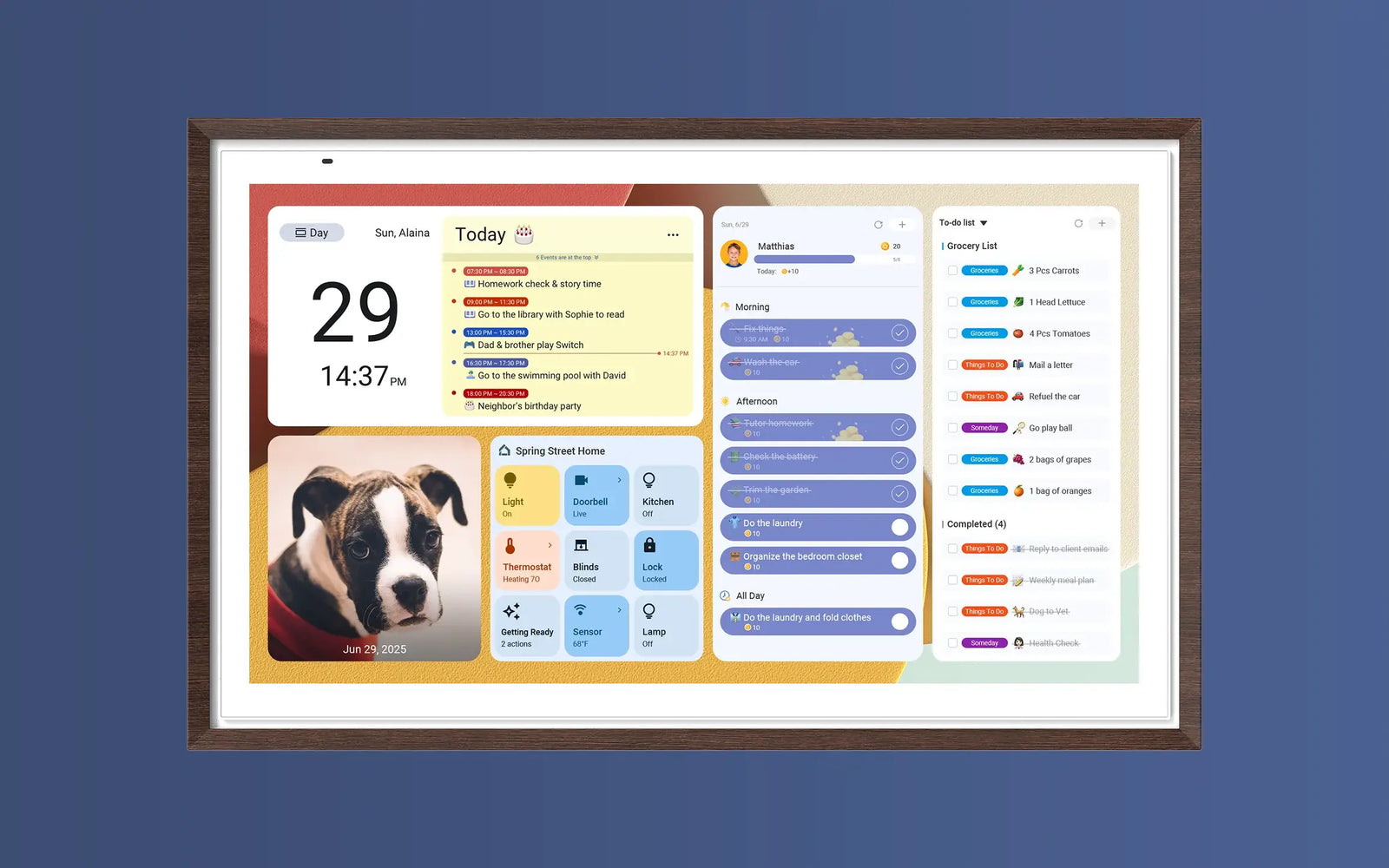
The Apolosign 27″ 4K Digital Calendar is a premium smart calendar and family hub designed to replace sticky notes and fragmented apps. It blends a 4K ultra-clear touchscreen display with a dual-mode system – a focused calendar view and a customizable Android dashboard. It syncs with major calendar services and acts as a central smart home interface without mandatory subscription fees.
Key specs at a glance:
-
27-inch ultra-sharp 4K touchscreen display
-
Dual system: Calendar Mode + Android Smart Dashboard
-
Syncs with Google Calendar, Outlook, iCloud, and more
-
Built-in family chore and rewards system
-
Smart home and Google Assistant support
-
No mandatory subscription fees
It’s designed to live in shared spaces – kitchens, hallways, home offices – where everyone can see what’s happening.
What Makes It Stand Out
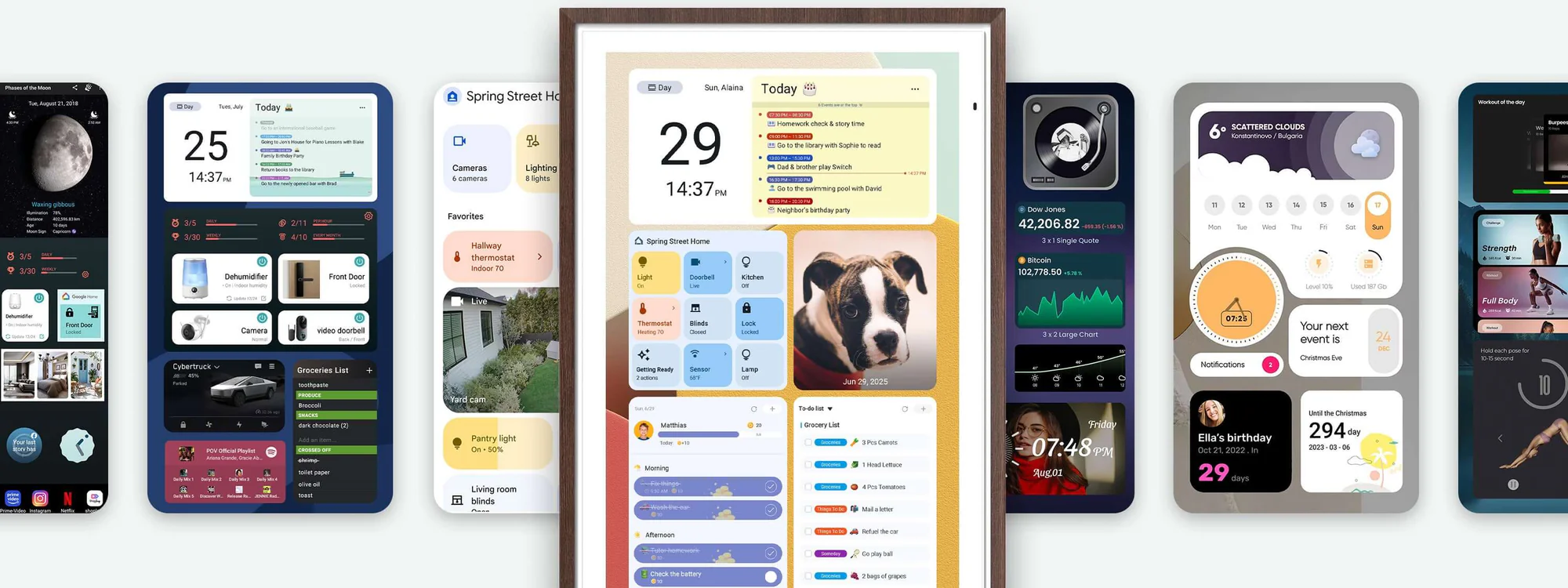
This isn’t just another wall calendar. What sets the Apolosign apart is the dual-mode experience: you get a dedicated calendar mode for scheduling and a full Android dashboard for widgets, apps, and smart home control. The high-resolution 3840×2160 screen with anti-glare finish makes dates, tasks, and widgets readable from across the room. Family chores become interactive with built-in points and rewards, and voice control via Google Assistant adds hands-free convenience.
Dual-Mode Experience
You can switch between:
-
Calendar Mode – clean, distraction-free scheduling
-
Android Dashboard Mode – widgets, apps, reminders, weather, and smart home controls

Real-World Performance
In everyday use, the Apolosign feels like a modern command center. Syncing with Google, Outlook, iCloud, and more is seamless, so shared schedules update instantly. It’s responsive to touch and supports customizable dashboards with weather, reminders, meal plans, and even smart home controls. Many users note that setup takes a bit of patience, but once configured, it reduces the need to juggle phones and apps for basic planning. Customers also report reliable performance with clear, easy-to-read visuals and solid customer support when needed.
Pros & Cons
✅ Pros
-
Stunning 4K display with anti-glare for everyday visibility.
-
Dual modes: focused calendar and Android smart dashboard.
-
Syncs with all major calendar platforms automatically.
-
Built-in chore system and rewards add practical family value.
-
Voice control and smart home integration via Google Assistant.
-
No subscription required for core features.
❌ Cons
-
Setup can take longer than expected for non-tech users.
-
Price is a premium compared with simple digital frames or planners.
-
Wall mount included but desktop stand requires optional hardware.
Who Should Buy It
This calendar is ideal for busy households, hybrid workers, and anyone who wants a central hub for schedules, tasks, and smart home control. It’s especially relevant for families who prefer a physical wall display beyond smartphone screens and appreciate integrated routines, rewards, and a customizable dashboard. It’s also a practical upgrade for home offices where a glanceable, always-on calendar and control panel boosts daily productivity.
Final Verdict
The Apolosign 27″ 4K Digital Calendar stands out as a well-rounded and smartly designed family hub. It’s not a basic calendar – it’s a central organizer, smart display, and management tool rolled into one. Its dual-mode flexibility, calendar syncing, task features, and smart home integration make it a compelling choice for modern homes. If you’re ready to replace fragmented scheduling tools with a single, elegant display, this device is worth exploring. Check availability and see how it fits into your daily routine.