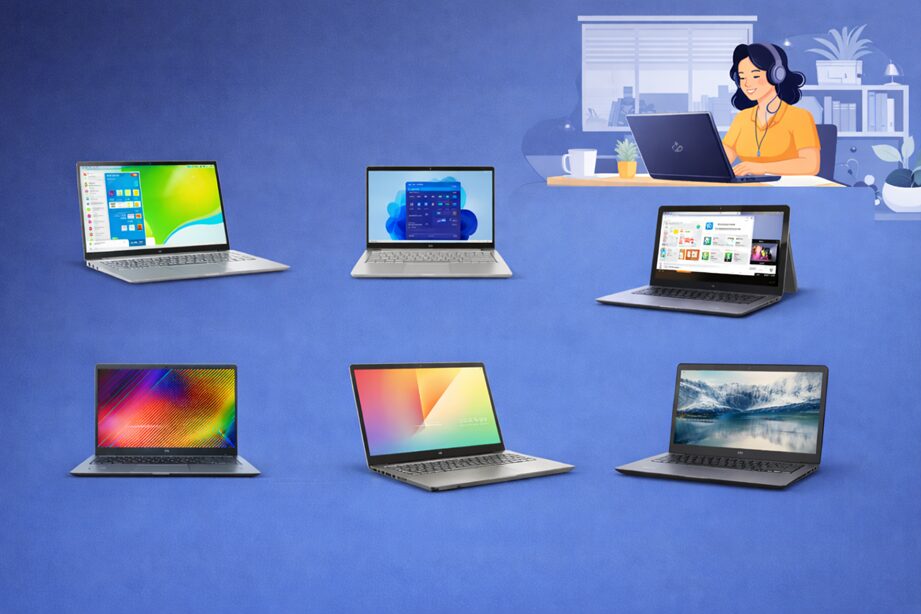
Remote work has become the default for millions of professionals worldwide – and your laptop is the single most important piece of equipment in your setup. It’s your meeting room, your filing cabinet, your communication hub. But with so many options on the market, finding a genuinely capable machine without spending $800 or more can feel overwhelming.
The good news is clear: the best laptops under $500 have made significant strides in recent years. Brands like Lenovo, ASUS, Acer, and HP now offer 16 GB RAM, 1 TB SSDs, aluminum chassis, and even Thunderbolt 4 connectivity at this price point – specs that were unheard of in the budget tier just three years ago.
This guide is for remote workers, freelancers, students, and home office professionals who need a dependable machine for video calls, document editing, spreadsheets, and cloud productivity. Every laptop on this list has been selected based on verified specifications from manufacturer pages, Amazon product listings, and independent reviews from outlets including PCWorld, TechRadar, and LaptopMedia published in 2025–2026.
Before you buy, consider these factors: (1) Processor – Intel Core i5 or AMD Ryzen 5 is the sweet spot for remote work. (2) RAM – 8 GB is the minimum; 16 GB is noticeably better for multitasking. (3) Display – FHD (1920×1080) is standard; avoid HD (1366×768) if sharp text matters to you. (4) Battery life – aim for 8+ real-world hours. (5) OS – Windows 11 for software flexibility, ChromeOS for Google Workspace users.
#1. Lenovo IdeaPad Slim 5i – Best Overall Laptop Under $500
Reviewed by PCWorld in November 2025 as an “excellent laptop for under $500” at its discounted price of $429, the Lenovo IdeaPad Slim 5i stands out for its aluminum chassis, generous 16 GB RAM, and 1 TB SSD – specs you’d normally pay $800+ for. It’s the best all-rounder on this list for remote workers who want premium build quality on a budget.
Verified Specifications
| Processor | Intel Core 5 210H (Raptor Lake, up to 4.7 GHz) |
| RAM | 16 GB DDR5 (soldered) |
| Storage | 1 TB PCIe SSD |
| Display | 16-inch FHD IPS, 60 Hz |
| OS | Windows 11 Home |
| Chassis | Aluminum (Luna Gray) |
| Ports | 2× USB-C (5 Gbps), 2× USB-A (5 Gbps), HDMI 1.4b, microSD, 3.5 mm |
| Weight | 4.08 lbs (1.85 kg) |
Key Features
- Intel Core 5 210H processor – capable of everyday productivity, web conferencing, and light multitasking
- 16 GB DDR5 RAM – uncommon at this price; handles multiple browser tabs, Slack, Zoom, and Office apps simultaneously
- 1 TB PCIe NVMe SSD – plenty of storage for documents, project files, and apps
- Aluminum chassis – no plastic flex or creaking; feels genuinely premium
- 16-inch FHD IPS display – spacious canvas ideal for split-screen remote work
- Full port selection – no dongles needed for most remote office setups
| ✅ Pros | ❌ Cons |
| Premium aluminum build at budget price | Intel Core 5 210H uses older Raptor Lake architecture |
| Generous 16 GB RAM + 1 TB SSD | No NPU / no Copilot+ AI features |
| Large 16-inch display for productivity | Heavier at 4.08 lbs for a 16-inch laptop |
| Good real-world benchmark scores (PCMark 10: 5,697) | Battery life can dip under load |
Best For: Remote professionals who want premium specs (RAM, storage, build) at the lowest possible price
The Lenovo IdeaPad Slim 5i earns its #1 spot thanks to a combination that is hard to beat at $429: 16 GB of DDR5 RAM, a full 1 TB SSD, and an all-aluminum chassis. PCWorld confirmed this in their November 2025 review, noting the laptop delivered strong real-world performance across browsers, Word, and media apps. The Intel Core 5 210H isn’t the newest architecture, so it won’t unlock Microsoft’s Copilot+ AI features, and it trails the latest Qualcomm Snapdragon X chips in efficiency – but for day-to-day remote work tasks like video calls, spreadsheets, and document editing, it gets the job done comfortably. The spacious 16-inch display is a genuine productivity advantage, and the metal build quality feels expensive. If you find it at its sale price of $429, this is an exceptional buy. At its $829 MSRP, look elsewhere.
#2. ASUS Chromebook Plus CX34 – Best Chromebook for Remote Work
The refreshed ASUS Chromebook Plus CX34 swapped the older i3-1215U for an Intel Core i5-1335U, delivering a 26% speed boost over its predecessor (PCWorld, April 2025). It’s MIL-STD 810H rated, weighs just 3.17 lbs, and comes bundled with 12 months of Google One AI Premium including Gemini Advanced – making it the definitive cloud-first laptop under $400.
Verified Specifications
| Processor | Intel Core i5-1335U (10-core, up to 4.6 GHz) |
| RAM | 8 GB LPDDR5 4800 MHz (soldered) |
| Storage | 256 GB (128 GB UFS + 128 GB SD card) |
| Display | 14-inch FHD (1920×1080), 250 nits, anti-glare, touchscreen |
| OS | ChromeOS with Google AI / Gemini |
| Webcam | 1080p FHD with privacy shutter |
| Connectivity | Wi-Fi 6, Bluetooth 5.4 |
| Weight | 3.17 lbs (1.44 kg) |
Key Features
- Intel Core i5-1335U – 10-core chip up to 4.6 GHz; 26% faster than the prior i3 model (PCWorld, 2025)
- 1080p webcam with privacy shutter – ideal for Zoom/Meet video calls
- 14-inch FHD anti-glare touchscreen – 180° lay-flat hinge for sharing screens in meetings
- Wi-Fi 6 + Bluetooth 5.4 – fast, reliable wireless connectivity
- MIL-STD 810H rated – built to withstand drops and bumps
- Google One AI Premium (12 months free) – Gemini Advanced, 2 TB cloud storage, Gemini in Gmail & Docs
- Full port set – 2× USB-A, 2× USB-C (DisplayPort), HDMI, 3.5 mm
| ✅ Pros | ❌ Cons |
| Fastest Chromebook in this price range (Core i5-1335U) | ChromeOS limits Windows-only software |
| Excellent Google Workspace integration with built-in Gemini AI | Storage: 256 GB uses slower UFS; only 512 GB tier gets M.2 SSD |
| Military-grade durability; 3.17 lbs lightweight | Speakers are downward-firing, sound depends on surface |
| 1080p webcam – better than most Windows rivals at this price | 8 GB RAM is soldered – no upgrade path |
| Bundled Google One AI Premium adds real value |
Best For: Google Workspace users, educators, and cloud-first remote workers who live in Gmail, Docs, and Meet
PCWorld’s April 2025 review confirmed the ASUS Chromebook Plus CX34 as a strong upgrade over its predecessor, with the Intel Core i5-1335U (10-core, up to 4.6 GHz) delivering notably better performance – a 26% improvement in Jetstream 2 benchmarks. For remote workers whose entire workflow runs in Google Workspace, this is the most capable and efficient laptop on this list. ChromeOS is fast, secure, and practically maintenance-free: no antivirus needed, updates happen silently in the background, and boot times are near-instant. The 1080p webcam with privacy shutter is a genuine differentiator, and the included Gemini Advanced subscription adds real productivity value. Weighing just 3.17 lbs and meeting MIL-STD 810H durability standards, it’s also the most portable machine on this list. The main caveat: if your job requires Windows-only software, look at the Windows options below instead.
#3. Lenovo IdeaPad Slim 5i Touchscreen – Best Touchscreen Under $500
The Lenovo IdeaPad Slim 5i with touchscreen combines a fingerprint reader, Thunderbolt 4, and an Intel Core i5-1235U processor in a slim, modern chassis. It’s the pick for remote workers who want touchscreen convenience and fast external monitor support at a sub-$500 price.
Verified Specifications
| Processor | Intel Core i5-1235U (12th Gen, up to 4.4 GHz, 10 cores) |
| RAM | 16 GB DDR4 (soldered) |
| Storage | 512 GB PCIe SSD |
| Display | 16-inch FHD IPS touchscreen, anti-glare |
| OS | Windows 11 Home |
| Security | Fingerprint reader (on power button) |
| Connectivity | Thunderbolt 4, USB-C, USB-A, HDMI, microSD |
| Weight | 3.9 lbs |
Key Features
- Intel Core i5-1235U (12th Gen) – 10-core processor ideal for multitasking
- Touchscreen IPS display – intuitive navigation for remote work and presentations
- Thunderbolt 4 port – fastest data transfer and external display support at this price
- Fingerprint reader on power button – quick secure Windows Hello login
- 16 GB RAM + 512 GB SSD – handles modern remote work comfortably
- Slim aluminum-finish chassis – lightweight and professional-looking
| ✅ Pros | ❌ Cons |
| Thunderbolt 4 is rare under $500 | RAM is soldered – not upgradeable |
| Touchscreen adds daily usability | Battery life not class-leading |
| Fingerprint reader speeds up login | 16-inch size may be large for some users |
| 16 GB RAM handles demanding multitasking |
Best For: Remote workers who need a touchscreen laptop with fast external display connectivity
The Lenovo IdeaPad Slim 5i with touchscreen is the choice for remote workers who want the most connectivity options at sub-$500. The inclusion of Thunderbolt 4 is genuinely unusual at this price point – it lets you connect a 4K external monitor, fast external SSD, and charge simultaneously via a single cable. Pair that with the 12th Gen Intel Core i5-1235U (10 cores, up to 4.4 GHz) and 16 GB of RAM, and you have a machine ready for a full dual-monitor remote office setup. The touchscreen is responsive and useful for quick gestures during video calls, while the fingerprint reader on the power button ensures you’re never fumbling with passwords. Lenovo’s build quality at this tier is consistent and reliable – no keyboard flex, solid hinge action. A strong pick for any remote worker who takes home office setup seriously.
#4. ASUS VivoBook 15 – Best for Students & Light Remote Workers
The ASUS VivoBook 15 delivers a large 15.6-inch FHD anti-glare IPS display with an Intel Core i3-1215U processor (6 cores, up to 4.4 GHz) at one of the lowest price points on this list. It’s a practical choice for students and light remote workers who need screen space and dependable everyday performance without spending over $400.
Verified Specifications
| Processor | Intel Core i3-1215U (12th Gen, 6-core, up to 4.4 GHz) |
| RAM | 8 GB DDR4 |
| Storage | 512 GB SSD |
| Display | 15.6-inch FHD (1920×1080), IPS, anti-glare, 250 nits |
| OS | Windows 11 Home |
| GPU | Intel UHD Graphics (64 EU) |
| Ports | 1× USB-C 3.2, 2× USB-A 3.2, 1× USB-A 2.0, HDMI 1.4, 3.5 mm |
| Weight | 3.7 lbs (1.7 kg) |
Key Features
- Intel Core i3-1215U (12th Gen) – 6-core processor (2P + 4E), handles web browsing, Office, and video streaming
- 6-inch FHD anti-glare IPS display – clear, low-reflective panel ideal for long work sessions
- 512 GB SSD – fast boot times and enough space for typical student/work files
- ASUS ErgoLift hinge – slightly elevates the keyboard deck for a better typing angle
- Fingerprint reader – convenient Windows Hello login
- Wi-Fi 6 – faster wireless for video calls and file transfers
| ✅ Pros | ❌ Cons |
| Large 15.6-inch anti-glare screen reduces eye strain | i3-1215U is less powerful than i5 options for heavy multitasking |
| Affordable entry point under $400 | 8 GB RAM shows limits with 10+ browser tabs open |
| Solid ASUS build quality | 720p webcam – basic quality |
| Wi-Fi 6 for fast connections | No backlit keyboard on base model |
| ErgoLift hinge improves typing comfort |
Best For:
Students, writers, and remote workers who prioritize screen size and value over raw processing power
The ASUS VivoBook 15 is the budget-friendly pick for users who need a large display without approaching $500. The 15.6-inch FHD IPS anti-glare panel is the standout – it’s genuinely comfortable to work on for extended periods, with good viewing angles and minimal glare. The Intel Core i3-1215U (6 cores, up to 4.4 GHz) is more capable than its ‘i3’ label suggests: it handles web browsing, Microsoft Office, Zoom calls, and light multitasking without noticeable slowdowns. ASUS’s VivoBook line has a reputation for reliable everyday performance, and this model continues that track record. The ErgoLift hinge elevates the keyboard slightly for more comfortable long typing sessions – a thoughtful design touch at this price. The main limitation is the 8 GB RAM cap, which starts to feel restrictive if you’re running multiple heavy applications simultaneously. For students and light remote workers, though, it’s one of the best deals under $400.
Don’t Miss This
- 12 Best Laptops for Programming in 2026
- Top 10 Best Content Creator Kits for Beginners and Professionals
- Intel Core i5 vs i7: Which One Should You Buy in 2026?
#5. Acer Aspire Go 15 – Best Battery Life on a Budget
The Acer Aspire Go 15 (AG15-21P-R5YG) is the most affordable laptop on this list at $299, running an AMD Ryzen 3 7320U processor with 8 GB LPDDR5 RAM. LaptopMedia’s March 2025 review highlighted its exceptional battery life of almost 13 hours – an outstanding result for a laptop at this price point.
Verified Specifications
| Processor | AMD Ryzen 3 7320U (Mendocino, Zen 2, up to 4.3 GHz, 4 cores) |
| RAM | 8 GB LPDDR5 |
| Storage | 128 GB PCIe SSD |
| Display | 15.6-inch FHD (1920×1080) IPS, anti-glare (Acer ComfyView) |
| OS | Windows 11 Home in S Mode |
| GPU | AMD Radeon 610M |
| Connectivity | Wi-Fi 6, Bluetooth 5.1 |
| Battery | Up to 13 hours (LaptopMedia review, March 2025) |
Key Features
- AMD Ryzen 3 7320U – efficient Mendocino-series chip, well-suited for everyday tasks
- 13 hours battery life – the longest real-world battery performance on this list (LaptopMedia, March 2025)
- 6-inch FHD IPS anti-glare display – ComfyView coating reduces eye strain
- Fingerprint-resistant chassis coating – practical for clean, smudge-free appearance
- Large, responsive touchpad – noted as a highlight in multiple reviews
- Wi-Fi 6 – reliable wireless for video calls and cloud work
- Lightweight – relatively slim and portable for a 15-inch device
| ✅ Pros | ❌ Cons |
| 13 hours battery life – outstanding for the price | 128 GB SSD is tight – external storage recommended for media files |
| Most affordable at $299 | Windows 11 Home in S Mode limits app installs (can be switched to standard) |
| Lightweight and portable design | No keyboard backlight |
| Fingerprint-resistant coating | AMD Ryzen 3 7320U uses older Zen 2 architecture |
| Large, responsive trackpad praised by reviewers | 720p webcam only |
Best For:
Budget-conscious remote workers and students who need maximum battery life above all else
If battery life is your top priority and budget is tight, the Acer Aspire Go 15 is a compelling choice. LaptopMedia’s comprehensive March 2025 review found it lasted almost 13 hours of real-world use – significantly better than most laptops at twice the price. The AMD Ryzen 3 7320U is efficient enough for web browsing, email, document editing, and video calls, which covers most remote work needs. The elegant, fingerprint-resistant design looks better than you’d expect for a sub-$300 laptop, and the large trackpad received specific praise from reviewers for its responsiveness.
The key trade-off is storage: 128 GB fills up quickly, especially after Windows takes its share. We recommend adding an affordable external drive or relying on cloud storage. Also note that Windows 11 ships in S Mode – simply switch to standard mode at setup for unrestricted app installs. For a traveler or student who primarily works from the browser or cloud apps, this is the strongest value proposition under $350.
#6. HP Pavilion 15 Touchscreen – Best HP Laptop Under $500
The HP Pavilion 15 brings 16 GB RAM, touchscreen convenience, and HP’s well-regarded build quality to the sub-$400 range. While the 1366×768 HD display resolution is lower than FHD alternatives, its generous RAM and long battery life make it a strong everyday machine for remote workers loyal to the HP brand.
Verified Specifications
| Processor | Intel Core i3-1115G4 (up to 4.1 GHz, 2 cores, 4 threads) |
| RAM | 16 GB DDR4 (not user-upgradeable) |
| Storage | 256 GB–1 TB SSD (varies by configuration) |
| Display | 15.6-inch HD (1366×768), touch, micro-edge, anti-glare, 220 nits |
| OS | Windows 11 Home |
| Ports | USB-C, HDMI, USB-A ports, 3.5 mm |
| Battery | Up to 11 hours (HP rated) |
| Weight | Lightweight for 15-inch class |
Key Features
- 16 GB RAM – excellent for the price; handles smooth multitasking
- Touchscreen 15.6-inch display – anti-glare, micro-edge design
- Up to 11 hours battery life – enough for a full work day on a single charge
- USB-C port – supports charging and data transfer
- HP’s trusted build quality – reliable and consistent across generations
- Windows 11 Home pre-installed – ready to use out of the box
| ✅ Pros | ❌ Cons |
| 16 GB RAM at an affordable price | HD resolution (1366×768) is below FHD – noticeably less sharp |
| Long battery life (up to 11 hours HP-rated) | RAM is soldered – not upgradeable |
| Touchscreen with anti-glare coating | Intel i3-1115G4 is a dual-core chip; older architecture |
| Lightweight and portable | Battery life in heavy use reported to drain quickly by some users |
| HP brand reliability |
Best For:
HP brand loyalists and casual remote workers who want 16 GB RAM and touch at a low cost
The HP Pavilion 15 is a capable everyday laptop for remote workers and students who prioritize memory over pixel density. The 16 GB RAM configuration is the headline spec – it allows genuinely smooth multitasking across multiple browser tabs, video calls, and Office apps without slowdowns. HP-rated battery life of up to 11 hours means you can work through a full day without hunting for outlets. The touchscreen is responsive and useful, particularly for quick navigation during presentations or calls.
The main compromise is the HD (1366×768) display resolution, which is visibly less sharp than FHD alternatives when viewing documents or spreadsheets. The Intel Core i3-1115G4 is also a dual-core chip – older than the other options on this list. For users who do light to moderate remote work in a consistent home office setup, the HP Pavilion 15 delivers solid value; just be aware of the display limitation before purchasing.
Comparison Summary
Here’s a verified side-by-side comparison of all six laptops based on confirmed specifications:
| # | Laptop | CPU | RAM | Storage | Display | Battery | Price |
| 1 | Lenovo Slim 5i | Intel Core 5 210H | 16 GB | 1 TB | 16″ FHD | 7-8 hrs | $429 |
| 2 | ASUS CB+ CX34 | Intel i5-1335U | 8 GB | 256 GB | 14″ FHD Touch | 10 hrs | $399 |
| 3 | Lenovo Slim 5i Touch | Intel i5-1235U | 16 GB | 512 GB | 16″ FHD Touch | 7 hrs | $479 |
| 4 | ASUS VivoBook 15 | Intel i3-1215U | 8 GB | 512 GB | 15.6″ FHD | 8 hrs | $369 |
| 5 | Acer Aspire Go 15 | AMD Ryzen 3 7320U | 8 GB | 128 GB | 15.6″ FHD | 13 hrs | $299 |
| 6 | HP Pavilion 15 | Intel i3-1115G4 | 16 GB | 256 GB | 15.6″ HD Touch | 11 hrs | $349 |
Buying Guide: What to Look for in a Laptop Under $500
Processor: For remote work, target Intel Core i5 (10th Gen or newer) or AMD Ryzen 5. Intel’s Core i3 and AMD Ryzen 3 work for lighter tasks. Avoid Intel Celeron or Pentium chips in 2026 – they struggle with modern web browsers and video conferencing.
RAM: 8 GB DDR4/DDR5 is the minimum. With 8 GB, you can comfortably run a video call, a browser with 10–15 tabs, and an Office app. For heavier multitasking, 16 GB makes a meaningful difference. Check whether RAM is soldered before buying – if so, you can’t upgrade later.
Storage:
Aim for 256 GB minimum, 512 GB or more ideally. PCIe NVMe SSDs boot in under 10 seconds and load applications nearly instantly. Avoid UFS storage found in some budget models – it’s slower than true NVMe SSDs. External storage can supplement a small internal drive cheaply.
Display: FHD (1920×1080) is the standard and it makes a visible difference for reading documents and working in spreadsheets. Anti-glare coatings reduce eye strain during long sessions. The HP Pavilion 15 on this list uses HD (1366×768) – acceptable for casual use, but noticeably less sharp than FHD alternatives.
Battery Life:
Look for 8+ hours of real-world use. Manufacturer claims are typically optimistic – independent reviews tend to show 20-30% less. The Acer Aspire Go 15 is the standout at 13 hours (LaptopMedia, March 2025).
Ports: USB-C with DisplayPort support lets you connect external monitors. USB-A is needed for mice, keyboards, and USB drives. HDMI is useful for projectors and TVs. Thunderbolt 4 (found on the Lenovo Slim 5i) is premium at this price and supports the fastest peripherals.
OS: Windows 11 is the default for software compatibility and flexibility. ChromeOS is excellent if your workflow is entirely cloud-based (Google Workspace). Windows 11 in S Mode (found on some budget laptops like the Acer Aspire Go 15) restricts app installs to the Microsoft Store – you can switch to standard mode for free during setup.
Frequently Asked Questions
Q: Can a laptop under $500 genuinely handle remote work in 2026?
A: Yes – for the majority of remote work tasks. Video conferencing (Zoom, Teams, Meet), web browsing, Microsoft Office, Google Workspace, email, Slack, and light content editing all run smoothly on Intel Core i5 or AMD Ryzen 5 systems with 8–16 GB RAM. The Lenovo IdeaPad Slim 5i reviewed by PCWorld in November 2025 at $429 is a strong example: 16 GB RAM, 1 TB SSD, and real-world benchmark scores competitive with much more expensive machines.
Q: Windows or ChromeOS – which is better for remote work?
A: It depends on your workflow. ChromeOS is ideal if you live in Google Docs, Sheets, Gmail, and Meet – it’s fast, secure, low-maintenance, and the ASUS Chromebook Plus CX34 includes Gemini AI for free. Windows 11 offers complete software flexibility and is better if you use any Windows-specific tools, accounting software, or industry applications.
Q: What does ‘Windows 11 in S Mode’ mean on the Acer Aspire Go 15?
A: S Mode restricts app installations to the Microsoft Store only, which limits what you can install. You can switch to standard Windows 11 Home for free during the initial setup – it’s a one-way, irreversible switch that takes a couple of minutes. We recommend switching immediately if you plan to use any third-party apps (Chrome, Zoom, Slack, etc.).
Q: Is 8 GB RAM enough, or should I hold out for 16 GB?
A: 8 GB is workable for light to moderate use: one video call, a browser with 8–10 tabs, and one productivity app. When you need to run more simultaneously – multiple browser windows, Zoom, Slack, Office – 16 GB is noticeably smoother. The Lenovo Slim 5i and HP Pavilion 15 both offer 16 GB at accessible price points on this list.
Q: What is the best laptop under $500 for a student who also does remote work?
A: The ASUS VivoBook 15 is our recommendation for students, offering a large 15.6-inch FHD anti-glare display, reliable Intel i3-1215U performance, and a sub-$400 price. For students whose school uses Google Workspace, the ASUS Chromebook Plus CX34 is also an excellent choice, particularly with its bundled 12-month Google One AI Premium subscription.
Conclusion
The sub-$500 laptop market in 2026 is genuinely impressive. Whether you need premium specs on a budget (Lenovo IdeaPad Slim 5i), a cloud-first Chromebook with AI (ASUS Chromebook Plus CX34), best-in-class battery life (Acer Aspire Go 15), or a reliable large-screen option (ASUS VivoBook 15), there’s a verified, well-reviewed option on this list to match your needs.
Our top pick remains the Lenovo IdeaPad Slim 5i at $429 – 16 GB RAM, 1 TB SSD, aluminum chassis, and a PCWorld-verified review put it in a class of its own for the price. If your work lives in Google Workspace, the ASUS Chromebook Plus CX34 is the smarter, lighter, faster choice. And if budget is the primary concern, the Acer Aspire Go 15 at $299 with its extraordinary 13-hour battery life is hard to argue against.
Don’t Miss This