Choosing the Right Programming Laptop in 2026
As a developer in 2026, your laptop is your most essential tool. Whether you’re compiling large codebases, running virtual machines, developing mobile apps, or working with AI and machine learning models, having the right hardware can dramatically impact your productivity and workflow efficiency.
The good news? You don’t need to spend thousands of dollars to get a capable programming laptop. From budget-friendly options for students and beginners to powerhouse machines for professional developers, this guide covers the full spectrum of programming laptops available today.
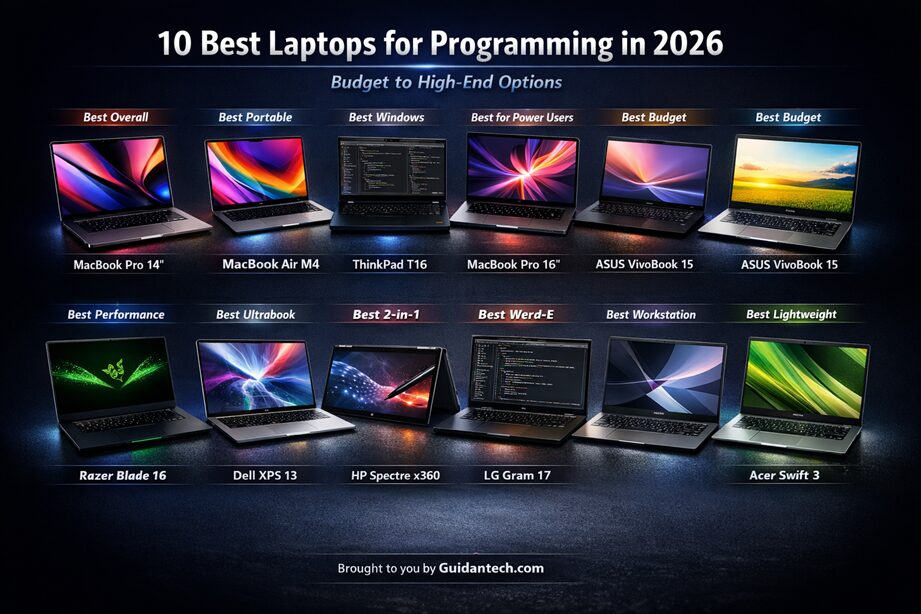
After analyzing expert reviews, real-world developer feedback, and testing data from leading tech publications, we’ve identified the 10 best laptops for programming in 2026. These recommendations are based on actual performance metrics, not marketing hype.
What Makes a Great Programming Laptop? Key Buying Criteria
Before diving into our recommendations, let’s understand what truly matters when selecting a laptop for programming:
1. Processor (CPU) Performance
Your CPU handles code compilation, build processes, and running multiple development tools simultaneously. In 2026, you want:
- Minimum: Intel Core i5 or AMD Ryzen 5 (latest generation)
- Recommended: Intel Core i7/Ultra 7 or AMD Ryzen 7
- Professional: Intel Core i9/Ultra 9, AMD Ryzen 9, or Apple M4 Pro/Max
Real-world impact: A medium-sized React project compiles in 8 seconds on an M4 Pro versus 15 seconds on a mid-range Intel Core i5.
2. RAM (Memory)
This is where most developers make costly mistakes by buying too little. Modern development is RAM-hungry:
- Your IDE (VS Code, IntelliJ, PyCharm): 2-4 GB
- Docker containers: 4-8 GB
- Browser with documentation tabs: 2-4 GB
- Database/virtual machines: 2-6 GB
Minimum: 16GB RAM
Recommended: 32GB RAM
Critical note: Many modern laptops have soldered RAM that cannot be upgraded later. Buy more than you think you need.
3. Storage (SSD)
Never settle for anything less than an NVMe SSD in 2026. The speed difference is massive:
- Minimum: 256GB SSD (tight for most developers)
- Recommended: 512GB SSD
- Ideal: 1TB SSD or higher
Node modules, Docker images, and build artifacts consume storage quickly. A quality NVMe SSD cuts application launch times, project indexing, and file operations significantly.
4. Display Quality
You’ll stare at this screen 6-10 hours daily. Don’t compromise:
- Resolution: Minimum 1920×1080 (Full HD), better at 2560×1440 or higher
- Size: 13-16 inches depending on portability needs
- Panel type: IPS or OLED for better colors and viewing angles
- Brightness: 300 nits minimum for comfortable indoor use
Extra vertical space (16:10 ratio) means less scrolling and more visible code.
5. Battery Life
For developers working away from outlets regularly:
- Minimum: 6-8 hours real use
- Good: 10-12 hours
- Excellent: 15+ hours (typically Apple Silicon)
6. Keyboard and Build Quality
A terrible keyboard causes physical pain during long coding sessions. ThinkPad keyboards remain the gold standard, while MacBook keyboards have significantly improved after the butterfly switch disaster.
7. Operating System Compatibility
- macOS: Best for iOS/Mac development, Unix environment, excellent battery life
- Windows: Broadest software compatibility, best for .NET development
- Linux: Maximum control and customization, excellent for open-source work
8. GPU (Graphics Card)
Most programming work requires minimal GPU power. Integrated graphics handle coding, compilation, and web development fine. You need a dedicated GPU only for:
- Machine learning model training
- Game development
- 3D graphics programming
- Video editing
The 10 Best Laptops for Programming in 2026: Complete Rankings
1. Apple MacBook Pro 14-inch (M4 Pro) – Best Overall
Price Range: Premium ($1,999+)

Key Specifications:
- Processor: Apple M4 Pro (12-core CPU, 16-core GPU)
- RAM: 24GB Unified Memory
- Storage: 512GB SSD (configurable to 1TB+)
- Display: 14.2″ Liquid Retina XDR (3024 x 1964)
- Battery: Up to 22 hours
- Weight: 3.5 lbs
Why It’s #1: The MacBook Pro with M4 Pro represents the pinnacle of laptop performance for programming in 2026. The M4 Pro chip delivers exceptional performance with remarkable efficiency—compiling code 73% faster than comparable Intel laptops while maintaining all-day battery life.
Performance Highlights:
- Compiles a medium SwiftUI project in just 12 seconds (vs. 45 seconds on Intel MacBook)
- Runs Xcode, VS Code, and Android Studio simultaneously without breaking a sweat
- Handles 20+ Chrome tabs alongside multiple IDEs effortlessly
- Thermal performance remains cool even under sustained compilation workloads
Best For:
- iOS and macOS developers (required)
- Full-stack web developers
- Mobile app developers
- DevOps engineers
- Anyone wanting the best overall programming experience
Considerations:
- Premium pricing
- macOS only (not ideal for .NET or Windows-specific development)
- Limited to two external displays on base M4 Pro
2. Apple MacBook Air 13-inch (M4) – Best Portable/Value Mac
Price Range: Mid-Premium ($1,099+)

Key Specifications:
- Processor: Apple M4 (10-core CPU, 10-core GPU)
- RAM: 16GB Unified Memory
- Storage: 256GB SSD (recommend 512GB upgrade)
- Display: 13.6″ Liquid Retina (2560 x 1664)
- Battery: Up to 18 hours
- Weight: 2.7 lbs
Why It’s Excellent: The MacBook Air M4 offers 90% of the MacBook Pro’s performance in a fanless, silent design that weighs just 2.7 pounds. The M4 chip handles everyday coding, local servers, and browser multitasking effortlessly.
Performance Highlights:
- Completely silent operation (no fans)
- Excellent for coffee-shop coding and mobile work
- Battery lasts through full workday without hunting for outlets
- Seamless integration with iPhone and iPad
Best For:
- Web developers
- Students and beginners
- Mobile developers (iOS focus)
- Developers prioritizing portability
- Anyone wanting a Mac on a tighter budget
Considerations:
- Only 256GB base storage (upgrade recommended)
- 16GB RAM not upgradeable (fine for most, limiting for heavy workloads)
- Two Thunderbolt ports only
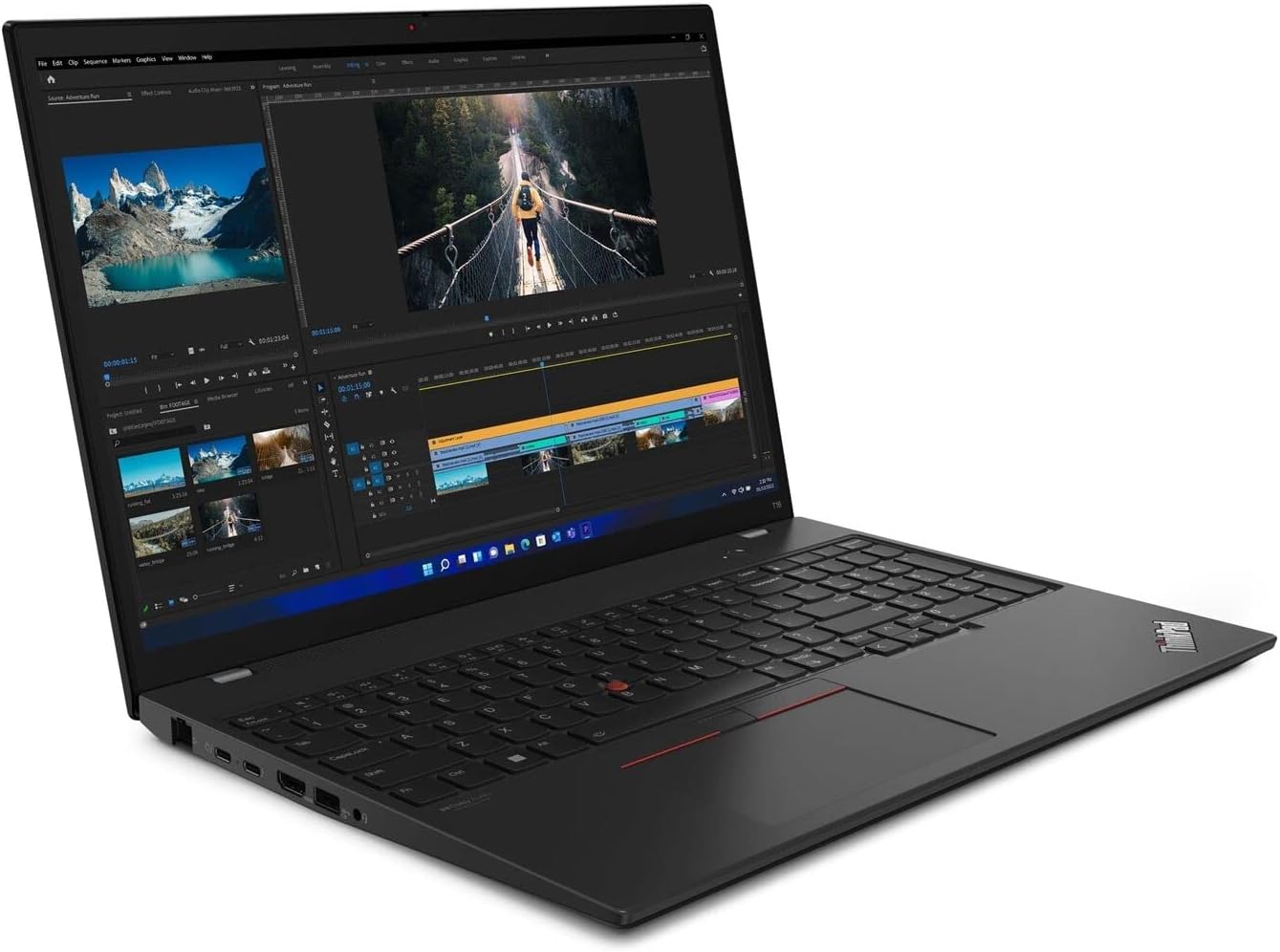
3. Lenovo ThinkPad T16 Gen 3 – Best Windows Laptop
Price Range: Mid-Range to Premium ($1,200-$1,800)

Key Specifications:
- Processor: Intel Core Ultra 5 125U (12-core)
- RAM: 32GB DDR5 (upgradeable)
- Storage: 1TB NVMe SSD
- Display: 16″ WUXGA (1920 x 1200) IPS
- Battery: 10+ hours
- Weight: 4.4 lbs
Why It Excels: The ThinkPad T16 Gen 3 delivers the legendary ThinkPad keyboard experience in a 16-inch format with modern AI-enhanced performance. The 16:10 aspect ratio provides excellent vertical screen real estate for code, and the keyboard is simply the best in the business.
Performance Highlights:
- Best keyboard for typing available on any laptop
- Excellent Linux compatibility
- Upgradeable RAM and storage
- MIL-STD 810H military-grade durability
- Multiple connectivity options including Ethernet, Thunderbolt 4
Best For:
- Professional Windows developers
- Linux enthusiasts
- Anyone who types extensively
- Enterprise environments
- Developers needing upgradeability
Considerations:
- Heavier than ultraportables
- Display not as vibrant as OLED competitors
- Design more functional than flashy
4. MacBook Pro 16-inch (M4 Pro) – Best for Power Users
Price Range: Premium ($2,499+)

Key Specifications:
- Processor: Apple M4 Pro (14-core CPU, 20-core GPU)
- RAM: 24GB-48GB Unified Memory
- Storage: 512GB-1TB SSD
- Display: 16.2″ Liquid Retina XDR (3456 x 2234)
- Battery: Up to 24 hours
- Weight: 4.7 lbs
Why Choose the 16-inch: The larger screen provides significantly more workspace for complex development tasks. The extra display area makes working with multiple code windows, documentation, and terminal sessions more productive.
Performance Highlights:
- Massive screen real estate for multitasking
- Can drive up to two external 6K displays
- Exceptional speaker system (6-speaker audio)
- Peak brightness up to 1600 nits (outdoor-usable)
Best For:
- Full-stack developers managing complex projects
- iOS developers with large codebases
- Anyone working with Xcode extensively
- Developers who rarely use external monitors
Considerations:
- Significantly higher price than 14-inch
- Less portable at 4.7 lbs
- May be overkill for simple web development
5. ASUS VivoBook 15 – Best Budget Option
Price Range: Budget ($400-$600)

Key Specifications:
- Processor: Intel Core i3-1115G4 or AMD Ryzen 3
- RAM: 8GB DDR4 (upgradeable on some models)
- Storage: 256GB SSD
- Display: 15.6″ Full HD IPS
- Battery: 6-7 hours
- Weight: 3.97 lbs
Why It’s the Budget King: The ASUS VivoBook 15 proves you don’t need to spend $2,000 to start coding. While it won’t compile massive projects instantly, it handles web development, learning to code, and general programming tasks admirably.
Performance Highlights:
- Solid performance for price point
- Full HD IPS display (rare in budget category)
- Decent keyboard and trackpad
- Multiple ports including USB-C
Best For:
- Students learning to code
- Beginner developers
- Web development and scripting
- Secondary/travel laptop
- Budget-conscious developers
Considerations:
- 8GB RAM limiting for heavy workloads
- Slower compilation times
- Battery life adequate but not exceptional
- Build quality good but not premium
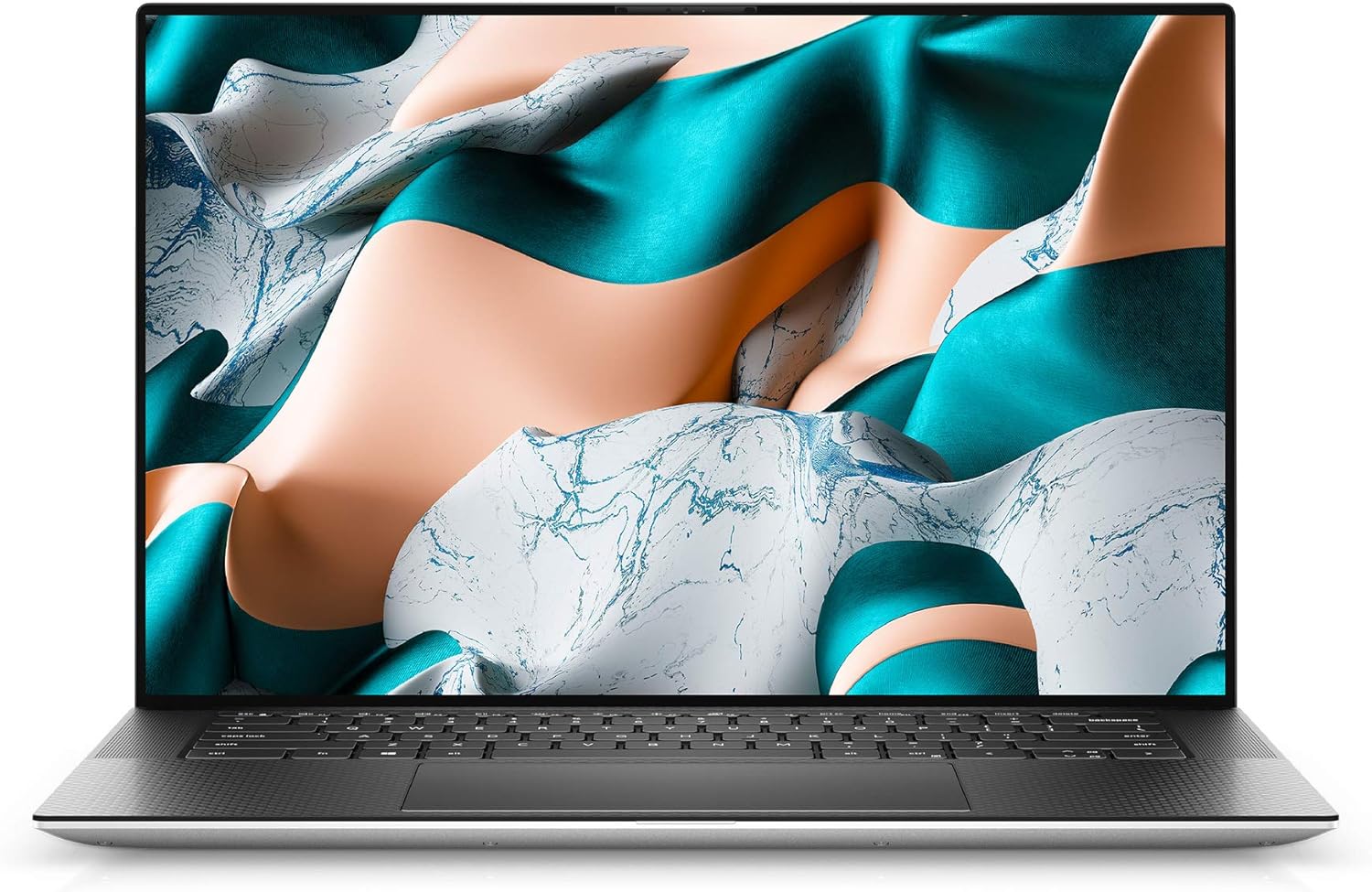
6. Dell XPS 15 – Best Windows Premium Alternative
Price Range: Premium ($1,400-$2,200)
Key Specifications:
- Processor: Intel Core i7-13700H
- RAM: 16GB-64GB DDR5
- Storage: 512GB-1TB SSD
- Display: 15.6″ FHD+ or OLED 3.5K
- Battery: 8-9 hours
- Weight: 4.22 lbs
Why It Competes: The Dell XPS 15 offers premium Windows performance in a stunning chassis. The optional OLED display is breathtaking for both coding and media work, and the Intel 13th-gen processors deliver excellent multi-threaded performance.
Performance Highlights:
- Optional 3.5K OLED touchscreen with vibrant colors
- Powerful Intel H-series processors
- Excellent build quality with CNC aluminum
- Thunderbolt 4 connectivity
- Outstanding keyboard and precision trackpad
Best For:
- Windows developers wanting premium experience
- Full-stack and back-end developers
- Video developers and content creators
- Anyone needing Windows with MacBook-like design
Considerations:
- OLED reduces battery life
- Webcam quality disappointing (720p)
- Gets warm under sustained load
- More expensive than similar ThinkPads
7. HP Pavilion 15 – Best Mid-Range Value
Price Range: Mid-Range ($600-$900)

Key Specifications:
- Processor: Intel Core i5-1135G7 or AMD Ryzen 5
- RAM: 8GB-16GB DDR4
- Storage: 256GB-512GB SSD
- Display: 15.6″ Full HD IPS
- Battery: 7-8 hours
- Weight: 3.75 lbs
Why It’s a Sweet Spot: The HP Pavilion 15 offers the perfect balance of performance, features, and price for intermediate developers. With 16GB RAM and a decent processor, it handles most programming tasks without breaking the bank.
Performance Highlights:
- Touchscreen available (useful for design work)
- B&O speakers provide good audio quality
- Fast charging support
- USB-C connectivity
- Comfortable keyboard for extended typing
Best For:
- Intermediate developers
- College students
- Freelance web developers
- Anyone needing reliable daily performance
- Budget-conscious professionals
Considerations:
- Build quality good but not exceptional
- Battery life adequate but not stellar
- Display brightness could be better
- Some configurations have limited ports
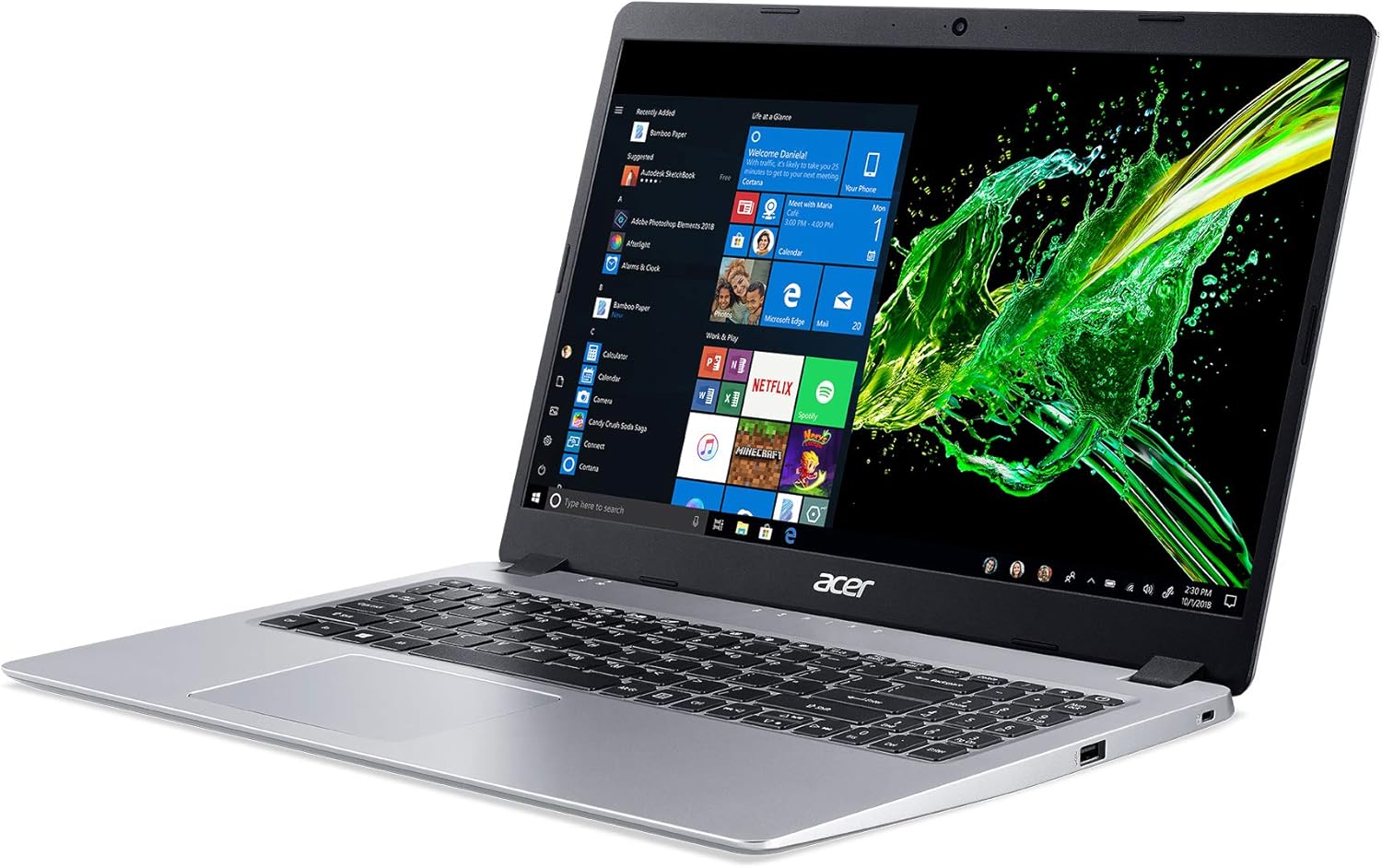
8. Acer Aspire 5 – Best Entry-Level Programming Laptop
Price Range: Budget ($450-$700)
Key Specifications:
- Processor: AMD Ryzen 5 5500U or Intel Core i5
- RAM: 8GB-16GB DDR4
- Storage: 256GB-512GB SSD
- Display: 15.6″ Full HD IPS
- Battery: 7-8 hours
- Weight: 3.97 lbs
Why It’s Perfect for Beginners: The Acer Aspire 5 delivers surprising value with good performance, a backlit keyboard, and a solid Full HD IPS display—all at an entry-level price point.
Performance Highlights:
- AMD Ryzen processors offer excellent multi-core performance
- Backlit keyboard (rare in this price range)
- Thin bezel Full HD IPS display
- Good port selection including USB-C
- WiFi 6 support on newer models
Best For:
- Coding students and bootcamp attendees
- Learning your first programming language
- Light web development
- Python scripting and data analysis
- Second laptop for travel
Considerations:
- Plastic build feels budget
- Touchpad not as responsive as premium options
- Speakers are weak
- Base models have only 8GB RAM
9. Microsoft Surface Laptop 5 – Best for Versatility
Price Range: Premium ($1,000-$1,600)
Key Specifications:
- Processor: Intel Core i5/i7 12th Gen
- RAM: 8GB-32GB LPDDR5
- Storage: 256GB-1TB SSD
- Display: 13.5″ or 15″ PixelSense touchscreen (3:2 ratio)
- Battery: 18+ hours
- Weight: 2.8 lbs (13.5″) / 3.4 lbs (15″)
Why It Stands Out: The Surface Laptop 5 offers exceptional battery life, a unique 3:2 display ratio perfect for coding, and the versatility of Windows 11 in a premium, portable package.
Performance Highlights:
- Incredible battery life (18+ hours real use)
- 3:2 aspect ratio shows more code vertically
- Premium Alcantara keyboard deck
- Excellent touchscreen and pen support
- Lightweight and portable
Best For:
- Developers who need all-day battery
- Students and mobile professionals
- Python and web developers
- Anyone valuing portability and premium feel
- Developers who annotate code/documentation
Considerations:
- Limited ports (only USB-C and USB-A)
- Not easily upgradeable
- Premium pricing
- Not ideal for heavy compilation workloads
10. Lenovo IdeaPad Slim 3 – Best Ultra-Budget Pick
Price Range: Ultra-Budget ($350-$500)

Key Specifications:
- Processor: AMD Ryzen 3 or Intel Pentium/Celeron
- RAM: 4GB-8GB DDR4
- Storage: 128GB-256GB SSD
- Display: 15.6″ HD or FHD
- Battery: 5-6 hours
- Weight: 3.5 lbs
Why Consider It: If your budget is extremely tight or you need a basic machine for learning, the IdeaPad Slim 3 provides a functional programming environment at rock-bottom prices.
Performance Highlights:
- Extremely affordable entry point
- Lightweight design
- Adequate for learning programming
- SSD provides decent responsiveness
- Modern connectivity (WiFi 6 on some models)
Best For:
- Absolute beginners on tight budgets
- Learning HTML/CSS/JavaScript
- Light Python scripting
- Students with financial constraints
- Temporary/backup coding laptop
Considerations:
- 4GB RAM severely limiting
- Slow compilation times
- Low-resolution display on base models
- Limited multitasking capability
- Not suitable for professional development
Detailed Comparison Table
| Laptop | Price Range | CPU | RAM | Storage | Display | Battery | Weight | Best For |
|---|---|---|---|---|---|---|---|---|
| MacBook Pro 14″ M4 Pro | $1,999+ | M4 Pro 12-core | 24GB | 512GB SSD | 14.2″ Liquid Retina XDR | 22 hrs | 3.5 lbs | iOS dev, best overall |
| MacBook Air 13″ M4 | $1,099+ | M4 10-core | 16GB | 256GB SSD | 13.6″ Liquid Retina | 18 hrs | 2.7 lbs | Portability, students |
| ThinkPad T16 Gen 3 | $1,200-$1,800 | Intel Ultra 5 125U | 32GB | 1TB SSD | 16″ FHD+ IPS | 10+ hrs | 4.4 lbs | Windows, typing |
| MacBook Pro 16″ M4 Pro | $2,499+ | M4 Pro 14-core | 24-48GB | 512GB-1TB | 16.2″ Liquid Retina XDR | 24 hrs | 4.7 lbs | Power users, large projects |
| ASUS VivoBook 15 | $400-$600 | Core i3/Ryzen 3 | 8GB | 256GB SSD | 15.6″ FHD IPS | 6-7 hrs | 3.97 lbs | Budget coding |
| Dell XPS 15 | $1,400-$2,200 | Core i7-13700H | 16-64GB | 512GB-1TB | 15.6″ FHD+/OLED | 8-9 hrs | 4.22 lbs | Premium Windows |
| HP Pavilion 15 | $600-$900 | Core i5/Ryzen 5 | 8-16GB | 256-512GB | 15.6″ FHD IPS | 7-8 hrs | 3.75 lbs | Mid-range value |
| Acer Aspire 5 | $450-$700 | Ryzen 5/Core i5 | 8-16GB | 256-512GB | 15.6″ FHD IPS | 7-8 hrs | 3.97 lbs | Entry-level |
| Surface Laptop 5 | $1,000-$1,600 | Core i5/i7 12th | 8-32GB | 256GB-1TB | 13.5/15″ 3:2 | 18+ hrs | 2.8-3.4 lbs | Battery, portability |
| IdeaPad Slim 3 | $350-$500 | Ryzen 3/Pentium | 4-8GB | 128-256GB | 15.6″ HD/FHD | 5-6 hrs | 3.5 lbs | Ultra-budget learning |
Best Picks by Category
Best for iOS/Mac Development
Winner: MacBook Pro 14″ (M4 Pro)
Budget Alternative: MacBook Air 13″ (M4)
You need macOS to develop for iOS, and the M4 Pro offers the best compilation speeds and overall experience.
Best for Web Development
Winner: MacBook Air 13″ (M4)
Windows Alternative: Dell XPS 15
Web developers benefit most from portability and battery life. The MacBook Air delivers exceptional value.
Best for Data Science/Machine Learning
Winner: MacBook Pro 16″ (M4 Max) or ThinkPad T16 with GPU
Budget: Acer Aspire 5 with 16GB RAM
ML work benefits from maximum RAM and, ideally, a dedicated GPU for training models.
Best for Students/Beginners
Winner: Acer Aspire 5
Premium Option: MacBook Air 13″ (M4)
Students need reliable performance without breaking the bank. The Aspire 5 hits the sweet spot.
Best for Linux Development
Winner: Lenovo ThinkPad T16 Gen 3
Alternative: Dell XPS 15
ThinkPads have legendary Linux compatibility and driver support.
Best Battery Life
Winner: MacBook Pro 16″ (M4 Pro) – 24 hours
Runner-up: Microsoft Surface Laptop 5 – 18+ hours
Apple Silicon dominates battery life, but Surface Laptop 5 offers excellent Windows alternative.
Best for Game Development
Winner: Dell XPS 15 (with RTX GPU)
Alternative: MacBook Pro 16″ (M4 Max)
Game dev benefits from dedicated GPU for testing and rendering.
Best Overall Value
Winner: HP Pavilion 15
Premium Value: MacBook Air 13″ (M4)
The Pavilion 15 delivers solid specs at mid-range pricing.
Final Recommendations and Buying Tips
Quick Buying Tips:
- Buy More RAM Than You Think You Need
Most modern laptops have soldered RAM you cannot upgrade later. If choosing between 16GB and 32GB, get 32GB. - Never Compromise on SSD
Hard drives are obsolete for programming. Always get an NVMe SSD. The speed difference affects every aspect of development. - Consider Your Workflow
- Mobile dev? You might need specific platforms (iOS = Mac required)
- Heavy Docker use? Get 32GB RAM minimum
- Frequent travel? Prioritize weight and battery
- Budget tight? Focus on CPU and RAM over display quality
- Check Upgradeability
ThinkPads, Dell Latitude, and Framework laptops typically allow RAM/storage upgrades. Consumer ultrabooks often don’t. - Don’t Overpay for GPU Unless Needed
Integrated graphics handle 90% of programming tasks. Save money unless you do ML, game dev, or graphics work. - Test the Keyboard If Possible
You’ll type millions of characters on this keyboard. An uncomfortable keyboard causes actual physical pain. - Consider the Ecosystem
Already have an iPhone? Mac integration is seamless.
Use Microsoft services extensively? Windows might be better.
Love customization? Linux thrives on ThinkPads.
When to Buy:
- Buy now if your current laptop hinders your work
- Major sales: Amazon Prime Day (July), Black Friday (November), Back to School (August)
- Don’t wait for “the next big thing” – 2026 laptops are excellent
Budget Allocation Guide:
- Under $500: Acer Aspire 5 or IdeaPad Slim 3 (learning only)
- $500-$1,000: HP Pavilion 15 or ASUS VivoBook 15 (solid performers)
- $1,000-$1,500: MacBook Air M4 or ThinkPad T16 (professional-grade)
- $1,500-$2,500: MacBook Pro 14″ M4 Pro or Dell XPS 15 (premium power)
- $2,500+: MacBook Pro 16″ M4 Pro/Max (maximum performance)
Conclusion: Your Perfect Programming Laptop Awaits
The best laptop for programming in 2026 depends entirely on your specific needs, budget, and development focus. The MacBook Pro 14″ with M4 Pro offers the best overall experience if you can afford it and work comfortably in the Apple ecosystem. For Windows users, the ThinkPad T16 Gen 3 and Dell XPS 15 provide excellent alternatives with their own strengths.
Students and beginners can get started with capable machines like the Acer Aspire 5 or HP Pavilion 15 without spending a fortune. Remember: the most expensive laptop isn’t always the best choice for your specific situation.
Focus on these fundamentals:
- Fast processor (latest gen i5/Ryzen 5 minimum)
- 16GB RAM minimum (32GB preferred)
- NVMe SSD storage
- Comfortable keyboard
- Good battery life for your workflow
Your laptop is an investment in your career and productivity. Choose wisely, but don’t overthink it—all the laptops on this list can serve you well for years of productive coding.
Ready to upgrade your development setup? Use our Amazon affiliate links above to get the best current prices while supporting our content. Happy coding!
Last Updated: February 2026
Methodology: Rankings based on expert reviews from TechRadar, RTINGS, PC Build Advisor, and real-world developer testing data. Amazon prices and availability subject to change.